5
EN
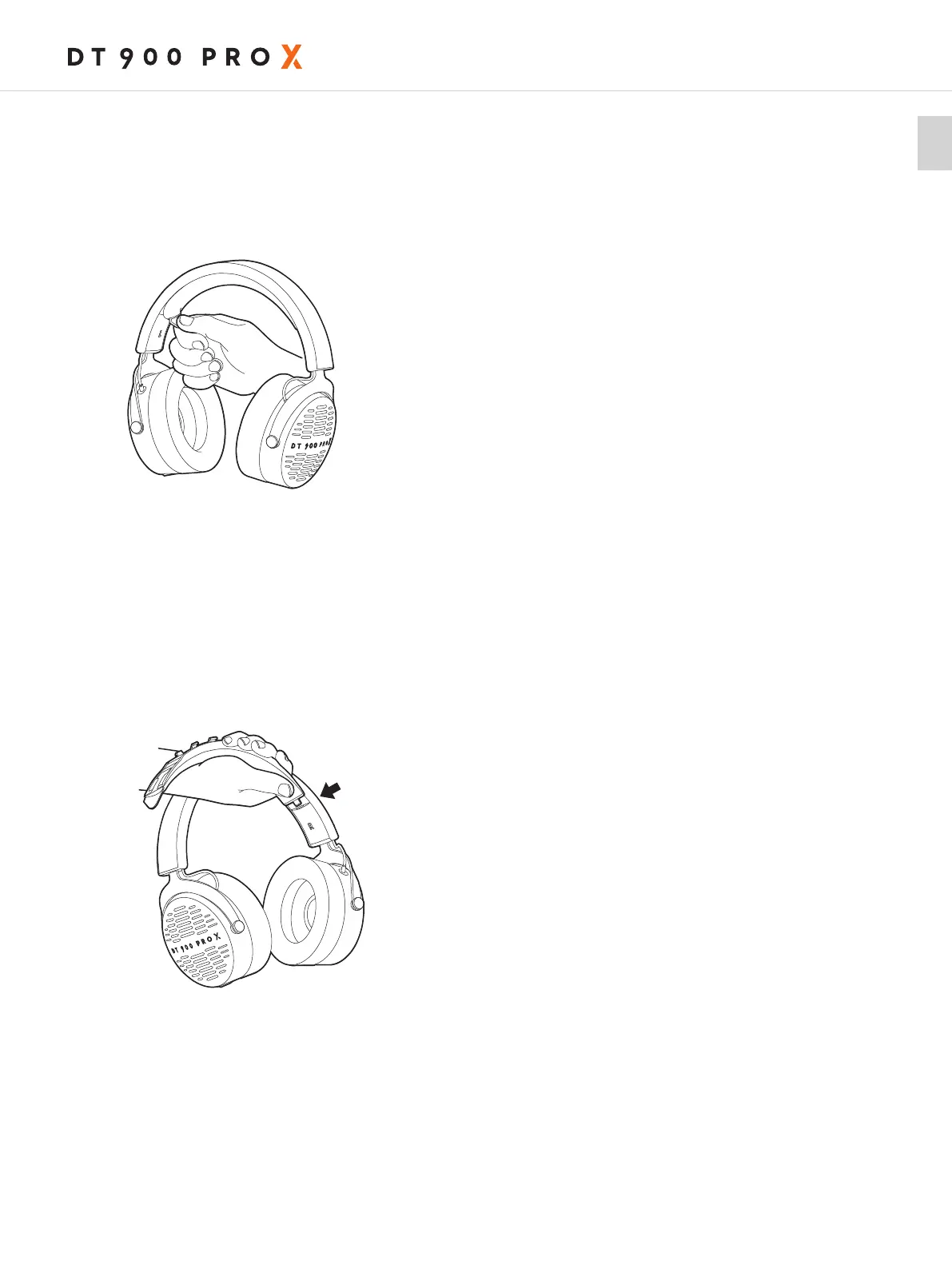
HOW TO CHANGE THE HEADBAND PAD
To remove the headband pad, carefully pull on the
silicon rap until all hooks of the headband pad are
released from the headband.
To attach the headband pad, make sure that the
snap-in nose on the right side sits in the right place.
Then press gently the pad into the headband until
the hooks snap into place.
VERSION
DT 900 PRO X
Dynamic premium udio
headphones, open, 48 Ω. . . . . . . . . . . Order # 729.906
SUPPLIED ACCESSORIES
1 x Straight cable, 3-pin mini XLR and
mini ereo jack (3.5 mm) &
1/4" (6.35 mm) adapter, length 3 m (9.8 )
1 x Straight cable, 3-pin mini XLR and
mini ereo jack (3.5 mm) &
1/4" (6.35 mm) adapter, length 1.8 m (5.9 )
1 x Bag
ACCESSORIES AND REPLACEMENT PARTS
Accessories and replacement equipment can be
found at: www.beyerdynamic.com
If you have technical problems while using the head-
phones or need fuher guidance, please visit our
FAQ website at: suppo.beyerdynamic.com
SERVICE
If you require service, please contact
qualified service personnel or directly:
beyerdynamic Service- und Logistik Center
E-mail: service@beyerdynamic.de
Dismantling the headphone yourself will invalidate
the guarantee.












 To Next Page