MIX 10 NG2 – Operation
26
7.3.2 Preferences
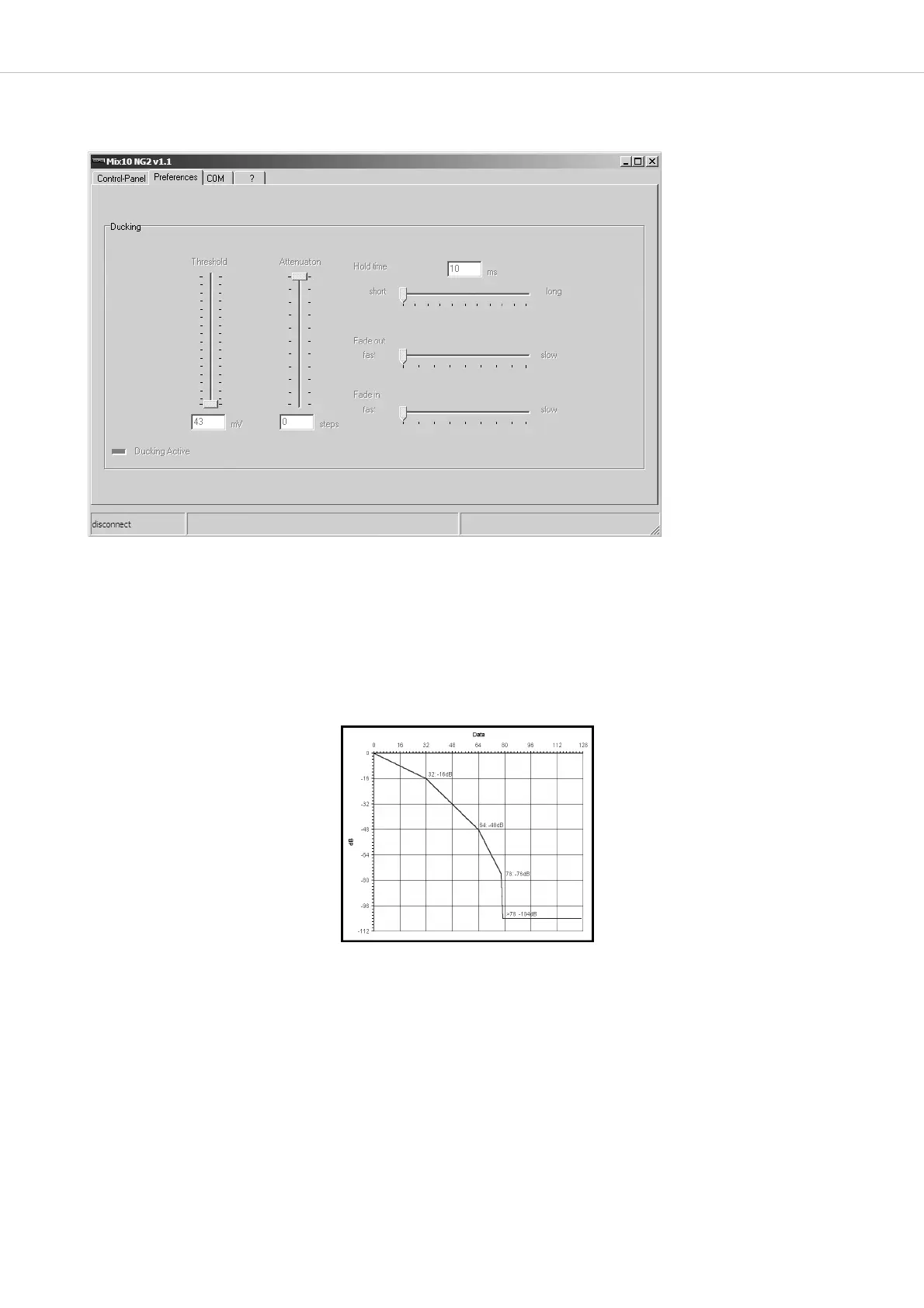
In this tab all settings which are needed for the ducking function in the “prior” mode are selected.
Threshold
Here you can adjust the sensitivity of the voice activation in the priority mode. The lower the control, the lower the input level of the micro-
phone in priority mode to activate the attenuation. This means you select at which volume you have to speak into the microphone to activate
the ducking function (level reduction).
If the ducking function does not work properly even when the threshold has been set to minimum, the microphone input sensitivity (gain)
must be increased at the rear of the MIX 10 NG2.
Attenuation
Here you can select how deep the signal without priority is reduced when it is faded out.
Hold time
With the “hold time” control you can adjust the time until the previously reduced signal is faded in again. This time period should not be
selected too short.
Fade out / fade in
You can adjust how fast or slow the audio signal after exceeding the threshold level is faded out or in. The fade out time should be short to avoid
losing the first syllable in announcements. The fade in time should be longer so that a gentle fade in of background music for instance is achieved.
The adjustable values are:
0 to -16 dB in 0.5 dB steps
-16 to -48 dB in 1.0 dB steps
-48 to -76 dB in 2.0 dB steps
-104 dB mute


 To Next Page