13
english
12
Recording and switchable Gain
With the mute button of the USB converter you can turn the
microphone on or off. An LED indicates the status.
• LED blue = Microphone off; or the recording control for
the microphone in the “Wave In” window is
very low
• LED off = Microphone on
When recording you can increase the gain of the microphone by
20 dB via the PC. This is recommended for very low speaking
users.
If you use a PC with the Windows
®
operating system, proceed as
described in the following.
• Select “Start”,
“Settings”,
“Control Panel”
and “Sounds and
Audio Devices”.
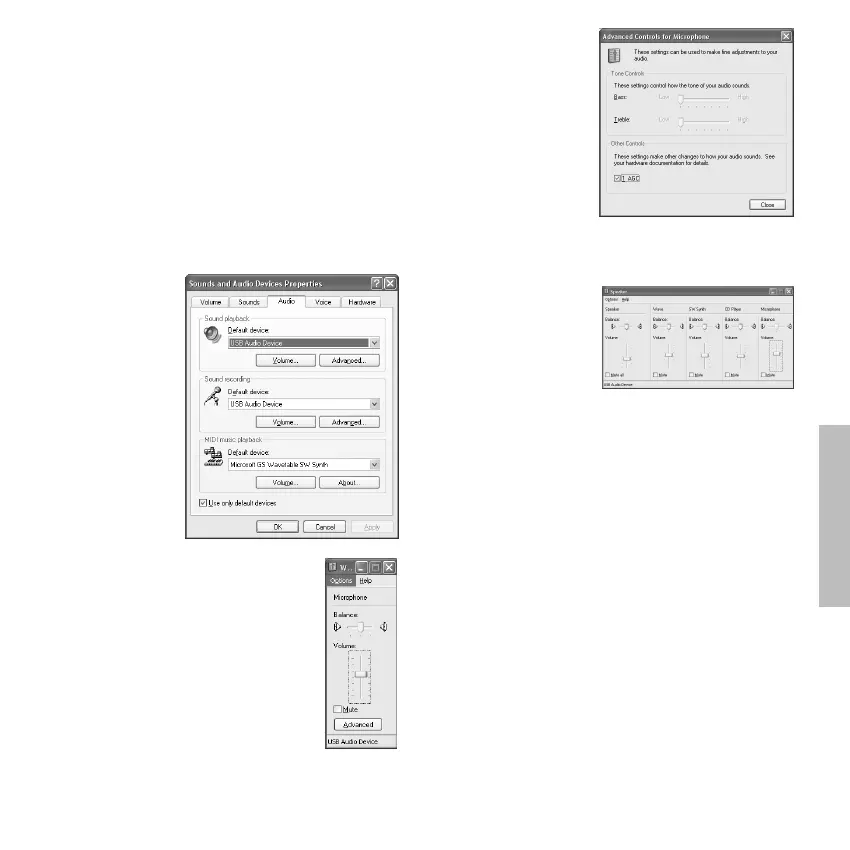
• In the “Sounds and
Audio Devices
Properties”
window select the
“Audio” tab.
• Select under
“Sound playback”
and “Sound
recording”
the “USB Audio
Device” from the
pull-down menu.
• Select the
“Volume” button
under “Sound recording”.
• The “Wave In” window will be opened.
• With the volume control you can set the
recording volume of the microphone.
• The “Advanced Controls” option must be
activated under “Options”.
• Select the “Advanced” button.
• In the “Advanced
Controls for
Microphone” window
you can tick the tick
box under “Other
Controls” to increase
the gain of the
microphone by 20 dB
if necessary.
Playback
With the volume control of the USB converter you can adjust the
volume of the headphone.
• To control the playback
open the “Speaker”
window. To open select
the “Volume” button
in the “Sounds and
Audio Devices
Properties” window.
• If the “Mute” tick box
under “Microphone” is not ticked, you can hear yourself via
the headphone.
• If you do not want to hear yourself, tick the “Mute” tick box
to activate.
Maintenance
• As with any equipment which will be used in close proximity to
sensitive areas of the body, it is essential that the ear pads and
headband are kept clean. Use a damp cloth for cleaning using
warm water only taking care not to allow any water drops into
the transducers.
• Should it become necessary, replace the ear pads. If other
components have to be replaced, please contact your
beyerdynamic dealer.
• For cleaning the pop shield remove it from the microphone
and wash it under clear running water. If necessary you can
use a mild cleansing agent (e.g. washing-up liquid). Make sure
that the pop shield is completely dry before you replace it onto
the microphone.
Service
Servicing must be carried out by qualified service personnel only.
Dismantling the headset yourself will invalidate the guarantee.
Components
Type Description . . . . . . . . . . . . . . . . . . . . . . Order #
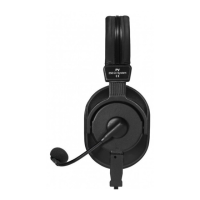
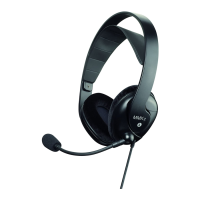
MMX 2 Digital Multimedia /
Gaming Headset . . . . . . . . . . . . . . . . . . . 485.896


 To Next Page