Orbis – Quick Start Guide
14
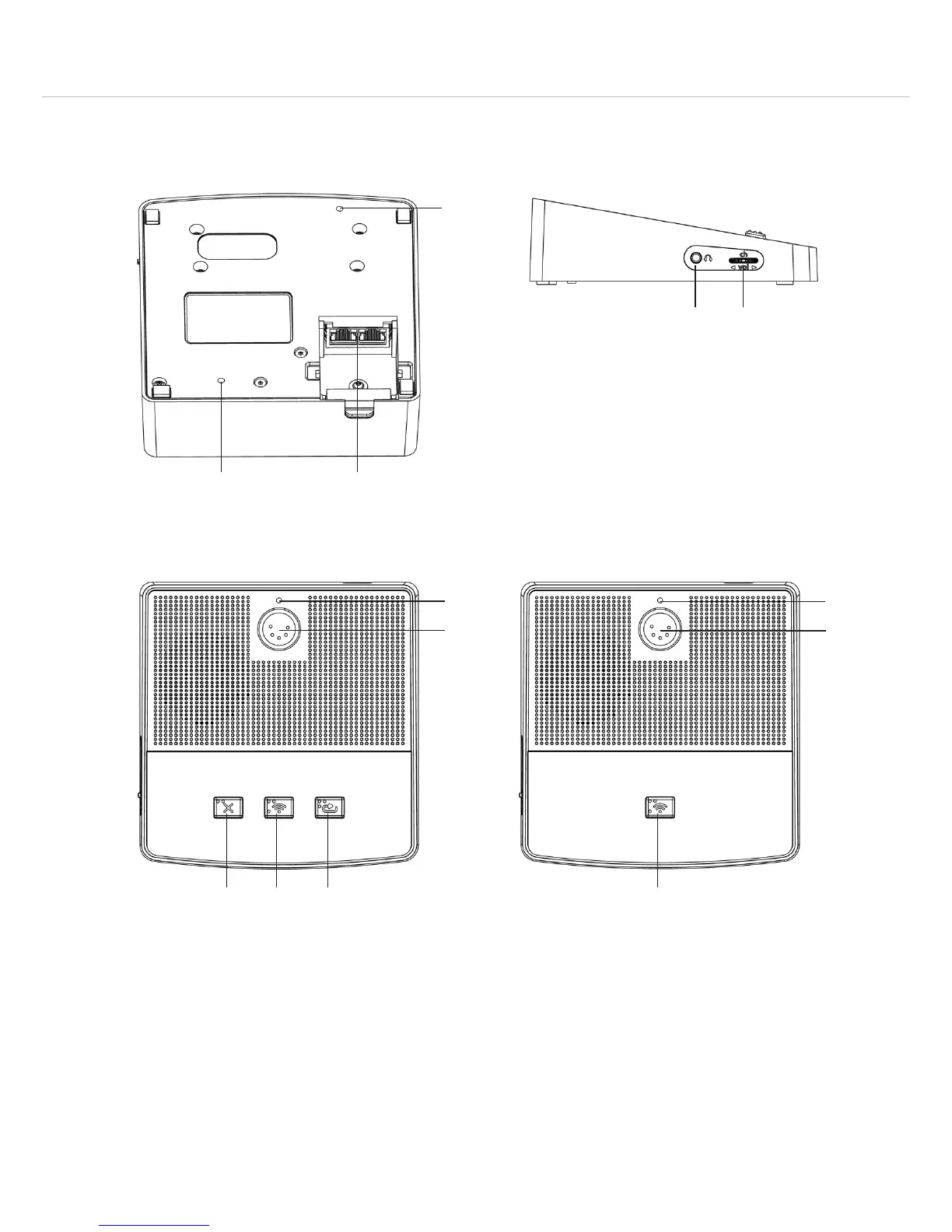
1.2 Orbis MU 23 / MU 21 Desktop Microphone Units
Bottom
Thread to attach the microphone unit on a
table top
In/Out sockets to connect the microphone
unit, RJ45
Important: Do not connect Ethernet!
Headphone socket, mini stereo jack (3.5 mm)
Multifunction button to set headphone
volume and to select (by tilting and pressing)
two channels
Lateral View
Orbis MU 21 – Top ViewOrbis MU 23 – Top View
Opening for unlocking the gooseneck
microphone
Connection for gooseneck microphone,
5-pin XLR
Microphone button
“Clear” button to clear all delegate
microphones
Programmable function button
Cable cover












 To Next Page