Xelento wireless – In-Ear Headphones
20
Charging
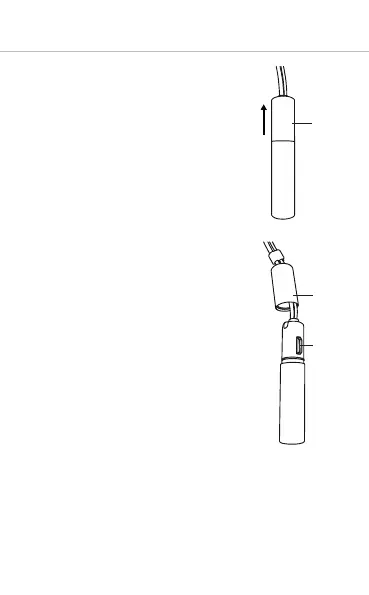
• By slightly turning, pull the alu-
minium cap of the battery
pack in the direction of the
cable to access the USB
connector .
• Connect the Xelento wireless to
any USB-compliant, voltage-
carrying USB connector (such as
a USB power supply) by using
the supplied USB charging
cable.
• During charging the LED of the
remote control slowly flashes
red. As soon as the LED is
permanently red, the battery is
fully charged.
• Aer charging, remove the USB
charging cable and cover the
USB connector with the
aluminium cap.















 To Next Page