Using the Eyemind
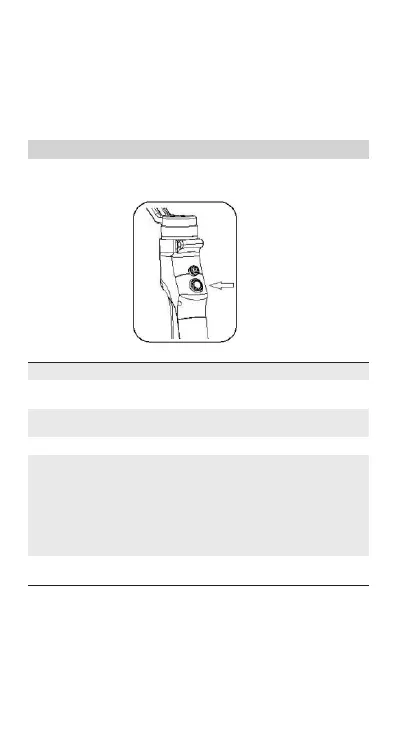
BEYONDSKY™ Eyemind gimbal stabilizer is equipped with Joystick,
Photo/Video Button and Power/Mode Button.
Move the joystick, Eyemind follows your thumb motion to move at
the same time. Camera angle can be adjusted by hand as well.
Controls and Operations
[1] Power/Mode Button
Operations Mode Status
Power On/Default
Status
Pan Following Mode
Single Click Lock Mode
Double Click Tilt/Pan Following Mode
Triple Click Portrait Mode
Hold the button
for 3 seconds
Power Off
Notes
——
Click again to cancel lock
mode
——
Tilt the gimbal 45 degrees to
the left, entering portrait
mode;
Triple click again and
tilt the gimbal 45 degrees to
the right, quitting portrait
mode.
——
8 Copyright © 2018 Beyondsky


 To Next Page