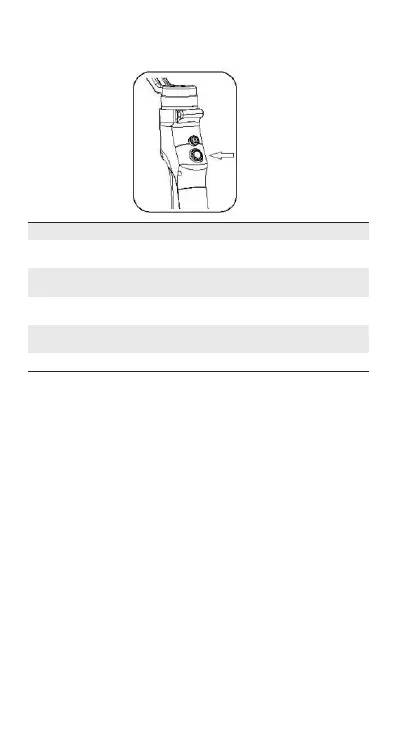
[4] Indicators
Operations Indicator Status
Power On/Default
Status
Single Blink
Click Solid
Double Click Double Blinks
Notes
Pan Following Mode
Lock Mode/
Quit Lock Mode
Tilt/Pan Mode/
Quit Tilt/Pan Mode
Triple Click Triple Blinks
Portrait Mode/
Quit Portrait Mode
Hold for 3 seconds Light off Power On/Off
OPERATION MODES
Pan Following Mode
The smartphone pans left/right following the movement of the
stabilizer while the tilt and roll axes are locked. Push the joystick
up/down allows manual control of the tilt axis.
Following Mode
The camera pans and tilts following the movement of the stabilizer.
Push the joystick left/right allows manual control of the roll axis.
Locking Mode
This mode locks movement of all three axes to keep the camera still
and stable. Push the joystick up/down and left/right allows manual
control of the tilt axis and pan axis.
Portrait Mode
Rotate the Eyemind 90 degrees to the left or right to go from
Following Mode to Portrait Mode. ActiveTrack is disabled when using
Portrait Mode.
10 Copyright © 2018 Beyondsky


 To Next Page