PHOBOS Ver. 03 -
13
D811317_03
INSTALLATION MANUAL ENGLISH
using adequately sized cramps “Z” welded to the back of the plate (fig.
8).
• If the gate-port is in stone and the gate is small, the plate “PF” can be
mounted with four metal expansion plugs “T” (fig. 9). If a larger gate is
being installed it would be better to use a corner plate “PF” (fig. 10).
5) GROUND GATE STOPS
For the controller to operate correctly the gate stop “FA” must be used both
in opening and closing, as shown in fig. 11.
6) THE ELECTRICAL PLANT SET-UP
Lay out the electrical installation (fig. 12) with reference to the CEI 64-8 and
IEC 364 provisions, complying with the HD 384 and other national standards
in force for electrical installation.
The mains power supply connections must be kept totally separate from the
service connections (photocells, electric edges, control devices etc.).
WARNING! For connection to the mains, use a multipolar cable with
a minimum of 3x1.5mm
2
cross section and complying with the
previously mentioned regulations. For example, if the cable is out side
(in the open), it has to be at least equal to H07RN-F, but if it is on the
inside (or outside but placed in a plastic cable cannel) it has to be or
at least egual to H05VV-F with section 3x1.5mm
2
.
Connect the control and safety devices in compliance with the previously
mentioned electrical installation standards.
Fig.12 shows the number of connections and the cross section for power
supply cables having a length of approximately 100 metres; in case of
longer cables, calculate the cross section for the true automation load.
When the auxiliary connections exceed 50-metre lengths or go through
critical disturbance areas, it is recommended to decouple the control and
safety devices by means of suitable relays.
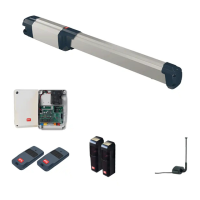
The main automation components are (fig.12):
I Type-approved omnipolar circuit breaker with at least 3mm contact
opening, provided with protection against overloads and short circuits,
suitable for cutting out automation from the mains. If not already
installed, place a type-approved differential switch with a 0.03A
threshold in the circuit just before the automation system.
Qr Control panel and incorporated receiver.
SPL Heater board for operation at temperatures below 10°C (optional)
S Key selector
AL Blinker tuned in with antenna
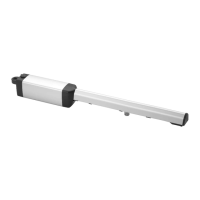
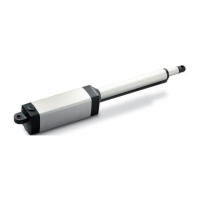
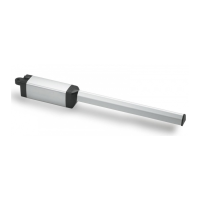
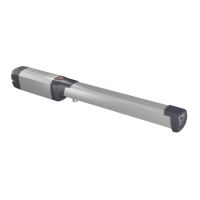
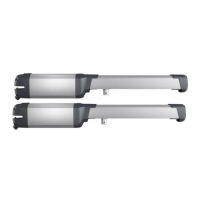
M Controller
Fte Pair of outside photocells (transmitters)
Fre Pair of outside photocells (receivers)
Fti Pair of inside photocells with column (transmitters)
Fri Pair of inside photocells with column (receivers)
T 1-2-4 channel transmitter
RG58 Antenna cable
For the connection from the controller to the control board, four cables have
been provided having the following functions (Fig.14):
• black operation 1
• blue common
• brown operation 2
• yellow/green ground (GND)
Warning! For actuator wiring and accessory connection, refer to the
relevant instruction manuals. The control panels and accessories must be
suitable for use and conform to current standards.
Should the opening or closing direction be incorrect, it is possible to invert
the connections of operation 1 and operation 2 (black/brown) on the control
board.
The first command after an interruption of the power supply should be an
opening manoeuvre.
The cable sections and numbering are indicated in the diagram (fig. 12). For
distances of over 100 meters, the cable section must be increased. All
metal masses in the housings of equipment and automation must be
earthed.
7) ADJUSTING THE PUSHING FORCE
WARNING: Check that the impact force value measured at the
points established by the EN 12445 standard is lower than that
specified in the EN 12453 standard.
The pushing force is calibrated by means of the torque regulator in the
control unit. The optimum torque must allow a complete opening or closing
cycle with the minimum force necessary. An excessive torque can reduce
the anti-crush safety. In the other case, an insufficient torque can impede
the manoeuvres. Consult the control unit’s instruction manual.
8) ADJUSTMENT OF THE LIMITING DEVICES
The correct adjustment of the limiting devices is obtained by setting the
working time on the control board correctly. Refer to the instructions of the
control board.
9) MANUAL OPENING
All controllers feature a key release mechanism. After lifting the lock cover
(fig.13), insert the release key supplied and turn it clockwise by 90°.
Push the leaf manually to open the gate. To reset the motorised operation,
turn the key in the opposite direction and refit the cover.
10) COVERS
An optional stem cover (mod.CPH) is available on request in order to
protect the stem and to improve the appearance of the actuator. The
actuator equipped with the stem cover mod. CPH looks like in fig.15.
The stem cover is mounted on the right or left actuator by simply inverting
the position of the cover and making sure that the water drain outlet is
directed downwards.
11) CHECKING THE AUTOMATION
Before considering the automation completely operational, the following
checks must be made with great care:
• Check that all the components are firmly anchored.
• Control all the safeties work properly (i.e. photocells, pneumatic skirt,
etc.).
• Check the emergency manoeuvre control.
• Check the opening and closing manoeuvres using the controls.
• Check the control unit’s electronic logic in normal (or customised)
operation.
12) USE OF THE AUTOMATION
Since the automation may be remote controlled either by radio or a Start
button, it is essential that all safeties are checked frequently.
Any malfunction should be corrected immediately by a qualified specialist.
Keep children at a safe distance from the field of action of the automation.
13) THE CONTROLS
With the automation the gate has a power driven opening and closing. The
controls can come in various forms (i.e. manual, remote controlled, limited
access by magnetic badge, etc.) depending on needs and installation
characteristics. For details on the various command systems, consult the
specific instruction booklets.
Anyone using the automation must be instructed in its operation and
controls.
14) MAINTENANCE
When carrying out maintenance operation on the controller, disconnect it
from the mains power supply. The actuator does not require periodical
maintenance operations.
• Check the safety devices of the gate and automation.
• Periodically check the pushing force and correct the value of the electric
torque in the control board if necessary.
• In case of unsolved operation failures, disconnect the unit from the
mains power supply and ask for the intervention of qualified personnel
(installer).
When the unit is out of order, activate the manual release to perform
manual opening and closing manoeuvres.
15) NOISE
The aerial noise produced by the gearmotor under normal operating
conditions is constant and does not exceed 70dB(A).
16) SCRAPPING
Materials must be disposed of in conformity with the current regulations.
In case of scrapping, the automation devices do not entail any particular
risks or danger. In case of recovered materials, these should be sorted out
by type (electrical components, copper, aluminium, plastic etc.).
17) DISMANTLING
When the automation system is disassembled to be reassembled on
another site, proceed as follows:
• Disconnect the power supply and the entire electrical installation.


 To Next Page
 Loading...