Logic Denition
Default
Cross
out
setting
used
Optional extras
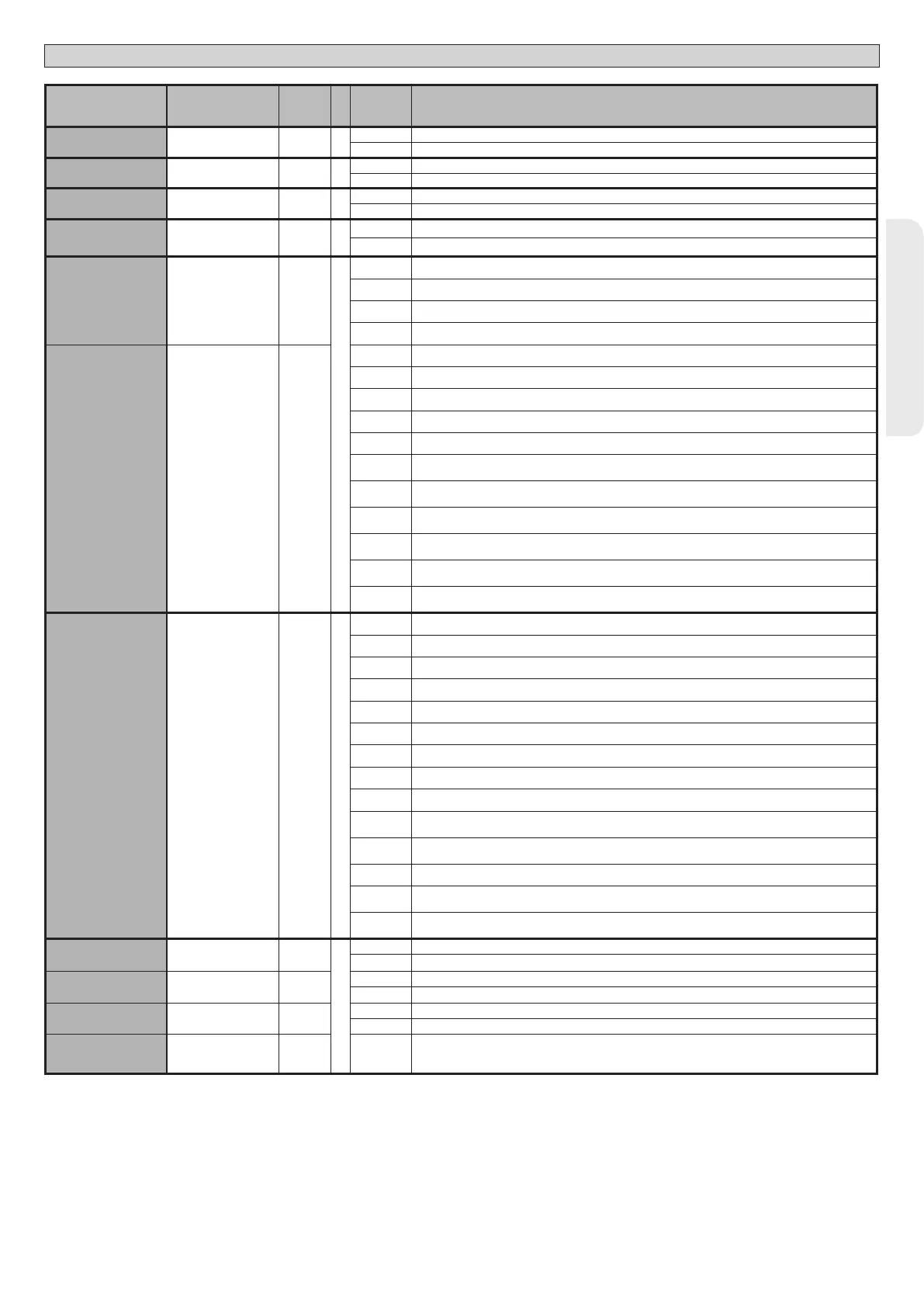
IBL OPEN
Block pulses during
opening
0
0 Pulse from inputs congured as Start E, Start I, Ped has eect during opening.
1 Pulse from inputs congured as Start E, Start I, Ped has no eect during opening.
|IBL TCA
Block pulses during
TCA
0
0 Pulse from inputs congured as Start E, Start I, Ped has eect during TCA pause.
1 Pulse from inputs congured as Start E, Start I, Ped has no eect during TCA pause.
IBL CLOSE
Block pulses during
closing
0
0 Pulse from inputs congured as Start E, Start I, Ped has eect during closing.
1 Pulse from inputs congured as Start E, Start I, Ped has no eect during closing.
OPEN IN OTHER
DIRECT.
Open in other
direction
0
0 Standard operating mode
1 Opens in other direction to standard operating mode
SAFE 1
Conguration of
safety input SAFE 1.
72
0
0 Input congured as Phot (photocell).
1 Input congured as Phot test (tested photocell).
2 Input congured as Phot op (photocell active during opening only).
3 Input congured as Phot op test (tested photocell active during opening only).
SAFE 2
Conguration of
safety input SAFE 2.
74
6
4 Input congured as Phot cl (photocell active during closing only).
5 Input congured as Phot cl test (tested photocell active during closing only).
6 Input congured as Bar, safety edge.
7 Input congured as Bar, tested safety edge.
8 Input congured as Bar 8k2.
9
Input congured as Bar OP, safety edge with inversion active only while opening. If while closing, the
movement stops.
10
Input congured as Bar OP TEST, safety edge tested with inversion active only while opening. If while
closing, the movement stops.
11
Input congured as Bar OP 8k2, safety edge with inversion active only while opening. If while closing,
the movement stops.
12
Input congured as Bar CL, safety edge with inversion active only while closing. If while opening, the
movement stops.
13
Input congured as Bar CL TEST, safety edge tested with inversion active only while closing. If while
opening, the movement stops.
14
Input congured as Bar CL 8k2, safety edge with inversion active only while closing. If while opening,
the movement stops.
SAFE 3
Conguration of
safety input SAFE 3.
77
2
0 Input congured as Phot (photocell).
1 Input congured as Phot test (tested photocell).
2 Input congured as Phot op (photocell active during opening only).
3 Input congured as Phot op test (tested photocell active during opening only).
4 Input congured as Phot cl (photocell active during closing only).
5 Input congured as Phot cl test (tested photocell active during closing only).
6 Input congured as Bar, safety edge.
7 Input congured as Bar, tested safety edge.
8 NOT AVAILABLE
9
Input congured as Bar OP, safety edge with inversion active only while opening. If while closing, the
movement stops.
10
Input congured as Bar OP TEST, safety edge tested with inversion active only while opening. If while
closing, the movement stops.
11 NOT AVAILABLE
12
Input congured as Bar CL, safety edge with inversion active only while closing. If while opening, the
movement stops.
13
Input congured as Bar CL TEST, safety edge tested with inversion active only while closing. If while
opening, the movement stops.
IC 1
Conguration of
command input IC 1.
61
0
0 Input congured as Start E.
1 Input congured as Start I.
IC 2
Conguration of
command input IC 2.
62
4
2 Input congured as Open.
3 Input congured as Close.
IC 3
Conguration of
command input IC 3.
64
2
4 Input congured as Ped.
5 Input congured as Timer.
IC 4
Conguration of
command input IC 4.
65
3 6 Input congured as Timer Pedestrian.
D812213 00100_08
SP 3500 - SP 3500 SF - 25
ENGLISH
INSTALLATION MANUAL


 To Next Page
 Loading...