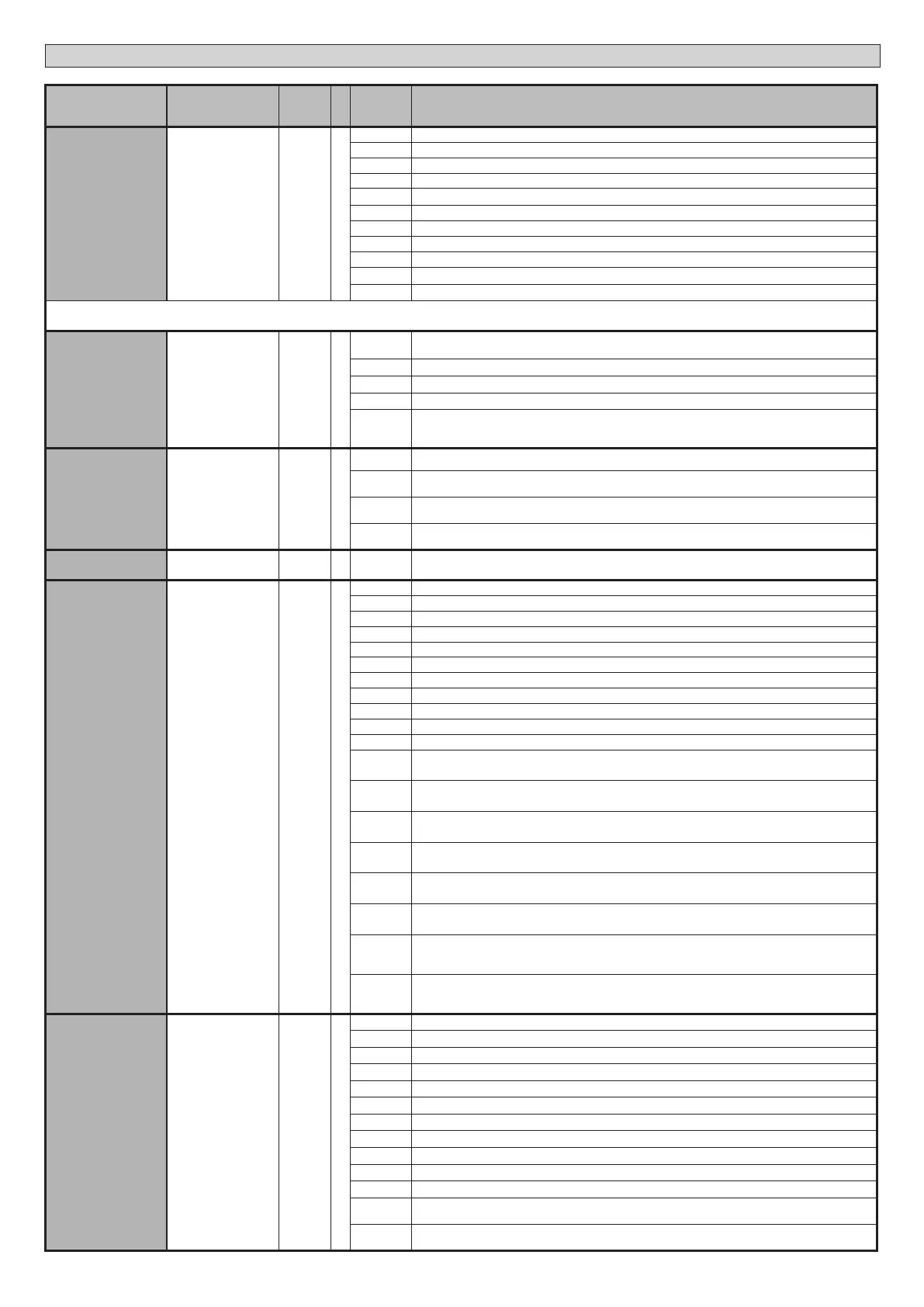
Logic Denition
Default
Cross
out
setting
used
Optional extras
AUX 3
Conguration of
AUX 3 output.
26-27*
0
0 Output congured as 2nd Radio Channel.
1 Output congured as SCA (gate open light).
2 Output congured as Courtesy Light command.
3 Output congured as Zone Light command.
4 Output congured as Stair Light
5 Output congured as Alarm
6 Output congured as Flashing light
7 Output congured as Latch
8 Output congured as Magnetic lock
9 Output congured as Maintenance
10 Output congured as Flashing Light and Maintenance.
* If you use AUX3 as the second radio channel, the outlet must be congured as second radio channel but the transmitter must be stored in the coupling receiver. If you use
AUX3 with any function other than the second radio channel, no transmitter must be stored as second radio channel in the coupling receiver.
Protection
level
Setting the
protection level
0
0
A - The password is not required to access the programming menus
E - The board’s parameters can be edited via the U-link network
1 Not used
2 Not used
3 Not used
4
A - You are prompted to enter the password to access the programming menus
The default password is 1234.
E - The option of editing the board’s parameters via the U-link network is disabled.
SERIAL MODE
Serial mode
(Identies how board
is congured in a BFT
network connection).
0 Standard SLAVE: board receives and communicates commands/diagnostics/etc.
1
Standard MASTER: board sends activation commands (START, OPEN, CLOSE, PED, STOP) to other
boards.
2
SLAVE opposite leaves in local network : the control unit is the slave in an opposite leaves network
with no smart module (g.R)
3
MASTER opposite leaves in local network: the control unit is the master in an opposite leaves net-
work with no smart module (g.R)
ADDRESS
Address 0
[ ___ ]
Identies board address from 0 to 119 in a local BFT network connection.
(see U-LINK OPTIONAL MODULES section)
EXPI1
Conguration of
EXPI1 input on
input-output expan-
sion board.
1-2
1
0 Input congured as Start E command.
1 Input congured as Start I command.
2 Input congured as Open command.
3 Input congured as Close command.
4 Input congured as Ped command.
5 Input congured as Timer command.
6 Input congured as Timer Pedestrian command.
7 Input congured as Phot (photocell) safety.
8 Input congured as Phot op safety (photocell active during opening only).
9 Input congured as Phot cl safety (photocell active during closing only).
10 Input congured as Bar safety (safety edge).
11
Input congured as safety Bar OP, safety edge with inversion active only while opening, if while closing
the movement stops.
12
Input congured as safety Bar CL, safety edge with inversion active only while closing, if while opening
the movement stops.
13
Input congured as Phot test safety, tested photocell. Input 3 (EXPI2) on input/output expansion board
is switched automatically to safety device test input, EXPFAULT1.
14
Input congured as Phot op test safety, tested photocell active only while opening. Input 3 (EXPI2)
on input/output expansion board is switched automatically to safety device test input, EXPFAULT1
15
Input congured as Phot cl test safety, tested photocell active only while closing. Input 3 (EXPI2) on
input/output expansion board is switched automatically to safety device test input, EXPFAULT1
16
Input congured as Bar safety, tested safety edge. Input 3 (EXPI2) on input/output expansion board is
switched automatically to safety device test input, EXPFAULT1.
17
Input congured as safety Bar OP test, safety edge with inversion active only while opening, if while
closing the movement stops. Input 3 (EXPI2) on input/output expansion board is switched automatically
to safety device test input, EXPFAULT1.
18
Input congured as safety Bar CL test, safety edge with inversion active only while closing, if while ope-
ning the movement stops. Input 3 (EXPI2) on input/output expansion board is switched automatically
to safety device test input, EXPFAULT1.
EXPI2
Conguration of
EXPI2 input
on input-output
expansion board.
1-3
0
0 Input congured as Start E command.
1 Input congured as Start I command.
2 Input congured as Open command.
3 Input congured as Close command.
4 Input congured as Ped command.
5 Input congured as Timer command.
6 Input congured as Timer Pedestrian command.
7 Input congured as Phot (photocell) safety.
8 Input congured as Phot op safety (photocell active during opening only).
9 Input congured as Phot cl safety (photocell active during closing only).
10 Input congured as Bar safety (safety edge).
11
Input congured as safety Bar OP, safety edge with inversion active only while opening, if while closing
the movement stops.
12
Input congured as safety Bar CL, safety edge with inversion active only while closing, if while opening
the movement stops.
D812213 00100_08
26 - SP 3500 - SP 3500 SF
INSTALLATION MANUAL


 To Next Page
 Loading...