Installation and User Guide
IFTTT Widgets on iOS
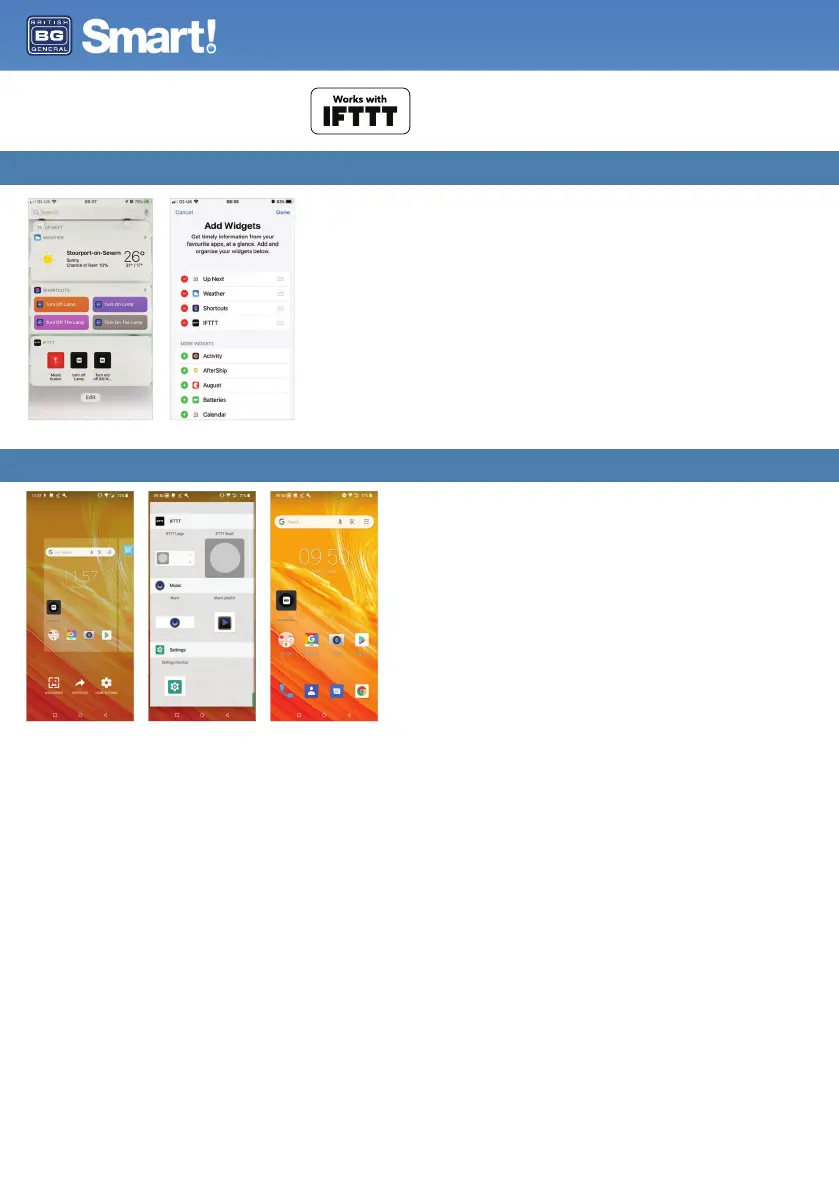
How do I add a Widget on iOS?
• Once you have created your widget in IFTTT, you need to add this to your Home screen.
• Swipe right as possible on your Home screen to access your widget screen.
• Scroll down and press Edit.
• Add your IFTTT widgets to your widget list.
IFTTT Widgets on Android
How do I add a Widget on Android?
• On the Home screen, tap and hold on any available space.
• A menu will appear towards the bottom of the screen.
• Tap ‘Widgets’ or ‘Shortcuts’ (dependant on phone model).
• ‘Tap and hold IFTTT Large or IFTTT Small’
• Create / select the widget you would like to add.
• The widget will now appear on your home screen.
Works with IFTTT


 To Next Page