Green and yellow sleeving (if required)
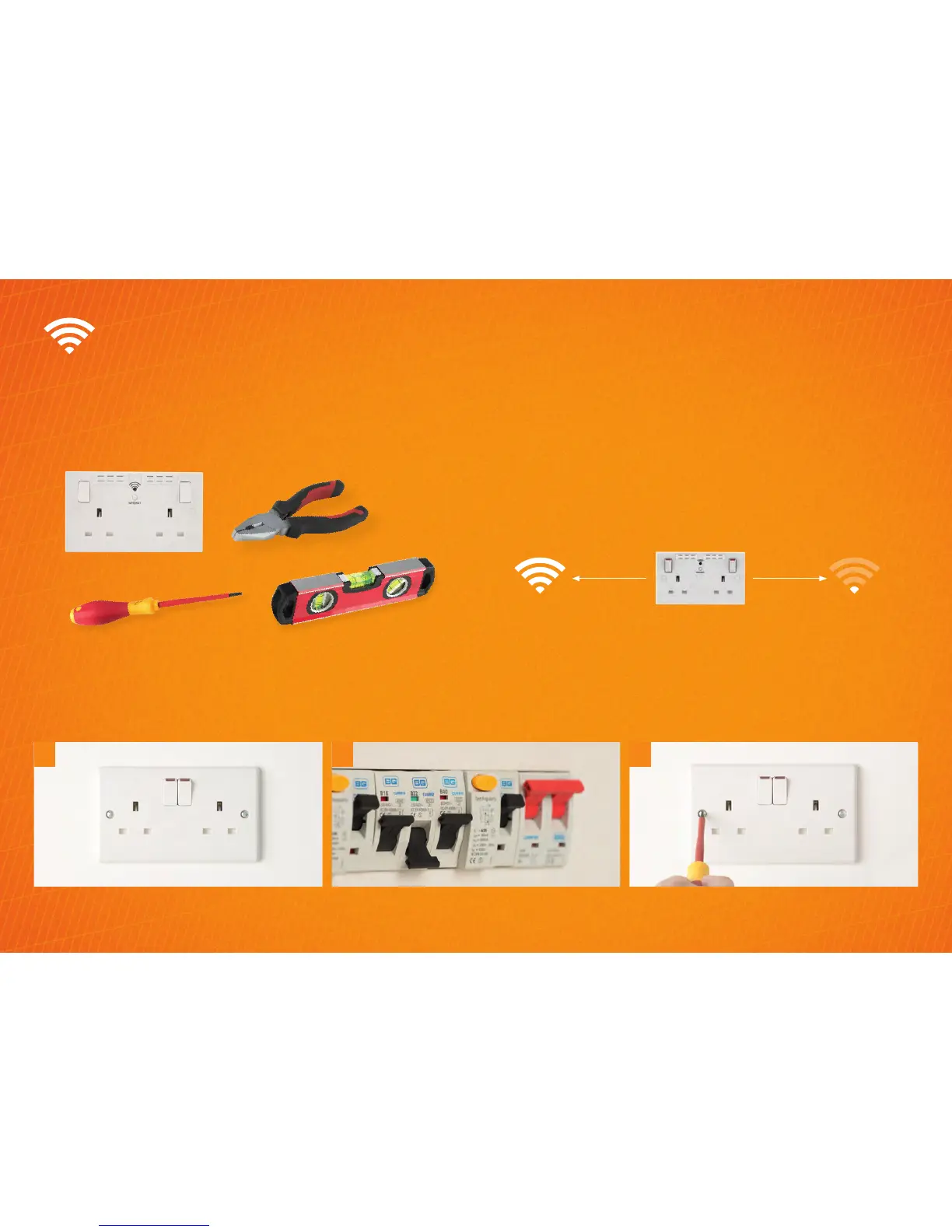
Plan It: things you will need
Screwdrivers
Socket
Pliers
Small Spirit level
How to upgrade to a 2 gang Wi-Fi Extender socket
(Includes Wi-Fi Extender + USB)
Positioning your Wi-Fi Socket
Choose a location away from Bluetooth devices and other
household electronics (cordless phone, microwave oven,
baby monitor, etc.) to minimise signal interference.
Your Wi-Fi socket should be positioned half way between
your router and Wi-Fi dead-zone. Use the signal strength on
your mobile device to determine the mid-signal point.
At the consumer unit, find the trip switch which protects
the circuit and turn it all the way off. The indicator
window should stay green.
2.
To start, make sure you are familiar with the safety
warnings in this leaflet, the instructions supplied
with the product and the mains supply is turned off.
1.
Test power is not supplied to the socket by using a plug in
socket tester or multimeter. Unscrew the retaining screws
on the socket so that it is released from the mounting box.
3.


 To Next Page