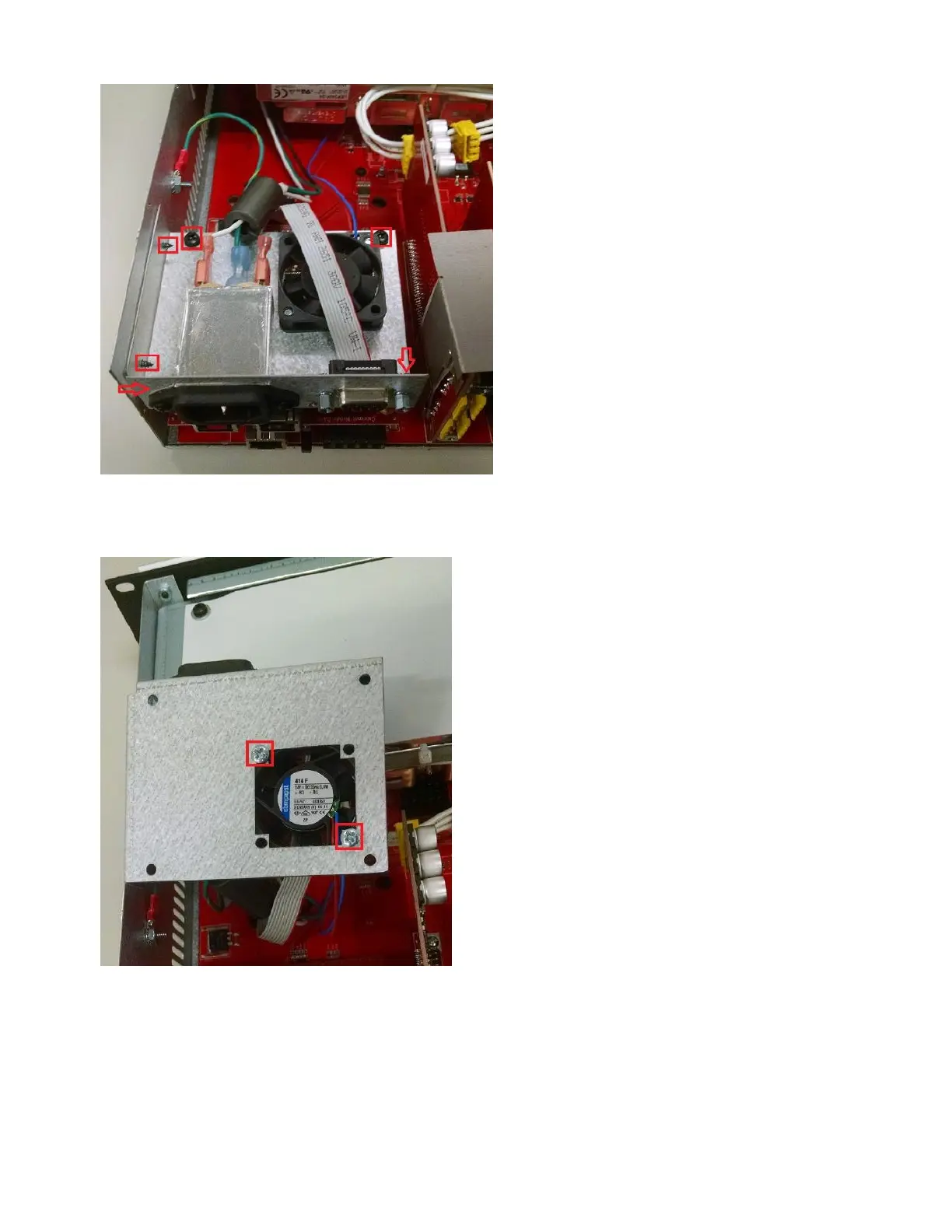
3. Remove the two screws holding the power/fan module to the side of the chassis.
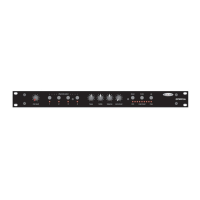
4. Lift up the power/fan module and flip it over. Remove the screws holding the fan to the plate. Note the orientation
of the fan before removing it, so that the replacement fan can be installed in the same orientation.
5. The fan has a 2-conductor wire that connects to the main board. The connection is underneath the power supply.
Note the orientation of this connector so that the new fan's connector can be installed in the same orientation.
Disconnect the fan from its connector on the board. You may need to temporarily remove some of the I/O cards
and/or use long needle-nose pliers to reach the connector underneath the power supply.
6. Install the new fan using the included 6-32x3/4 screws and nylon locking nuts. Please remember that only minimal
Copyright 2013-2020 Biamp Systems http://support.biamp.com/
4


 To Next Page