Need help?
Do you have a question about the Biamp VBC 2500 and is the answer not in the manual?
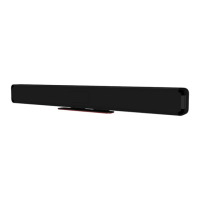
Description of Parlé VBC 2500 and ABC 2500 conferencing bars for small/medium rooms.
Highlights beamtracking mics, noise reduction, smart speakers, LEDs, and Biamp Launch.
Explains front panel components and status indicator behavior for ABC and VBC bars.
Step-by-step guide for installing the conferencing bar on a tabletop using the attached stand.
Step-by-step guide for mounting the conferencing bar on a wall using the included bracket.
Details on connecting bars as USB peripherals and using camera control software.
Explanation of LED indicators for microphone and camera status.
Information on display mounts, power supplies, factory reset, and cleaning.
Provides detailed technical drawings and dimensions for the bar and wall plate.
Lists contact information for email, web support, warranty, and compliance.
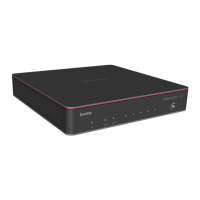
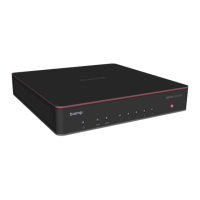
The Biamp Parlé Video/Audio Conferencing Bars, available in VBC 2500 and ABC 2500 models, are all-in-one solutions designed to enhance audiovisual experiences in small to medium-sized conference rooms. These bars integrate Biamp Audio Intelligence to deliver premium sound and video quality, ensuring clear and engaging communication.
At its core, the Parlé conferencing bar functions as a sophisticated USB peripheral that connects to a host device, such as a computer. This connection allows it to serve as the primary audio and video input/output for conferencing applications and the host device's operating system. The VBC 2500 model, in particular, includes advanced video capabilities, while both models offer superior audio processing.
The audio intelligence built into these bars is a key feature. They incorporate Beamtracking microphone technology, which actively tracks and intelligently mixes conversations. This ensures that every participant's voice is captured clearly, regardless of their position in the room. Complementing this, a deep learning noise reduction algorithm is employed to filter out unwanted background noise, resulting in pristine voice reproduction. For output, the bars are equipped with stereo smart speakers that deliver rich, clear audio to the room. LED indicators provide visual feedback on the audio and video status, allowing users to quickly ascertain if microphones are active or muted, and if the camera is streaming.
The VBC 2500 model further distinguishes itself with its video capabilities. It features an electric Pan/Tilt/Zoom (PTZ) camera with 5x zoom. This camera is enhanced with auto-framing technology, which intelligently adjusts the camera's view to keep all participants in frame, providing a dynamic and inclusive video conferencing experience without manual intervention. The camera's status, including whether it's actively streaming or its shutter is open/closed, is also indicated by an LED.
A significant operational feature is the Biamp Launch automated tuning system. This system simplifies setup and ensures optimal audio performance by automatically calibrating the bar to the specific acoustic characteristics of the room. Users initiate this process by pressing a dedicated Launch button, after which the smart technology optimizes the audio coverage.
The Parlé conferencing bars offer flexible installation options to suit various room configurations. They can be set up for tabletop use or mounted on a wall. For tabletop installation, the bar comes with an attached table stand. The process involves removing a back panel cover to access power and USB-C connections. The bar can be powered directly through the USB-C port if the host device supplies 60W; otherwise, an optional Biamp auxiliary power supply (PS-12-60) is available. Cables are routed through plastic stubs and an opening in the cover to provide strain relief. Once positioned facing the conference table and occupants, and the protective film is removed from the center glass, the Launch button is pressed to initiate audio optimization.
Wall installation involves removing the table stand and using a wall plate to mark anchor locations. The plate is then attached to the wall. The bar is positioned face down, and its hinge plates are rotated 90 degrees to hang onto the wall plate knobs, securing it in place with screws. After connecting cables and power (similar to tabletop setup), the bar is rotated up into its final position, the protective film is removed, and the Launch button is pressed for audio tuning. An optional display mount (PMA 2000-DM) is also available for mounting the bar directly onto a video display.
Operationally, the bars function as USB peripherals, meaning audio and video control is managed through the connected host device's operating system and conferencing applications. Biamp provides a Camera Controller software, downloadable for both Mac and PC, which facilitates firmware updates for both bar models. For the VBC model, this software also offers additional camera controls, allowing users to fine-tune video settings beyond the automatic framing.
The Status Indicators provide crucial visual cues:
Maintaining the Parlé conferencing bars is straightforward, focusing on ensuring optimal performance and longevity.
 General
| Acoustic Echo Cancellation (AEC) | Yes |
|---|---|
| Noise Reduction | Yes |
| Automatic Gain Control (AGC) | Yes |
| Ethernet Ports | 1 |
| Line Outputs | 2 |
| Control | Ethernet |
| Power Supply | 12V DC |
| Weight | 2.2 lbs (1.0 kg) |
| USB Connectivity | Yes |
| Ethernet Connectivity | Yes |
| Dimensions | 8.5 x 1.75 x 6.5 inches (216 x 44 x 165 mm) |


 To Next Page