DANGER!
Observe the tightening torques specified on the handlebar stem. Incorrectly tightened torques can lead to malfunctioning or failure of
the component resulting in loss of vehicle control and crashes!
Never use the product if assembly work is incomplete or incorrectly carried out. Doing so endangers yourself and other road users.
WARNING!
Turn the handlebar to the left and right, do not use the bike if you notice abnormal steering behaviour (play in the steering or uneven
resistance) or if cracks and crazing are evident.
In the event of an accidental fall or accident, the handlebar will almost certainly be involved. It will be subjected to heavy stress and
impacts. The presence of deep scratches and cracks indicates that parts must be replaced.
WARNING!
If the handlebar is damaged, use of the Bianchi ARCADEX bicycle must be stopped immediately. Only return to use your ARCADEX after
your specialist dealer has thoroughly inspected it and, if necessary, replaced the handlebar if damaged.
The gear/brake levers are attached to the handlebar bend with a clamp integrated into the control lever.
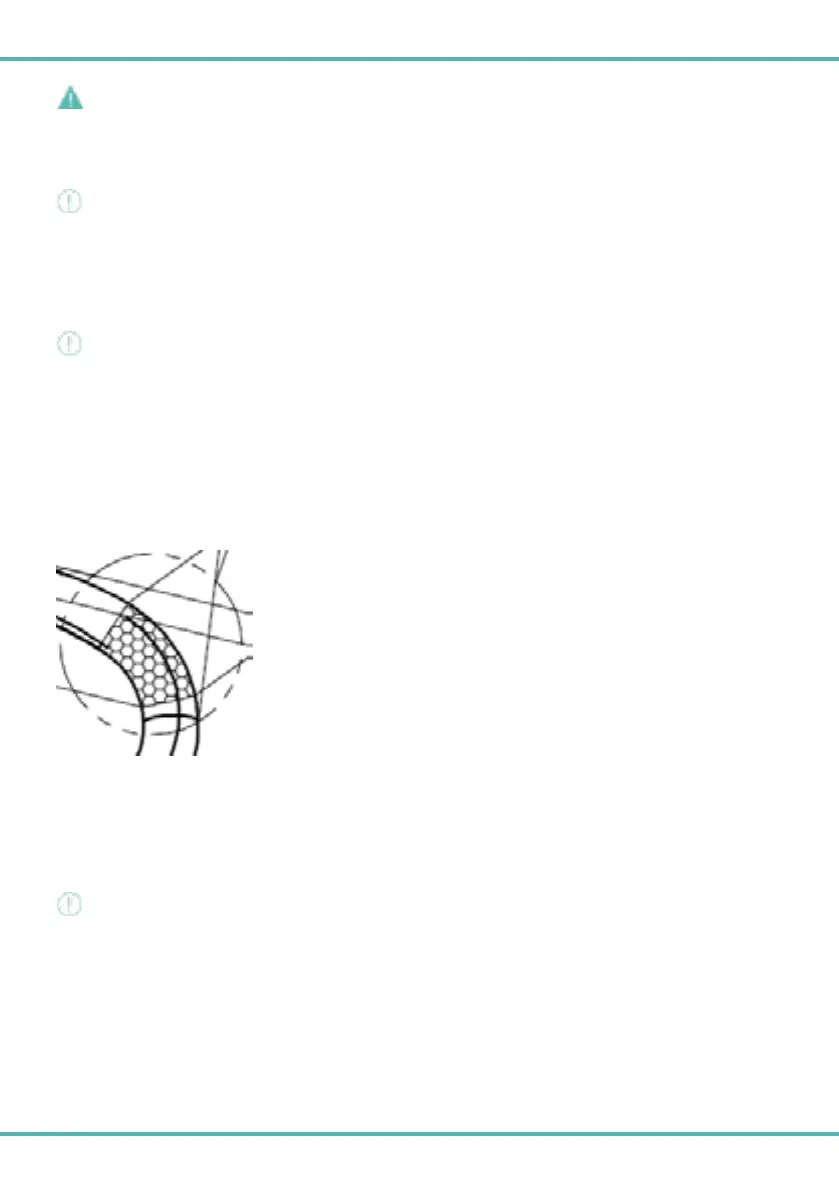
Pay close attention to the correct positioning of the levers, use the fixing position within the limits indicated by the upper grip zone
(image 1A).
Consult the specific gear/brake lever manufacturer's manual for the tightening torque to be applied. To preserve the integrity of the
handlebar bend, do not exceed the maximum torque of 10 Nm.
1A
Cycle computer mount for integrated handlebar by Arcadex
The integrated handlebar is designed for mounting cycle computer mounts.
It is compatible with cycle computer mounts that attach to the handlebar via two M5 screws.
Tighten the screws with a recommended torque of 2/3Nm, as indicated on the handlebar.
Remember to use the safety strap supplied with the cycle computer (tie the cycle computer to the handlebar).
WARNING!
Check that the media is correctly installed before using the cycle computer.
10



 To Next Page