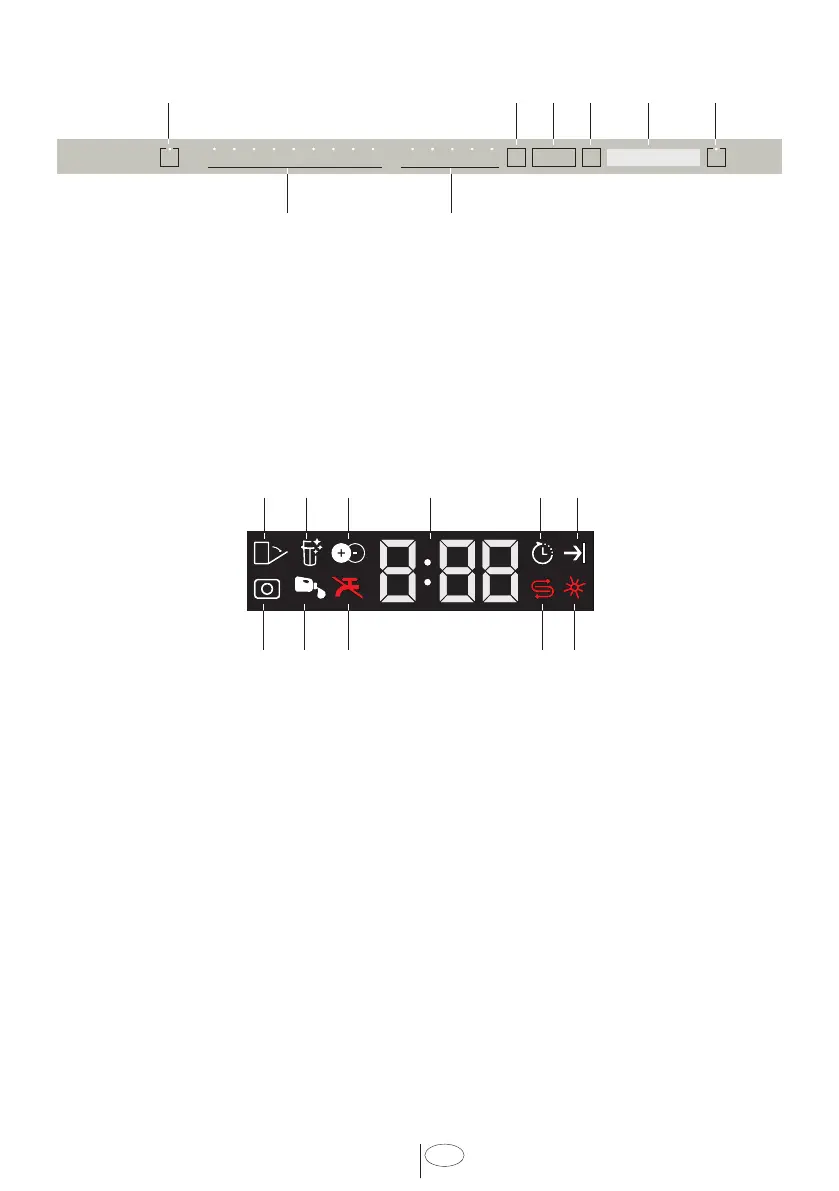
17
USA
7. Function Selection Keys
F1
F2
F3
F4
8. Program Selection Keys
9 10 11
15
12 13 14
16171819
9. Auto Door Open Indicator (Select models)
10.
Filter Cleaning Function Indicator (Select models)
11. IonGuard Function Indicator (Select models)
12. Delay Time / Program Time Indicator
13.
Delayed Start Indicator
14.
End of Program Indicator
15. Rinse Aid Indicator
16. Salt Indicator (Select models)
17.
Water Cut-off Indicator
18. Liquid Detergent Dosing Indicator (Select models)
19.
Tablet Detergent Indicator (Select models)
On/Off Key
When you press the On/Off key, the indicator lights illuminate on the display for ON
position. The lights turn off in OFF position.
1 2
7
8
3 4 5 6
1. On / Off Key
2. Menu Key
3. Time Delay Selection
/ Menu Direction Selection Keys
4. Selection / Confirmation Key
5. Display
6. Start / Pause / Cancel Key
6. OPERATING THE PRODUCT
Fast+ Function
Sanitize Function
TurboWash Function
Extra Drying Function



 To Next Page