
 Need help?
Do you have a question about the BIG TREE TECH Pad7 and is the answer not in the manual?
Details the technical specifications of the BIGTREETECH Pad7, including dimensions, display, input, and interfaces.
Outlines key features like IPS touch screen, built-in speaker, headphone jack, vibration feedback, light sensor, and touch chip.
Illustrates the location of ports and features such as light sensor, volume buttons, audio out, USB 2.0, and USB OTG.
Step-by-step instructions for removing the CB1 and installing the CM4 core board, including button configuration.
Instructions on how to remove the device bracket using a hex screwdriver.
Provides links to download the OS image and recommended writing software.
Step-by-step guide on using Raspberry Pi Imager to write the OS image.
Step-by-step guide on using BalenaEtcher to write the OS image.
Instructions on how to configure the WiFi SSID and password in the system.cfg file.
Important notes on TF card hot-swapping, device disassembly, core board replacement, and SPI wiring.
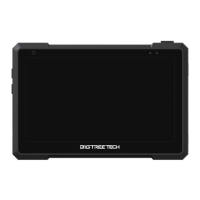
The BIGTREETECH Pad7 is a tablet designed for 3D printing enthusiasts, featuring Klipper and KlipperScreen pre-installed to provide a streamlined and efficient user experience. This device serves as a dedicated control interface for 3D printers, offering a comprehensive solution for managing print jobs, monitoring printer status, and interacting with the Klipper firmware. Its primary function is to simplify the operation of complex 3D printing setups, making advanced features more accessible through a user-friendly touch interface. The tablet is built with versatility in mind, incorporating BTB headers that allow users to choose from various core board solutions, including the CM4 and CB1, providing flexibility for different performance needs and upgrade paths.
One of the standout usage features of the BIGTREETECH Pad7 is its 7-inch IPS touch screen. This display offers a wide field of view, ensuring that all information is clearly visible from various angles. The high resolution and 60Hz refresh rate contribute to a detailed and smooth visual experience, which is crucial for monitoring intricate print details and navigating the KlipperScreen interface effectively. The enhanced display quality aims to provide a more comfortable and intuitive user experience, reducing eye strain during long monitoring sessions.
Audio feedback is another integrated usage feature, with a built-in speaker that allows for audible alerts and notifications. The volume can be easily adjusted using dedicated volume buttons, providing convenient control over sound output. For users who prefer private listening or require higher audio fidelity, the Pad7 includes a 3.5mm headphone jack, enabling the connection of external headphones or speakers. This flexibility in audio output ensures that users can tailor their auditory experience to their specific environment and preferences.
The tablet enhances tactile interaction through vibration feedback, which provides a physical response to touch inputs. This feature can improve the overall user experience by confirming successful touches and making the interface feel more responsive and engaging. Furthermore, the Pad7 incorporates a built-in light sensor that automatically adjusts the backlight brightness based on the ambient light conditions. This intelligent feature not only optimizes visibility in various lighting environments but also helps conserve power and reduce eye fatigue by preventing the screen from being excessively bright or dim.
For precise and responsive touch control, the BIGTREETECH Pad7 utilizes a GT911 high-performance touch chip, supporting 5-point multi-touch. This allows for more complex gestures and interactions, making navigation and control within KlipperScreen highly intuitive. The ability to use multiple touch points simultaneously can significantly speed up workflow and improve the overall efficiency of operating the 3D printer.
Connectivity is a key aspect of the Pad7's design, offering a range of interfaces to support various peripherals and networking needs. It includes three USB 2.0 ports, which can be used to connect external devices such as USB drives, webcams, or other accessories. An Ethernet port provides a reliable wired network connection, with support for 100M networking when using the CB1 core board and Gigabit networking with the CM4. This ensures stable data transfer and communication with the 3D printer and network resources. Additionally, the tablet features a CAN interface, utilizing an MCP2515 SPI to CAN converter, and an SPI interface for connecting an ADXL345 accelerometer module. These interfaces are particularly useful for advanced 3D printing applications, such as input shaping for vibration compensation, which can significantly improve print quality. However, it is important to note that the CAN interface and the ADXL345 accelerometer SPI interface cannot be used simultaneously due to the shared conversion mechanism.
The physical design of the Pad7 also includes practical usage features. A magnetic bracket is integrated into the design, allowing it to attach securely to the back of the tablet for storage and easy folding. This neat and convenient solution ensures that the bracket is always available when needed and can be neatly stowed away when not in use, contributing to the tablet's portability and ease of setup. The bracket provides a stable base for the tablet, allowing it to be positioned at an optimal viewing angle during operation.
In terms of maintenance features, the BIGTREETECH Pad7 offers clear guidelines for core board replacement and software management. The process for replacing the CB1 core board with a CM4 is detailed, involving the removal of specific screws and the careful handling of connectors. This modular design allows users to upgrade their core board to enhance performance or to replace a faulty component, extending the lifespan and adaptability of the device. The instructions emphasize disconnecting power and using appropriate tools to ensure a safe and successful replacement.
Software maintenance is facilitated by the provision of official OS images and recommended writing software. Users are directed to download OS images specifically provided by BIGTREETECH, ensuring compatibility and optimal performance. The manual recommends using either Raspberry Pi Imager or BalenaEtcher for writing the OS image to a microSD card. These tools are widely recognized and user-friendly, simplifying the process of flashing the operating system onto the storage medium. Detailed steps are provided for both software options, guiding users through selecting the OS image, choosing the correct storage device, and initiating the writing process. A crucial caution is highlighted regarding the formatting of the microSD card during the writing process, advising users to be careful not to select the wrong storage device to avoid data loss.
WiFi setup is another important maintenance aspect, particularly for users who prefer wireless connectivity. The manual explains how to configure WiFi by editing the system.cfg file on the microSD card. Users need to replace placeholder values for WIFI_SSID and WIFI_PASSWD with their actual WiFi network name and password. This direct configuration method ensures that the tablet can connect to the local network upon boot-up, enabling wireless control and monitoring of the 3D printer. For users utilizing a wired network connection, this step can be skipped, offering flexibility based on network infrastructure.
General cautions are also provided to ensure the longevity and proper functioning of the device. Users are warned against hot-swapping the TF card, emphasizing the importance of properly inserting it before powering on the device. This prevents potential damage to the card or the tablet's internal components. Disassembling the device is strongly discouraged for customers who are unfamiliar with its internal structure, as it can easily lead to breakdowns of internal circuits, and such issues will not be covered by compensation. This highlights the complexity of the internal design and the potential risks associated with unauthorized tampering. When wiring the SPI interface to an expansion module, users are advised to carefully follow the silkscreen markings to prevent short circuits, which could damage the device or connected components. These maintenance guidelines and cautions are designed to help users keep their BIGTREETECH Pad7 in optimal condition and avoid common pitfalls.
 General
| Display Size | 7 inches |
|---|---|
| Display Type | IPS LCD |
| Resolution | 1024 x 600 pixels |
| Operating System | Android |
| RAM | 2 GB |
| Storage | 32 GB |
| Touch Screen | Capacitive |
| Processor | Quad-core |
| Connectivity | Wi-Fi, Bluetooth |

 To Next Page