BigRep ONE. Your First Print: The Toolbox
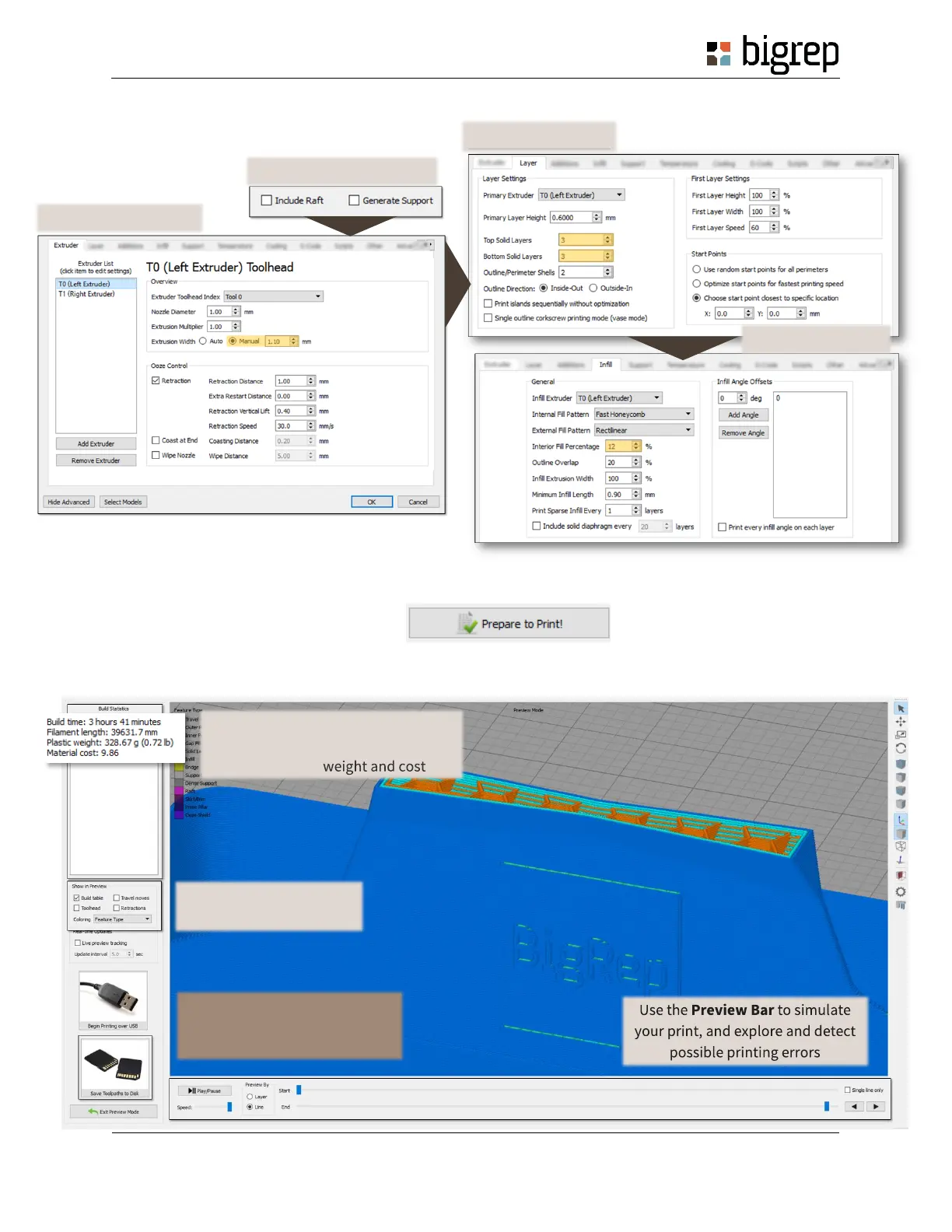
6. Modify the process settings, introducing the values we give you on the image below. You just need to change
the values marked in yellow.
7. Save your file by clicking on File > Save Factory File as… That way you will be able to edit your settings in the
future.
8. And now… click on Prepare to Print!
9. Preview your slicing and Save Toolpaths to Disk.
1) Unselect Support and Raft
2) Edit the Extruder values
4) Edit the Infill values
On the Built Statistics, you can have
a rough estimation of your print time
You can change here the
preview options
When you are finished, click on
Save Toolpaths to Disk to save
the G-Code in a pen drive.



 To Next Page