BigRep ONE. Your First Print: The Toolbox
IV. PRINT!
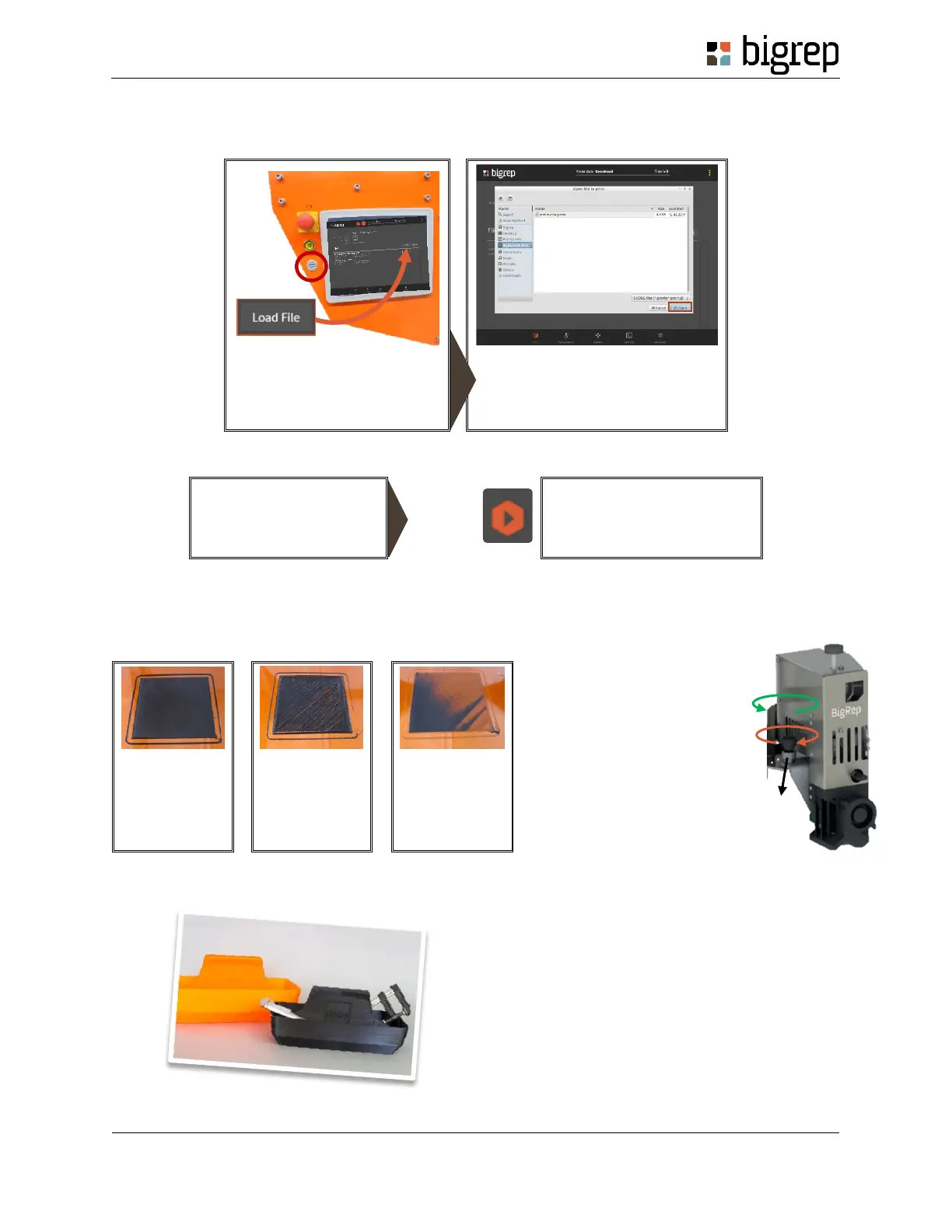
1. LOAD YOUR FILE
Insert the USB-Stick on your
BigRep. Click on “Load File”, at
the Print Menu.
Select your file and click on “Open”
2. START THE PRINT Don’t start the print if the bed is not heated yet
3. TAKE CARE OF YOUR FIRST LAYER
Your first layer should look like the one shown on the first image. If it doesn’t you will have to adjust the
distance between the extruder and the bed, as shown on the right image.
4. REMOVE THE PRINT
a) Wait until the printer has cooled down.
b) Remove the print by hand or with a spatula
c) Enjoy your Toolbox!
IMPORTANT! Go to the
Control Menu, and click on
“Home all axes"
Go back to the Print Menu and
Start the print!
a) Unlock the locking nut
b) Use the screw to adjust
the distance to the bed
c) Lock the nut again
If your first layer
looks like this,
the nozzle is too
far away from
the bed.
If your first layer
looks like this,
the nozzle is too
close to the bed.



 To Previous Page