5
User guide
Billi Quadra & Quadra Plus.
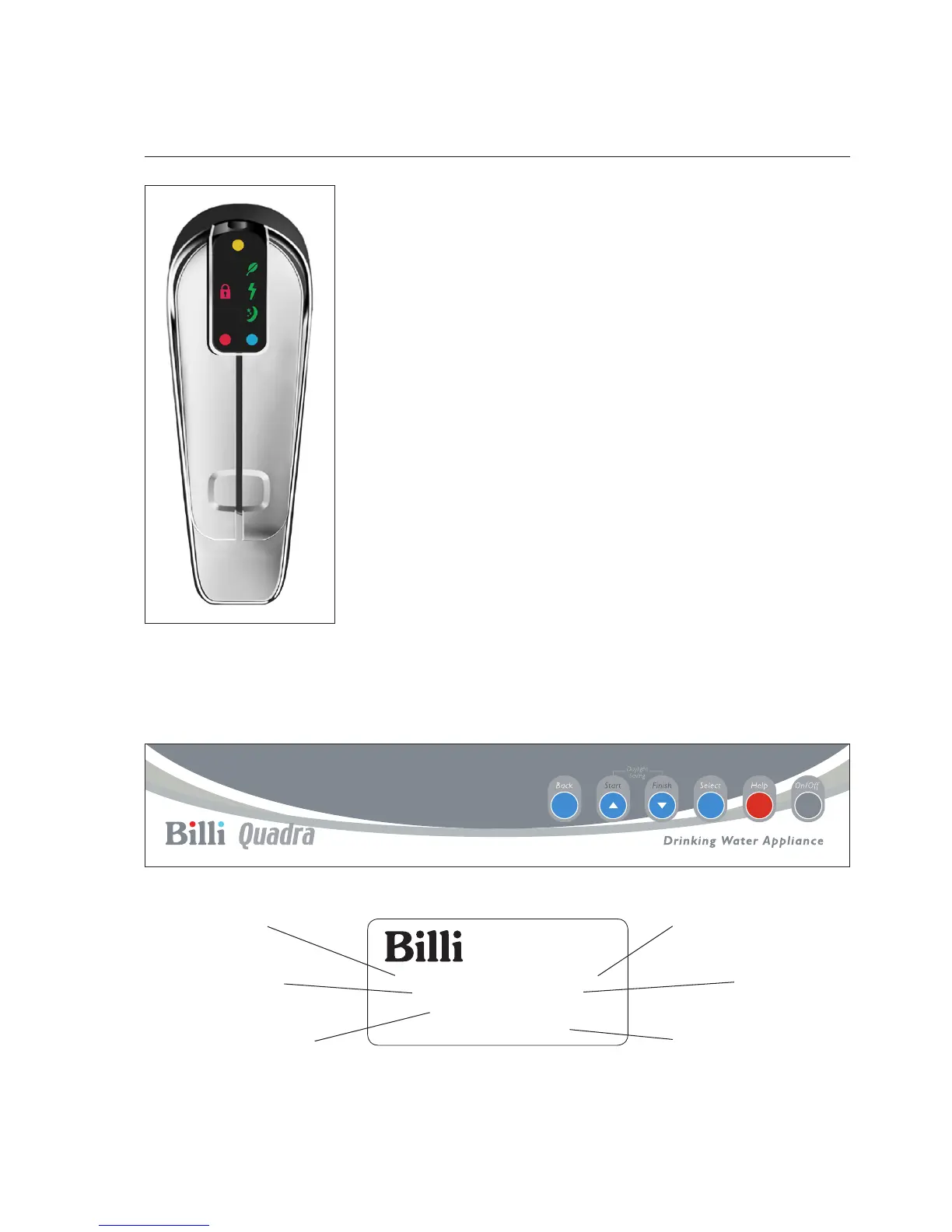
Dispenser Icons
Orange dot.
Flashes when filter change due. On constant when overdue.
Red lock illuminated.
Safety button activated. To use, press the indent on the back
of the tap momentarily & lift or press the boiling lever.
Green lightning bolt illuminated.
Time-switch on.
Green moon & stars illuminated.
In standby mode.
Time-switch can be used with the standby mode therefore both
can be illuminated at the same time.
Red dot.
Flashes when heating up to temperature. On constant when
boiling water ready.
Blue dot.
Flashes when chilling. On constant when chilled water ready.
Red & blue dots will flash yellow if the unit goes into fault.
Set up Instructions



 To Next Page