without network authentication.
Encryption ~ WEP: you decide to setup the basic data encryption with a
defined network key.
■ Shared Key + WEP
You decide to apply both authentication and data encryption to prevent
unauthouized login.
■ WPA-PSK + TKIP
The most advanced authentication and data encryption that provide the best
security protection.
7.4. ASCII/ PASSPHRASE
The most advanced authentication and data encryption that provide the best security
protection.
■ ASCII: You should provide either 5 or 13 ASCII
characters on Network key edit box.
■ PASSPHRASE: You could input words on Network
Key edit box.
64 bits: The generated pass key is 64-bit to be
complied with data packets.
128 bits: The generated pass key is 128-bit to be
complied with data packets.
■ Hexadecimal: While both ASCII and PASSPHRASE are not checked,
you should input hexadecimal number in the network key box. For
example, 10 digits hex number for 64-bit WEP or 26 digits hex number
for 128-bit WEP.
7.5. Key index (1 ~4)
At most four key index to represent the opposite network key.
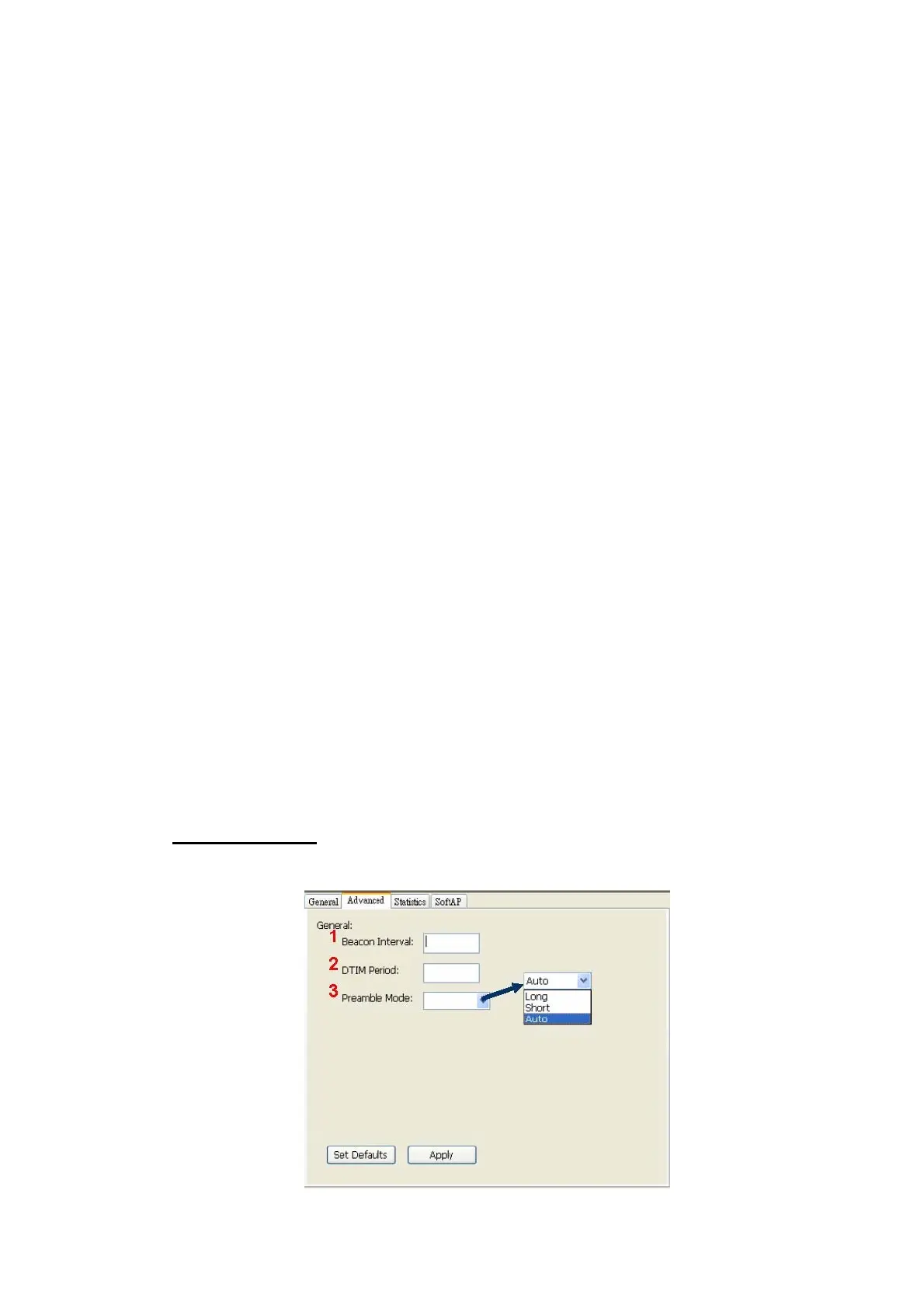
B. Advanced Page
Users could setup the advanced characteristics of network packet for transmission on
this page.
22



 To Next Page