Home
Billion
Adapter
BIPAC 3012G
Page 26 (Appendix 1: How to Use 802.1 X (Step by Step))
Billion BIPAC 3012G - Appendix 1: How to Use 802.1 X (Step by Step)
28 pages
Manual
Save Page as PDF
To Next Page
To Next Page
To Previous Page
To Previous Page
Loading...
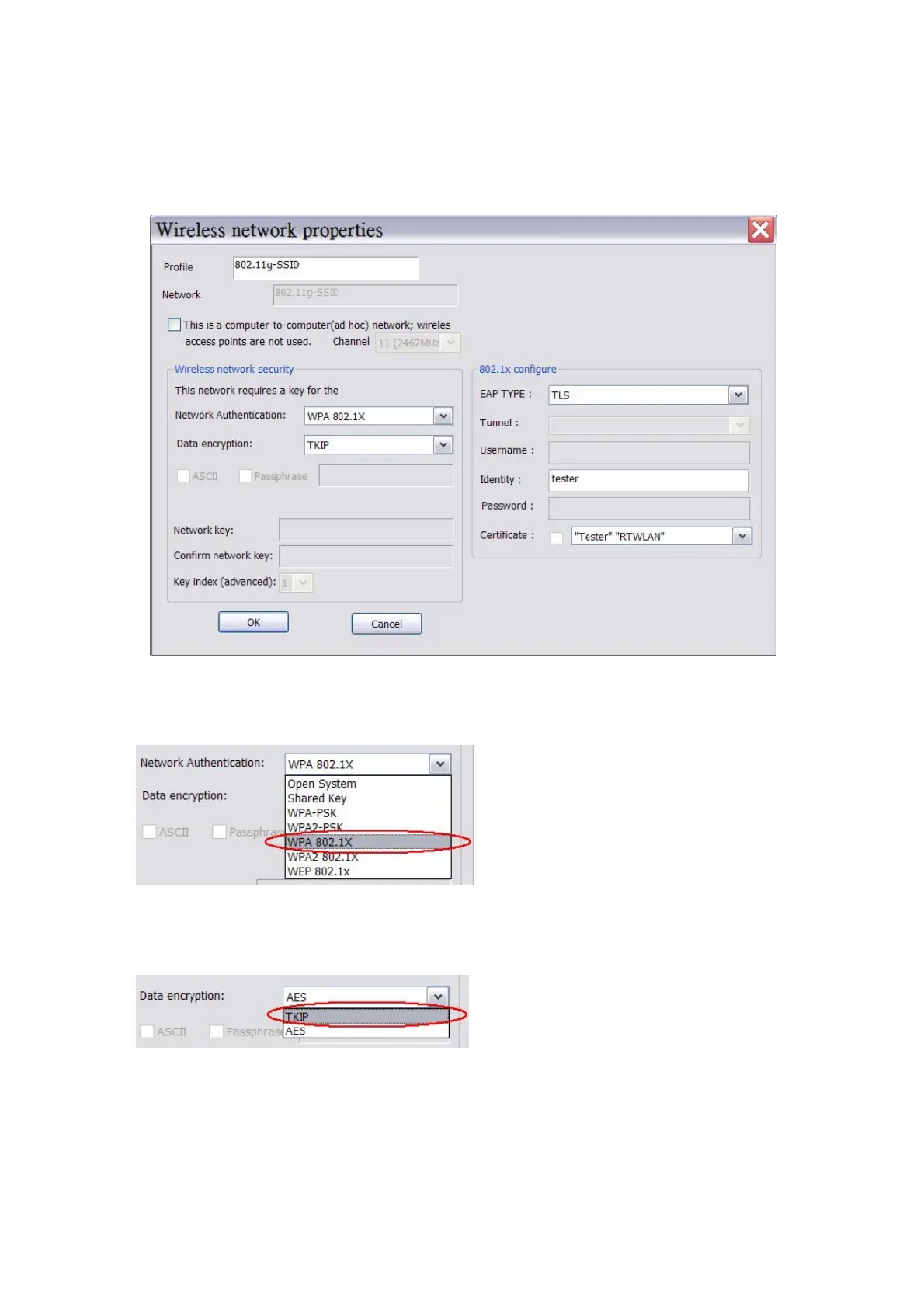
Appendix 1: How to Use 802.
1x ( Step by Step )
Step 1 : Set Network Authentication mode to WPA 802.1x ,or WPA2 802.1x
Step 2 : Set Data Encry
ptio
n to TKIP ,or AES
Step 3 : Set E
AP Ty
pe to MD5 , GT
C , TLS , L
EAP , TTL
S ,or PEAP
25
25
27
Table of Contents
Main Page
Default Chapter
2
Table of Contents
2
Chapter 1 Introduction
3
Chapter 2 Specifications
4
Chapter 3 Installation/Uninstallation
5
Installation
5
Uninstallation
9
Chapter 4 Rtwlan: Wireless LAN Management GUI
11
Introduction of Main Window
11
Station Mode
15
AP Mode
21
Appendix 1: How to Use 802.1X (Step by Step)
26
Other manuals for Billion BIPAC 3012G
Quick Start Guide
5 pages
Specifications
1 page



 To Next Page