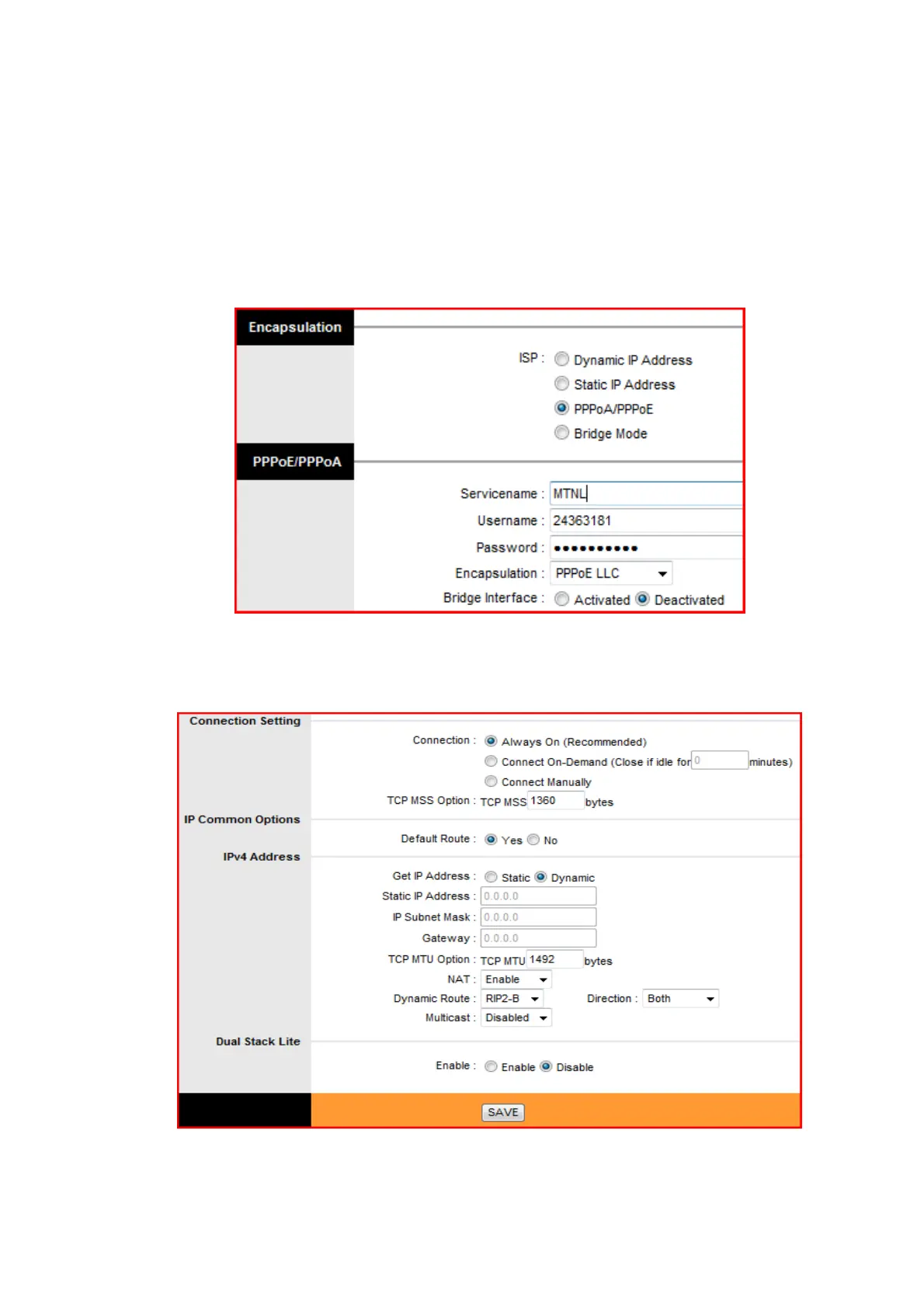
e. Under the Encapsulation heading select ISP PPPoA/PPPoE
f. Under PPPoE/PPPoA enter the service name as MTNL, Username as the
“Telephone number of the Customer and attach @a after Username if
connected to SOTL or Alcatel network”, Password as CA number or the
working password of the user.
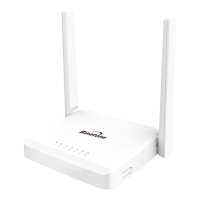
g. Under the setting at Connection setting, IP Common Options and IPv4
Address configuration keep all setting as default. Check once whether all
the parameters are as shown in the following figure.



 To Next Page