2
1.2 Repeater Mode
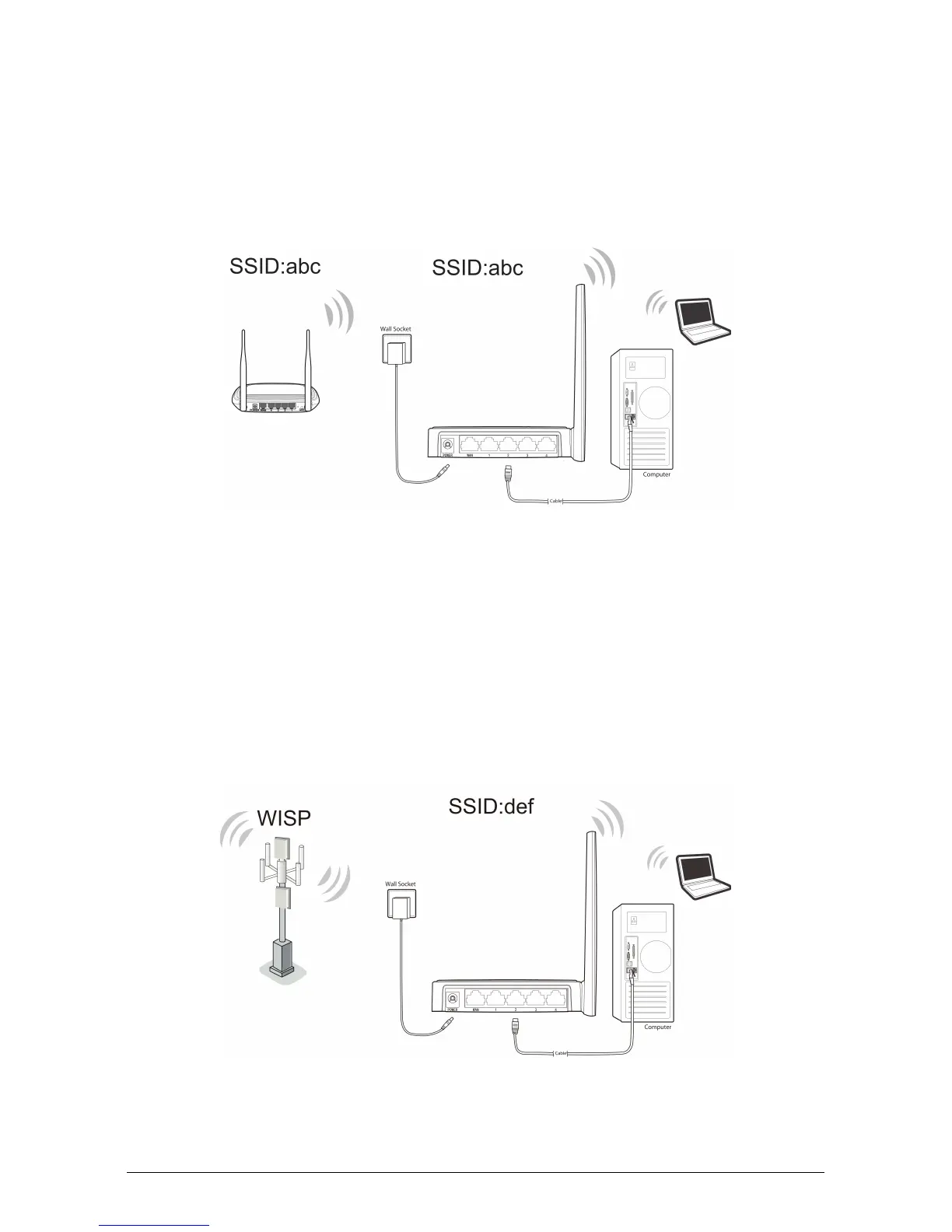
The router is used to extend the range of wireless signal of the existing AP or
wireless router.
On this mode, computer can connect to the device by either wired or wireless way.
The SSID of the router should be the same as that of the device you repeat.
a. Connect the PC(s) to the LAN Ports on the router.
b. Power on the PC(s) or notebook(s).
1.3 WISP Client Router
In WISP mode, the router enables multiple users to share Internet connection from
WISP.
On this mode, the LAN port devices share the same IP from WISP through
Wireless port. While connecting to WISP, the Wireless port works as a WAN port
at WISP Client Router mode.
a. Connect the PC(s) to the LAN Ports on the router.
b. Power on the PC(s) or notebook(s).


 To Next Page