Need help?
Do you have a question about the Binatone WR3000N and is the answer not in the manual?
Lists all items included in the router package for user verification.
Details the router's integrated functions, speed, security, and ease of use.
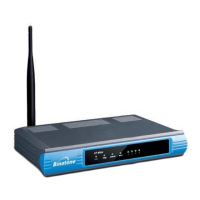
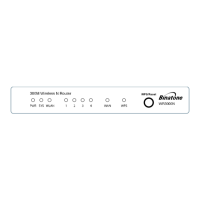
Identifies front and rear panel components, LEDs, and the WPS/Reset button.
Prerequisites for installation and step-by-step guide for physical connection.
Guides through initial router setup using the Quick Setup Wizard and TCP/IP settings.
Explains how to access the router's interface and view current status information.
Configures how the router connects to the Internet (PPPoE, Dynamic IP, Static IP).
Configures the local area network IP address and subnet mask.
Manages IP address assignment for devices on the local network.
Sets SSID, channel, mode, and transmit rate for the wireless network.
Configures WEP, WPA/WPA2 encryption for secure wireless access.
Controls access based on device MAC addresses.
Enables firewall, VPN passthrough, and ALG features.
Restricts internet access based on time and website.
Manages rules for allowing or denying internet access.
Updates the router's firmware to the latest version.
Restores router settings to default or backs up current configuration.
Changes the router's administrator username and password.
 General
| Brand | Binatone |
|---|---|
| Model | WR3000N |
| Category | Wireless Router |
| Language | English |

 To Next Page