3
Chapter 2. Login to the Router
To login to the router, you should set up the TCP/IP Protocol in Obtain an IP
address automatically mode on your PC(s). For the detailed instructions, please
refer to Appendix B in the User Guide on the Resource CD.
a. To access the configuration utility, open a web-browser and type in the default
address http://192.168.0.1 in the address field of the browser.
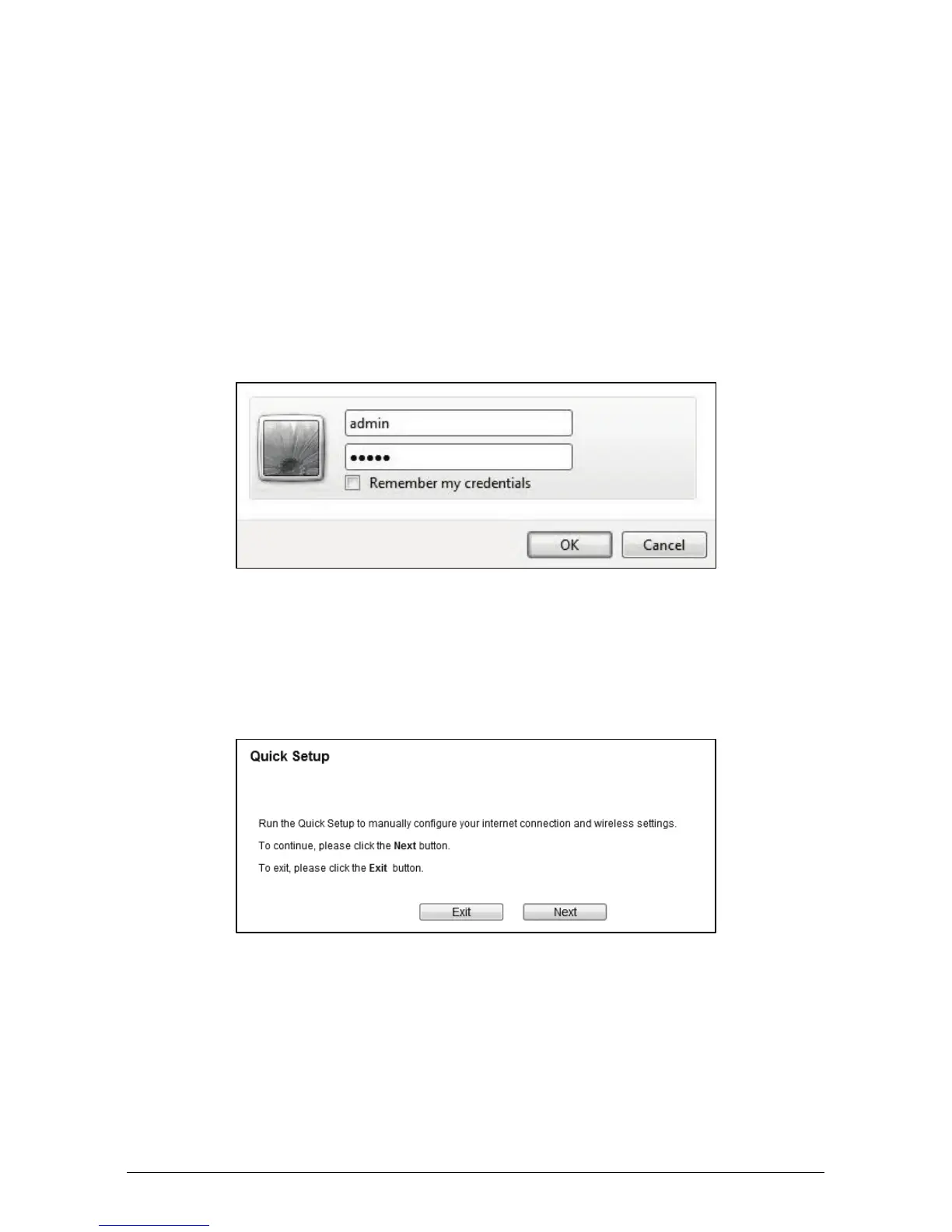
b. After a moment, a login window will appear. Enter admin for the User Name
and Password, both in lower case letters. Then click OK or press Enter.
Chapter 3. Connecting to the Internet
a. After successful login, you can configure the router using the web browser.
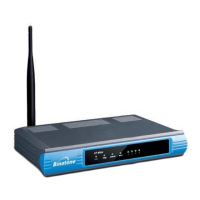
Please click the Quick Setup link on the left of the main menu and the Quick
Setup screen will appear. Click Next to continue.
b. The Working Mode screen will appear as shown below. Select the Working
Mode Type according to your needs. Click Next. You can configure your
device quickly by the following steps in different modes.


 To Next Page