5
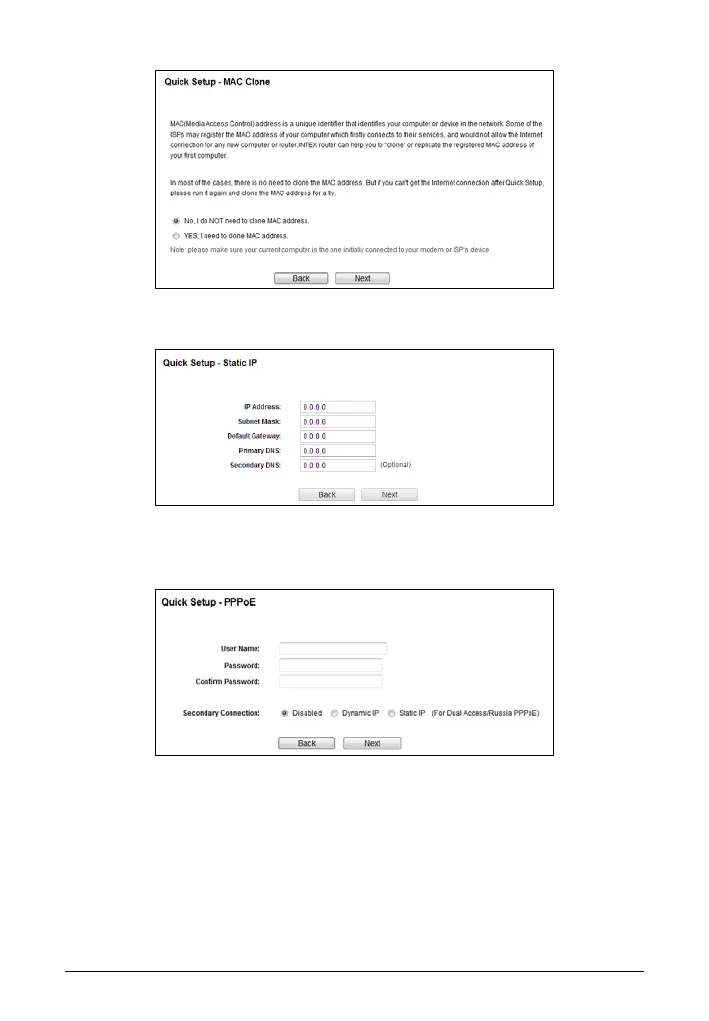
III If Static IP is selected, the next screen will appear as shown below. Fill
the blanks with the parameters provided by your ISP, and then click Next.
IV If PPPoE/Russian PPPoE is selected, the next screen will appear as
shown below. Enter the User Name and Password provided by your ISP,
and then click Next.
V If L2TP/Russian L2TP is selected, fill the blanks with the parameters
provided by your ISP, and then click Next.


 To Next Page