- 12 -
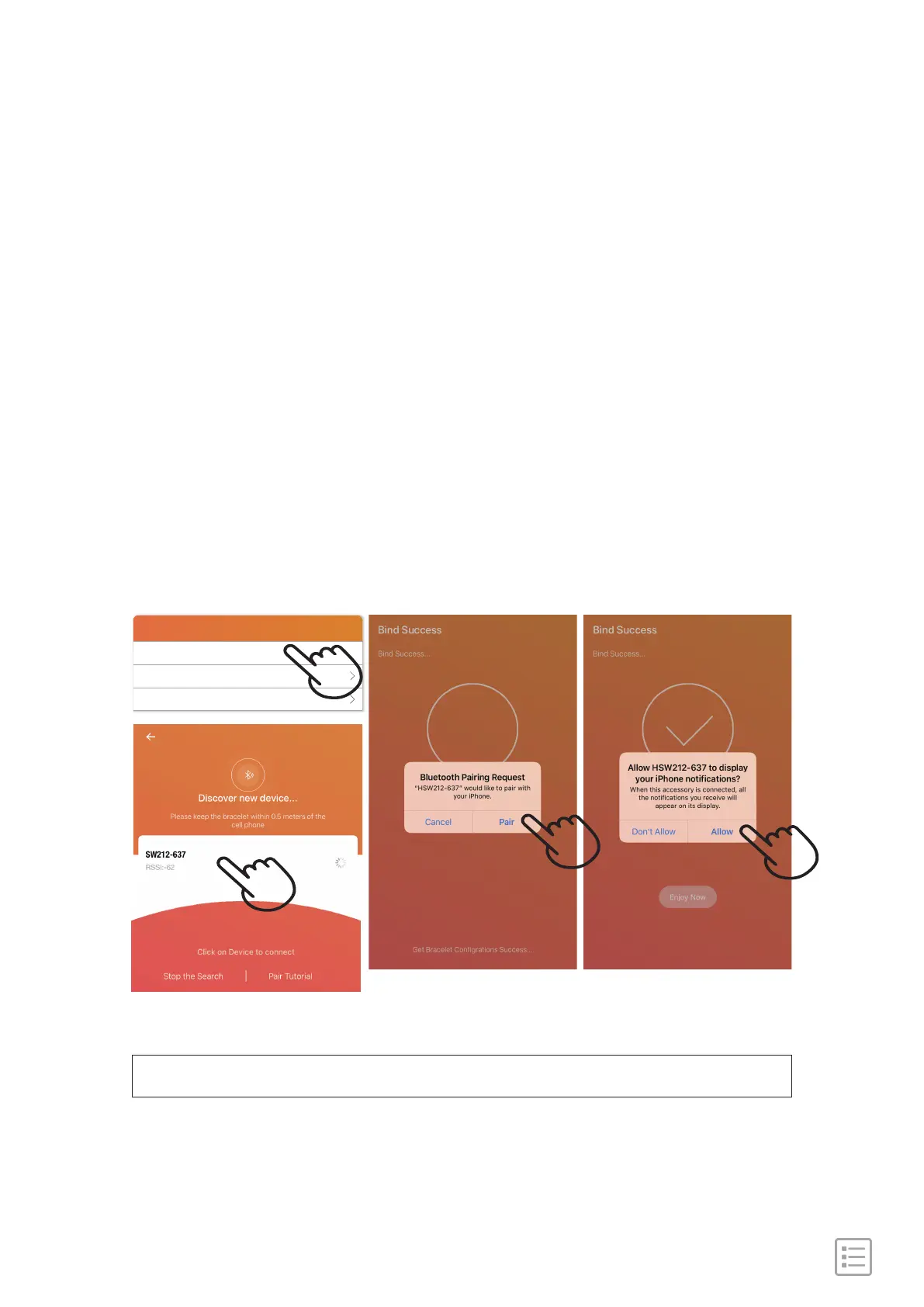
Note: please do not pair the watch from bluetooth list directly.
1). Make sure your phone bluetooth is on.
2). Open "FitCloudPro" App, on the bottom toolbar, go to
"Device" tab.
3). Tap to "+ Add Peripheral Now" to search the device
named SW212-XXX to connect. The Watch will
synchronize time with your phone after paired.
Steps:
Pair with phone
Device
+ Add Device
Alarm Clock 0 alarm clocks have been turned on
Message Notification


 To Next Page