- 23 -
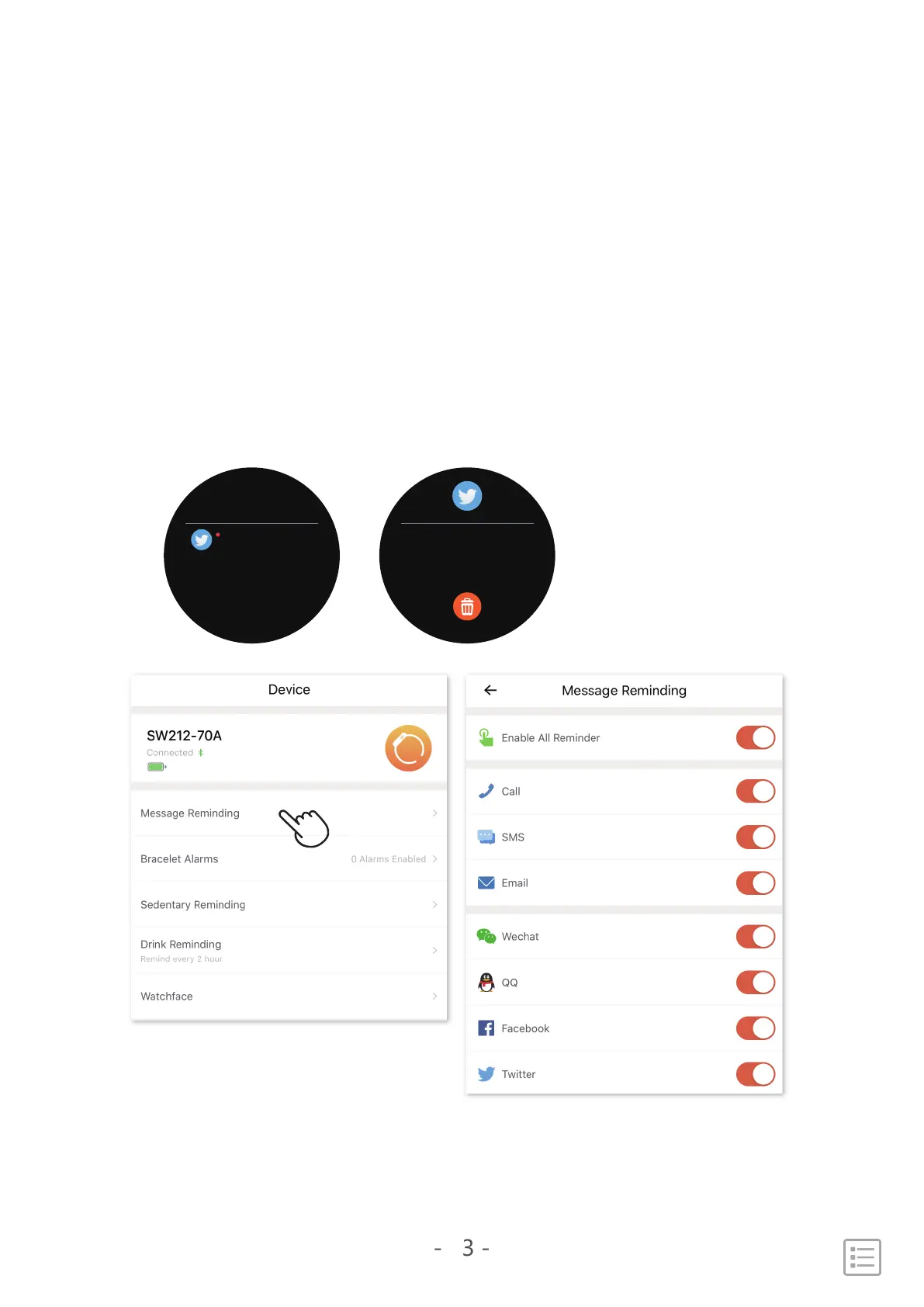
See incoming notifications
When your phone and SW212 are within range, a notification
causes the watch to vibrate.
In the watch main interface, swipe up to check the history
message, you also can delete the message on the smart watch
Message
14:06
Sunny:Hi, how's going?
Sunny:Hi, how's going?


 To Next Page