EasyManua.ls Logo

BIO RAD PowerPac 300 - User Manual

BIO RAD PowerPac 300
18 pages
Print Icon
To Next Page IconTo Next Page
Loading...
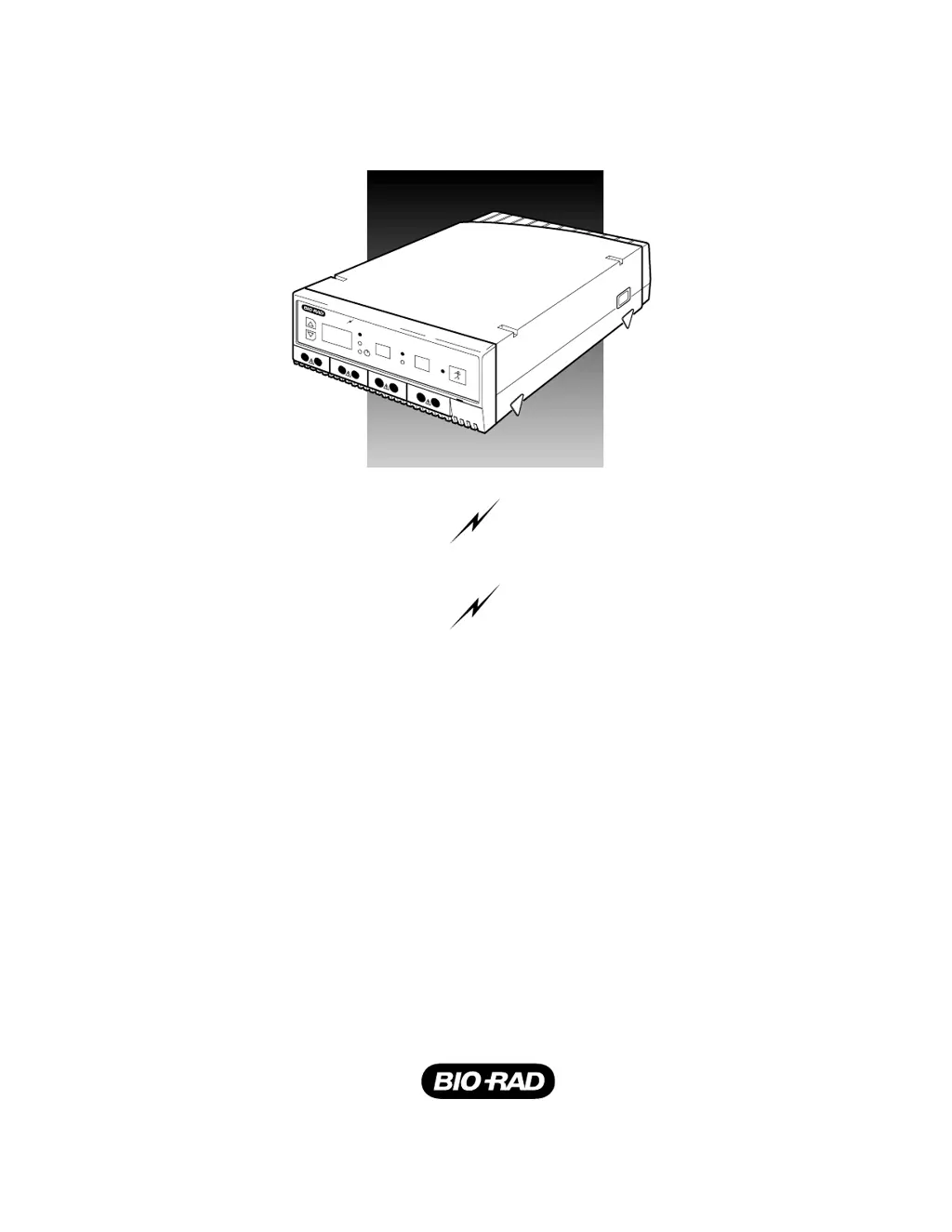
INSTRUCTION MANUAL
AND
Catalog Numbers
PowerPac 200
165-5052
165-5053
PowerPac 300
165-5050
165-5051
POWER PAC 300
POWER PAC 200
CONST
V
mA
V
A
POWER PAC 300
–+
–+
–+
–+

Questions and Answers

  • K
    Keith VazquezAug 12, 2025
    How to fix BIO RAD Power Supply E 1 No Load Detected error?
    • M
      Maria WilsonAug 13, 2025
      If your BIO RAD Power Supply shows error code E 1, which means no load is detected, verify all electrical connections to the electrophoresis cell. Also, ensure the cell contains the correct buffer volume. Once checked, press the key to resume the run, or press any other key to clear the error code.
  • J
    Julie GrantAug 17, 2025
    What to do if BIO RAD Power Supply shows E 2 Short Circuit error?
    • C
      chelsey66Aug 17, 2025
      If the BIO RAD Power Supply displays error E 2, indicating a short circuit, it means the current load has exceeded safe limits (2.5 A for PowerPac 200 or 400 mA for PowerPac 300). You should inspect the setup for any short circuits or excessive loads. If the high load is due to a high buffer concentration, remake the buffer. After correcting the issue, press the key to resume the run or any other key to clear the error code.
  • R
    Robert JonesAug 20, 2025
    What to do when BIO RAD PowerPac 300 Power Supply displays E 10 Unacceptable Value(s) Entered?
    • K
      kimberly44Aug 20, 2025
      If the BIO RAD Power Supply shows error E 10, indicating unacceptable values were entered, clear the error by pressing any key (except the key). Make sure to enter acceptable values for voltage and current. Note that for PowerPac 200 the voltage must be at least 5 V and the current at least 0.01 A, while for PowerPac 300 the voltage must be at least 10 V and the current at least 4 mA. After entering correct values, press the key to resume the run.
  • T
    timothypattersonAug 25, 2025
    What does E 3 Power Supply Regulation Error mean on BIO RAD?
    • L
      Larry HigginsAug 25, 2025
      If the BIO RAD Power Supply displays error E 3, indicating a power supply regulation error, check for issues such as dirty contacts, frayed wires, or excessive buffer concentration and correct them. Then, press the key to resume the run or press any other key to clear the error code. If the error persists, note the error code number and contact your Bio-Rad Representative.
  • M
    mwhiteAug 27, 2025
    How to resolve E 11 Ground Leak Detected error on BIO RAD PowerPac 200?
    • E
      Eddie LozanoAug 28, 2025
      If the BIO RAD Power Supply (PowerPac 200 only) displays error E 11, which means a ground leak was detected, inspect the cell for an improper connection to earth ground and correct it. Then, restart the power supply by turning it off and then on again.
  • S
    Stephanie BurtonAug 31, 2025
    What does E 5 Power Failure During a Timed Run mean on BIO RAD PowerPac 300?
    • T
      Toni PierceAug 31, 2025
      If the BIO RAD Power Supply shows error E 5, which means a power failure occurred during a timed run, and Power Failure detect (PFd) was activated, you can clear the error code by pressing any key (other than the key). The run was completed after the power failure.
  • S
    Stephanie JonesSep 4, 2025
    Why does BIO RAD PowerPac 300 show E 6 Power Failure During a Timed Run error?
    • J
      James BennettSep 4, 2025
      If the BIO RAD Power Supply displays error E 6, indicating a power failure during a timed run, and Power Failure detect (PFd) was not activated, it means the run was terminated either due to a power failure or because the previous run was stopped by turning off the power supply or unplugging it. To clear the error code, press any key (other than the key).
  • D
    dharrisSep 8, 2025
    What to do if BIO RAD PowerPac 300 displays E 7 Power Failure During an Untimed Run?
    • C
      Cynthia ParkerSep 8, 2025
      If your BIO RAD Power Supply displays error E 7, which means a power failure occurred during an untimed run, it means the run was terminated either due to a power failure or because the previous run was stopped by turning off the power supply or unplugging the unit. To clear the error code, press any key (other than the key).

Summary

Safety Precautions

Caution;Warning

PowerPac power supplies use high output voltages that are electrically isolated from earth ground to minimize the risk of electrical shock.

Important

This instrument is intended for laboratory use only and conforms to Class A standards for Electromagnetic Emissions.

Product Introduction

1.1 Overview

Describes the constant voltage or current outputs and capabilities of the PowerPac 200 and PowerPac 300 models.

1.2 Unpacking

Instructions for inspecting the container, unpacking the unit, and identifying included accessories.

Control Panel Features

Table 1. Front Panel Controls and Indicators

Details the front panel keys, their functions, and indicators for PowerPac 200 and PowerPac 300.

Setup and Operation Guide

Table 2. Setup Procedure

Step-by-step guide for connecting, powering on, and setting parameters for the power supply.

Maintenance and Troubleshooting

4.1 Maintenance

Guidelines for cleaning the power supply case using a damp cloth.

4.2 Troubleshooting

Information on diagnosing and resolving error codes (E1, E2, E5) displayed by the unit.

Technical Procedures

4.3 Replacing a Fuse

Detailed instructions on how to safely remove and replace the fuse in the power supply.

4.4 Firmware Version Number

Procedure to display the power supply's software version number.

Product Specifications

Safety Features

Indicates features like no load detection, overload protection, and ground leak detection.

Environmental

Specifies operating temperature and humidity ranges for the power supply.

Dimensions

Provides the physical size and weight of the power supply unit.

Warranty and Ordering Information

Warranty Information

Details the warranty period and exclusions for defects in materials and workmanship.

Ordering Information

Lists catalog numbers and product descriptions for various PowerPac models and accessories.

BIO RAD PowerPac 300 Specifications

General IconGeneral
Output Voltage10-300 V
Operating ModesConstant voltage, constant current
TimerYes
Number of Outputs1
Voltage Resolution1 V
Input Voltage100-240 V
Input Frequency50/60 Hz
Power300 W
Time Settings1 min to 99 hr 59 min
Display TypeLED

Related product manuals