20
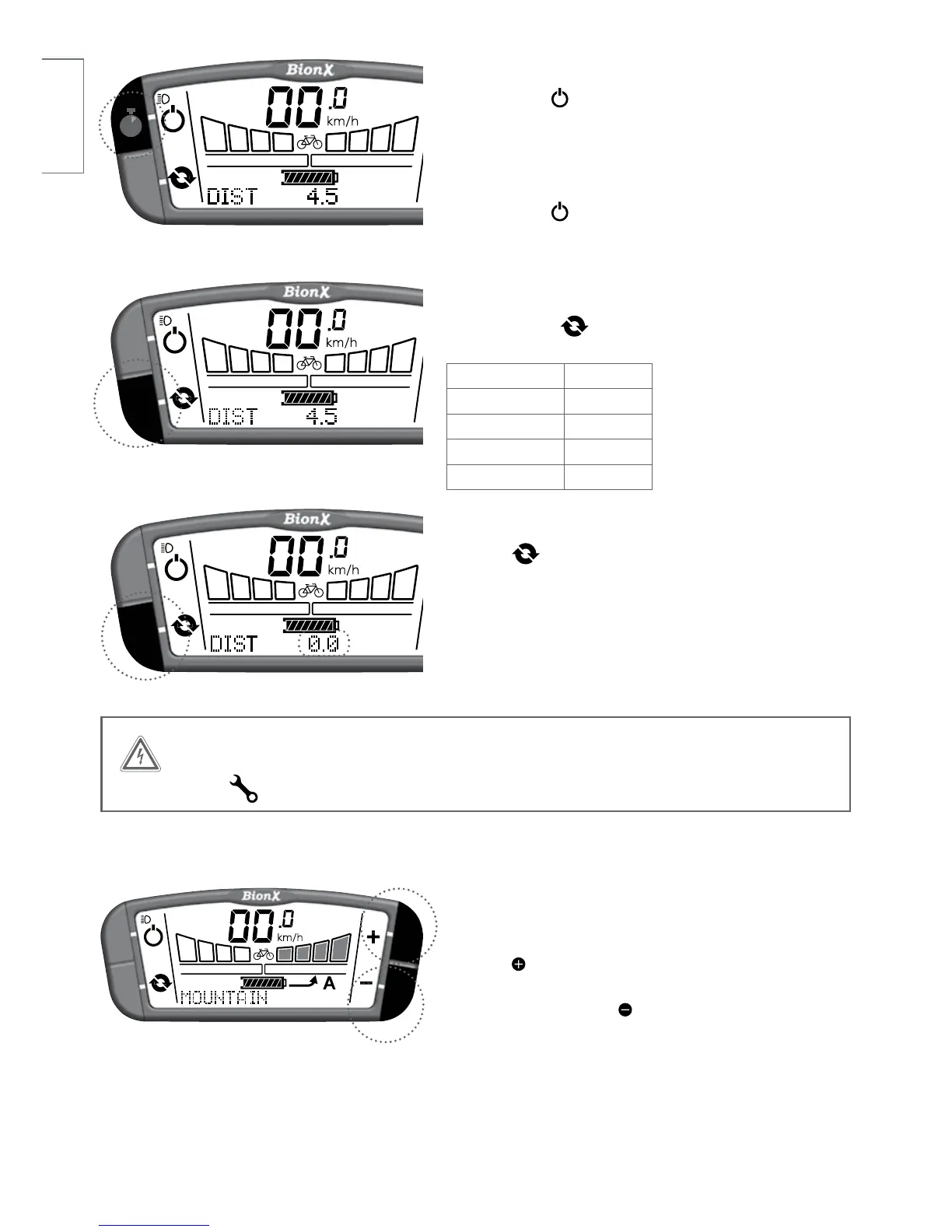
Turn on backlight and bicycle light (if applicable)
Push and hold key for 4 seconds - display backlight
and bicycle light (if available, battery integrated) are
turned on.
Turn off backlight
Push and hold key again for 4 seconds.
Select the cycling computer functions
Briefly push the key to change between:
Trip Distance DIST
Odometer ODO
Clock CLOCK
Average Speed AVSPD
Chronometer CHRONO
To reset the cycle computer functions
Hold the key for a few seconds to reset the distance,
chronometer, or average speed values to zero.
4s
WARNING
If this symbol appears please contact your BionX dealer for service.
Mountain Mode (where available)
Hold the button from any level of (A) or (G) to
engage. The four assist levels will flash, MOUNTAIN
will appear briefly. Press to disengage.



 To Next Page