EasyManua.ls Logo

BionX Smart - Remove Battery Nest

Default Icon
58 pages
Print Icon
To Next Page IconTo Next Page
To Previous Page IconTo Previous Page
Loading...
RL39 - Repair instructions for changing the frame
Version 1.0, last revised 03/2016
13/58
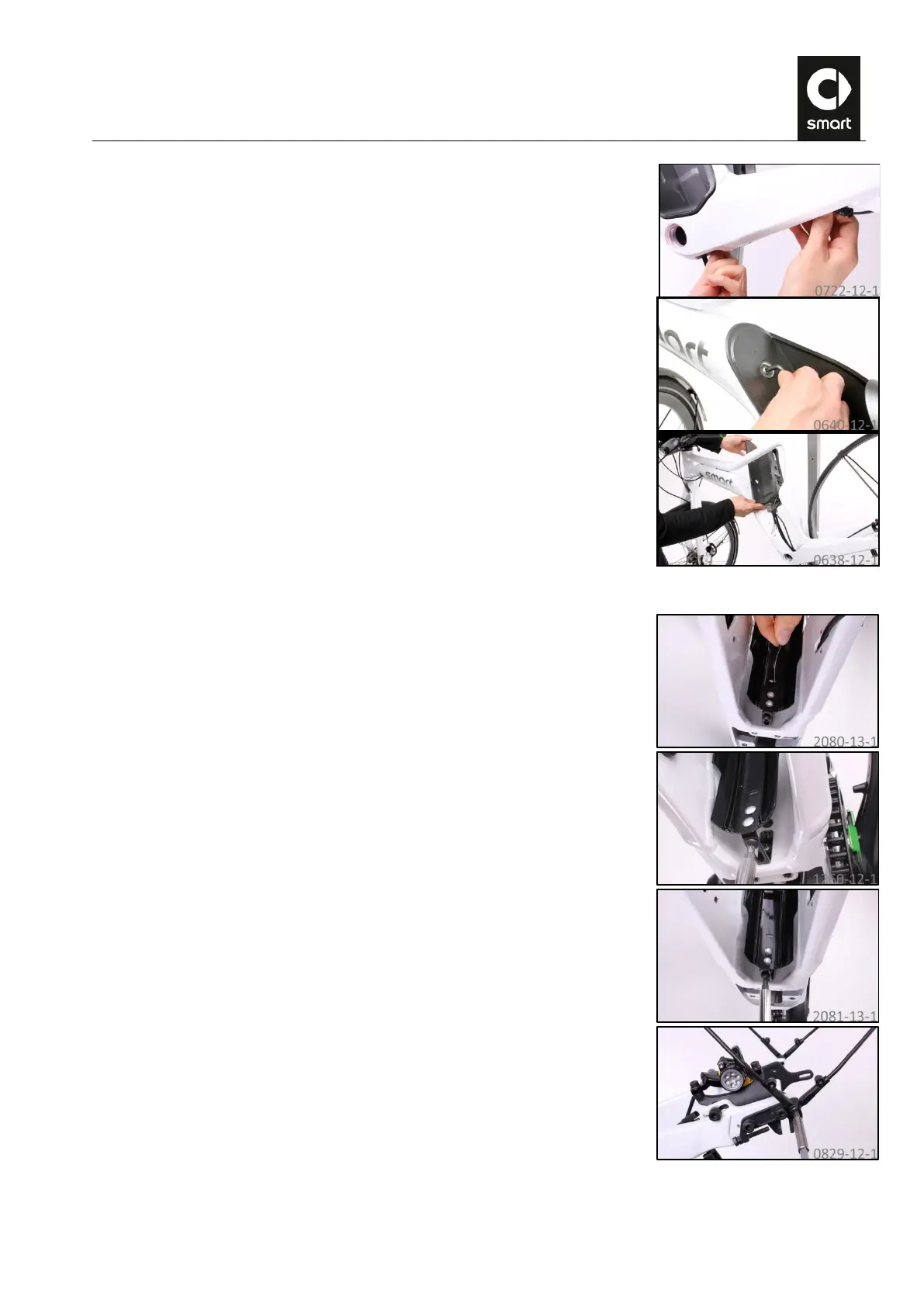
42.
Grip the rear data cable in the bottom bracket and pull and feed it out of the
frame.
43.
Undo the bolts of the battery nest using a T30 angled Torx wrench and remove
the collared washers.
44.
Pull the battery nest upwards towards the right side out of the frame with the
cable set.
K. Removing the rear mudguard
45.
Pull the light cable out of the hole in the mudguard.
46.
Undo the bolt connecting the mudguard to the frame with a T25 Torx wrench.
47.
Undo the bolts connecting the mudguard stays on the left and right dropouts
with a T30 Torx wrench.

Related product manuals