Epoch™ User Guide Page 18 of 23
10166_Rev08 WWW.BIOPAC.COM 9.9.2019
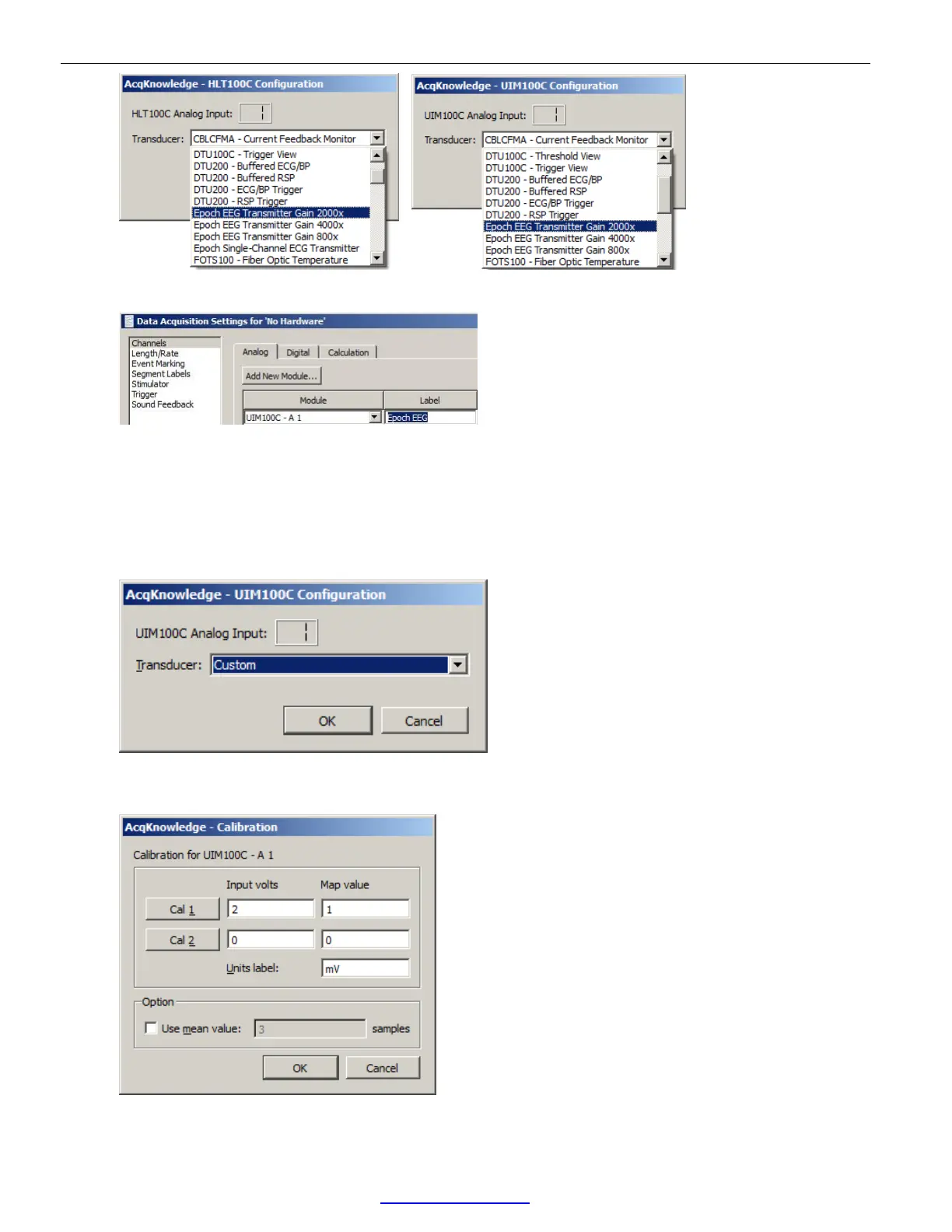
4. Enter a channel label for the new configuration and click “Close.”
NOTE: In AcqKnowledge versions 4.4.2 and earlier, the Epoch Single-Channel ECG Sensor option is not supported
in Module Setup. However, these settings can be configured manually via the following steps:
1. Select the UIM100C Module as shown in steps 1 and 2 on the previous page. Be sure to select an unoccupied
channel number for the module (i.e., A2, A3, A4, etc.)
2. Choose “Custom” from the configuration list and click OK. This opens a Calibration scaling dialog.
3. In the Calibration scaling dialog, change the default Cal1 and Cal values to those shown in the figure below
(Also, change the default “Units label:” from Volts to mV.) Click OK.


 To Next Page