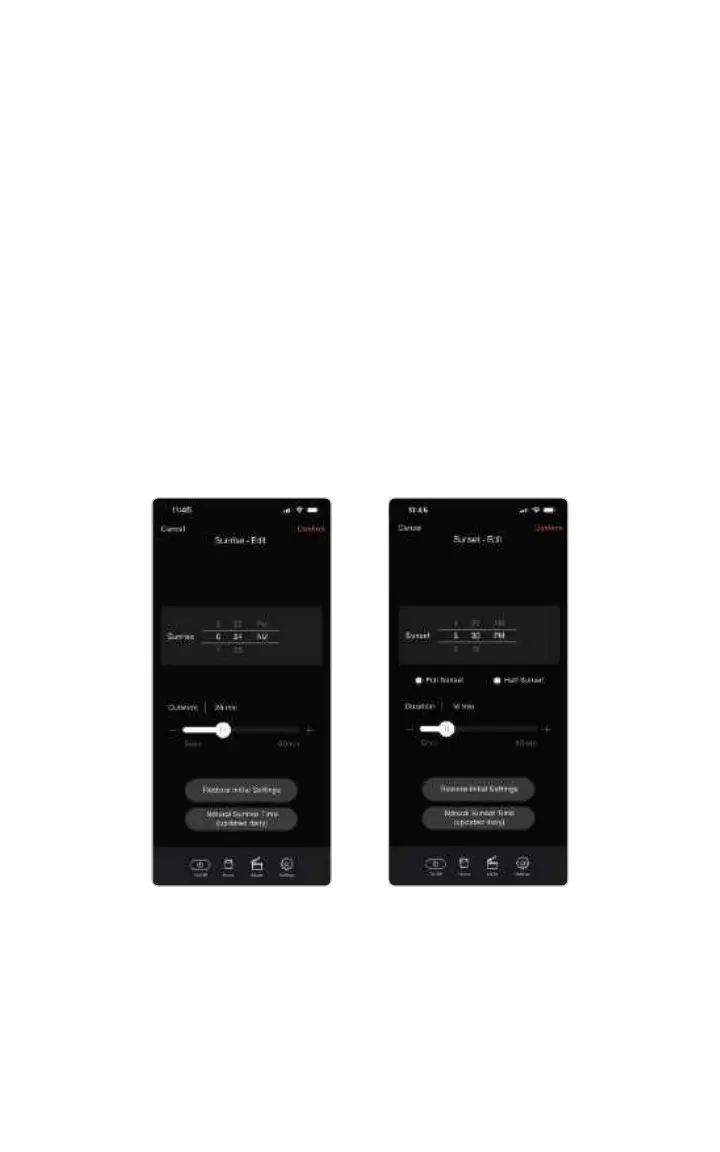
Updating Your Sunrise/Sunset Settings
You can edit the start time and duration of both the sunrise and sunset by
scrolling the start time clock and duration slider. Duration can be as short as
5 minutes and as long as 60 minutes. 30 minutes is the default.
Some SKYVIEW users prefer to use their light as a wake-up alarm rather than
their alarm clock for a more natural and happy morning experience.
Sunsets have an additional option to choose from: half sunset or full sunset.
Full Sunset - This is the most similar to natural sunset. Full sunset showcases a
setting sun, followed by skyglow, then after 1 second of complete darkness, it
transitions to evening mode.
Half Sunset - Provides a setting sun, followed by skyglow, and directly transitions
to evening mode. Half sunset foregoes the complete darkness portion of the
sunset and fades directly into evening mode as soon as the sun sets.
12



 To Next Page