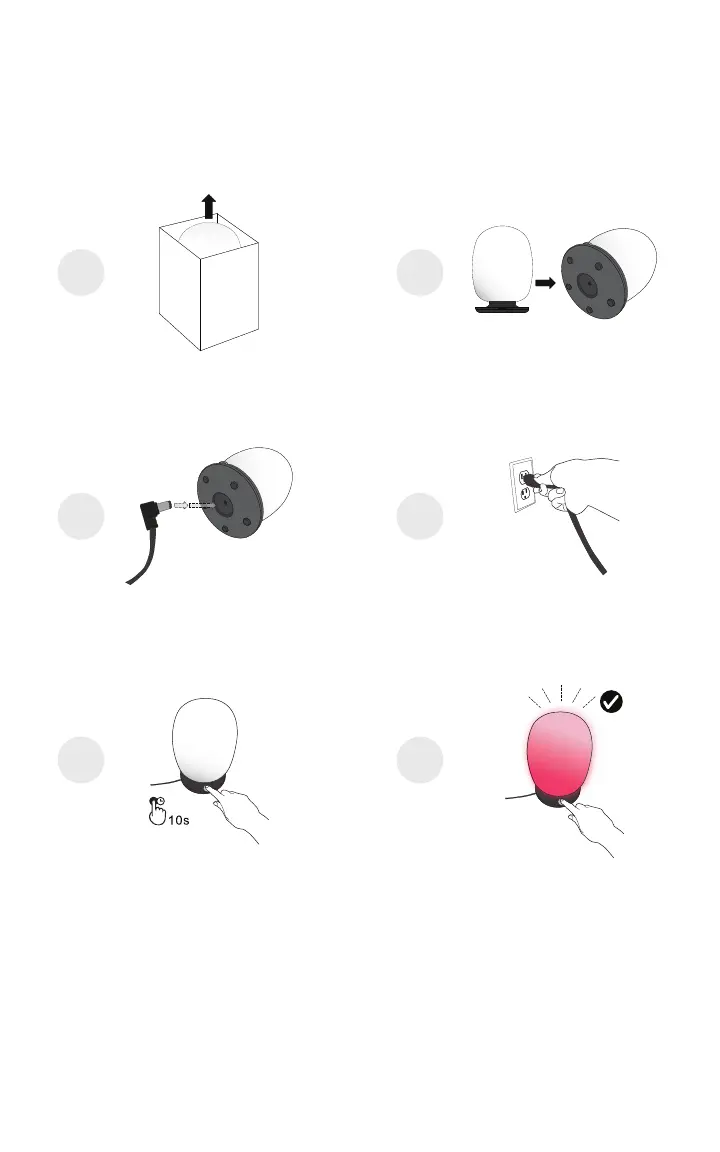
STEP 3 Assemble SKYVIEW and Plug-In
Before you get started, make sure that you have downloaded and installed the
SKYVIEW app on your mobile phone.
Insert AC plug of power supply unit into a wall outlet with a voltage between
100V and 240V. (Standard US residential voltage is 120V).
Your SKYVIEW lamp should automatically turn on with a ashing red light,
signaling that it is in pairing mode.
If not, press and hold the dial button down for 10 seconds, until the SKYVIEW
lamp is ashing red.
1 2
3 4
5 6
04



 To Next Page