Hi-Fi A85W / Hi-Fi A75W UEFI BIOS Manual
9
HTC temperature limit
This item allows you to set HTC temperature limit. Range: 70 ℃ - 85℃
Options: 75 (Default)℃
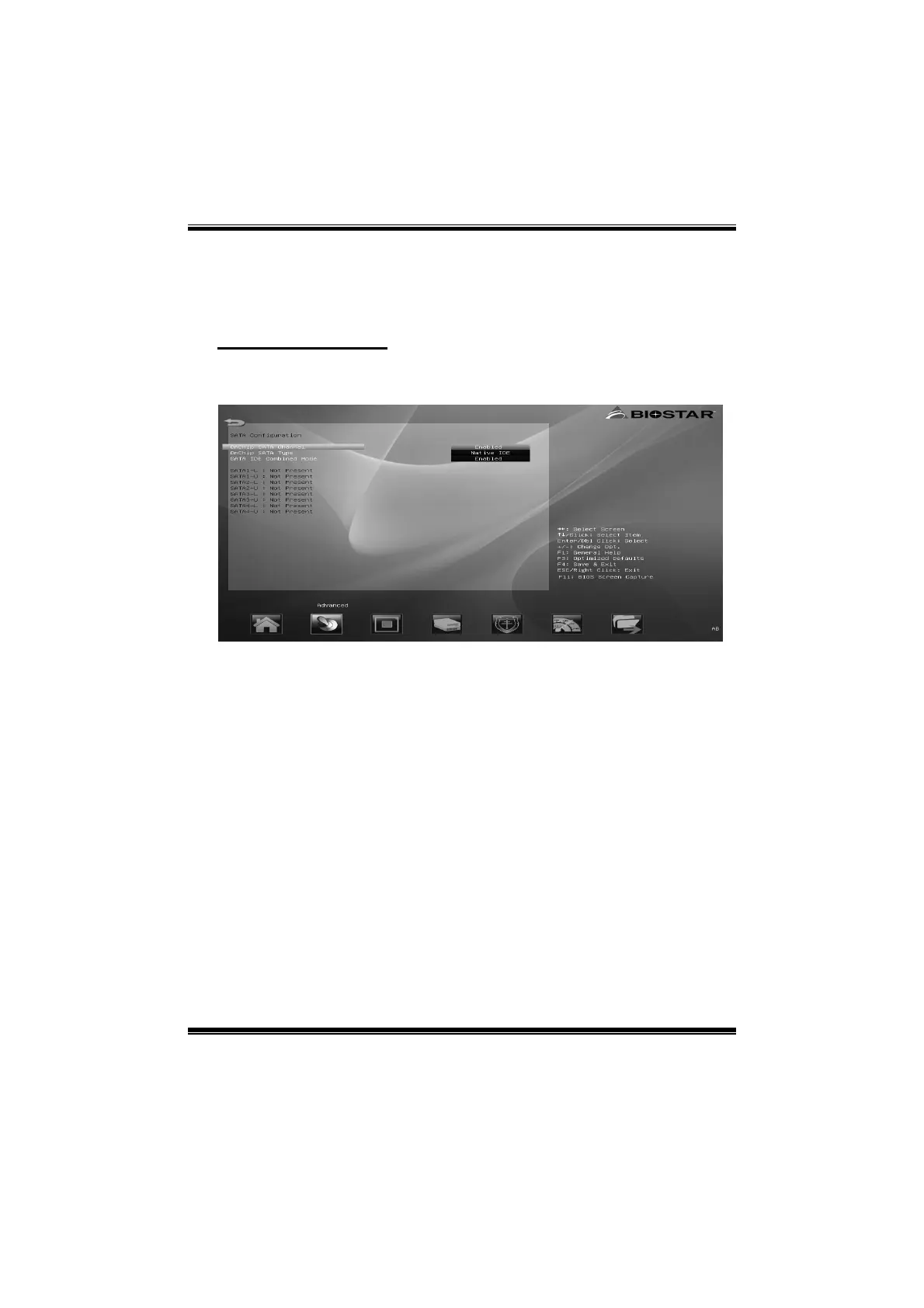
SATA Configuration
The BIOS will automatically detect the presence of SATA devices. There is a
sub-menu for each SATA device. Select a device and press <Enter> to enter
the sub-menu for detailed options.
OnChip SATA Channel
This item allows you to enable or disable OnChip SATA Channel.
Options: Enabled (Default) / Disabled
OnChip SATA Type
This item allows you to choose OnChip SATA Type.
Options: Native IDE (Default) / RAID / AHCI / Legacy IDE
SATA IDE Combined Mode
This item allows you to enable or disable SATA IDE Combined Mode.
Options: Enabled (Default) / Disabled


 To Next Page
 Loading...