5
3. Setup
3.1 Setting Up the Printer
1. Place the printer on a flat, secure surface.
2. Make sure the power switch is set to “off”.
3. Connect the printer to the computer with the provided USB cable.
4. Plug the power cord into the AC power cord socket at the rear of the printer, and then plug
the power cord into a properly grounded power outlet.
3.2 Loading the Media
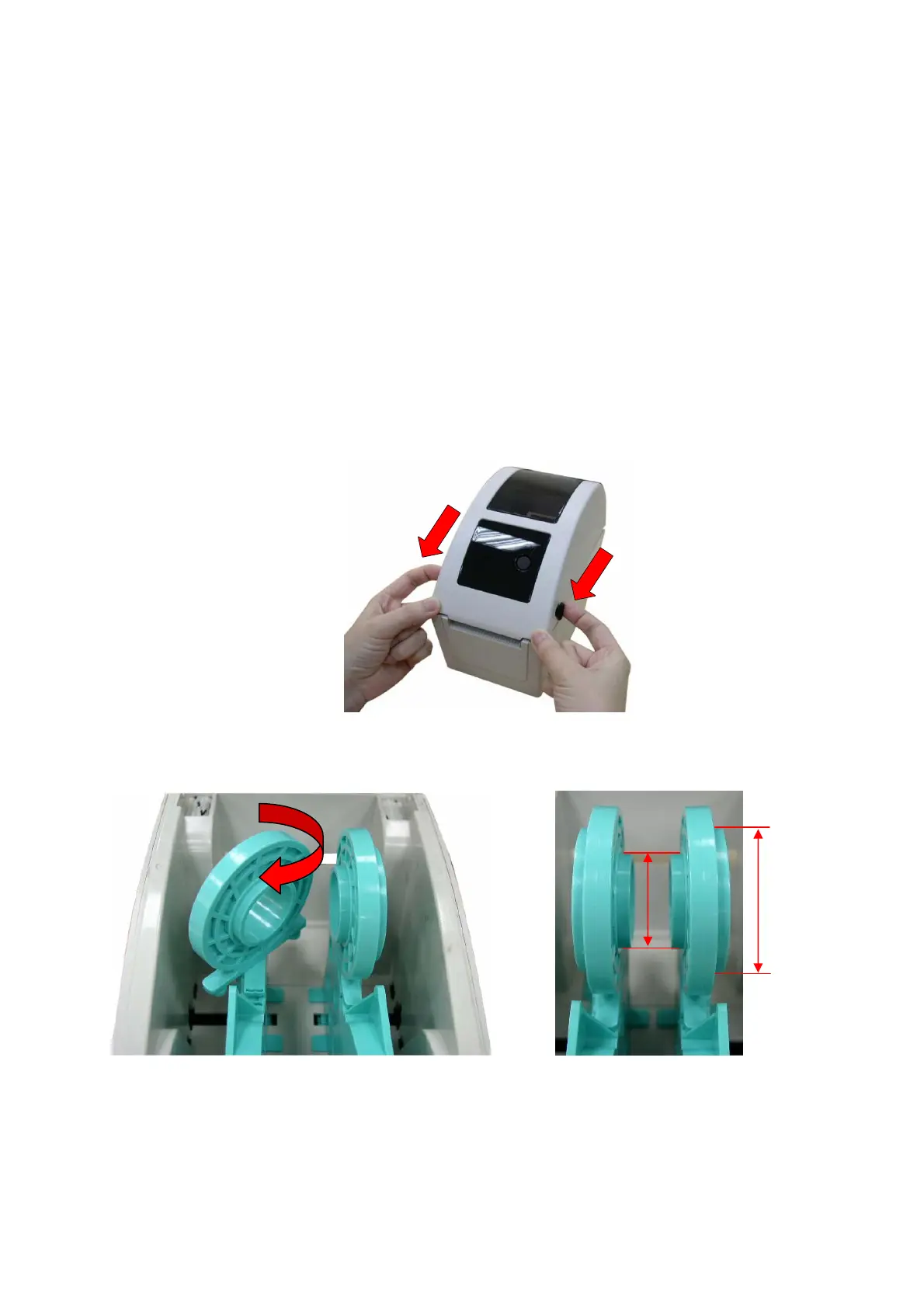
1. Open the printer top cover by pulling the tabs located on each side towards the front of the
printer, and then lift the top cover to the maximum open angle.
2. The media holder can be used for 1” and 1.5” media core by rotating the upper part of
label holder180 degrees clockwise.
3. Separate the media holders to the label roll width.
1.5”
1”


 To Next Page