10
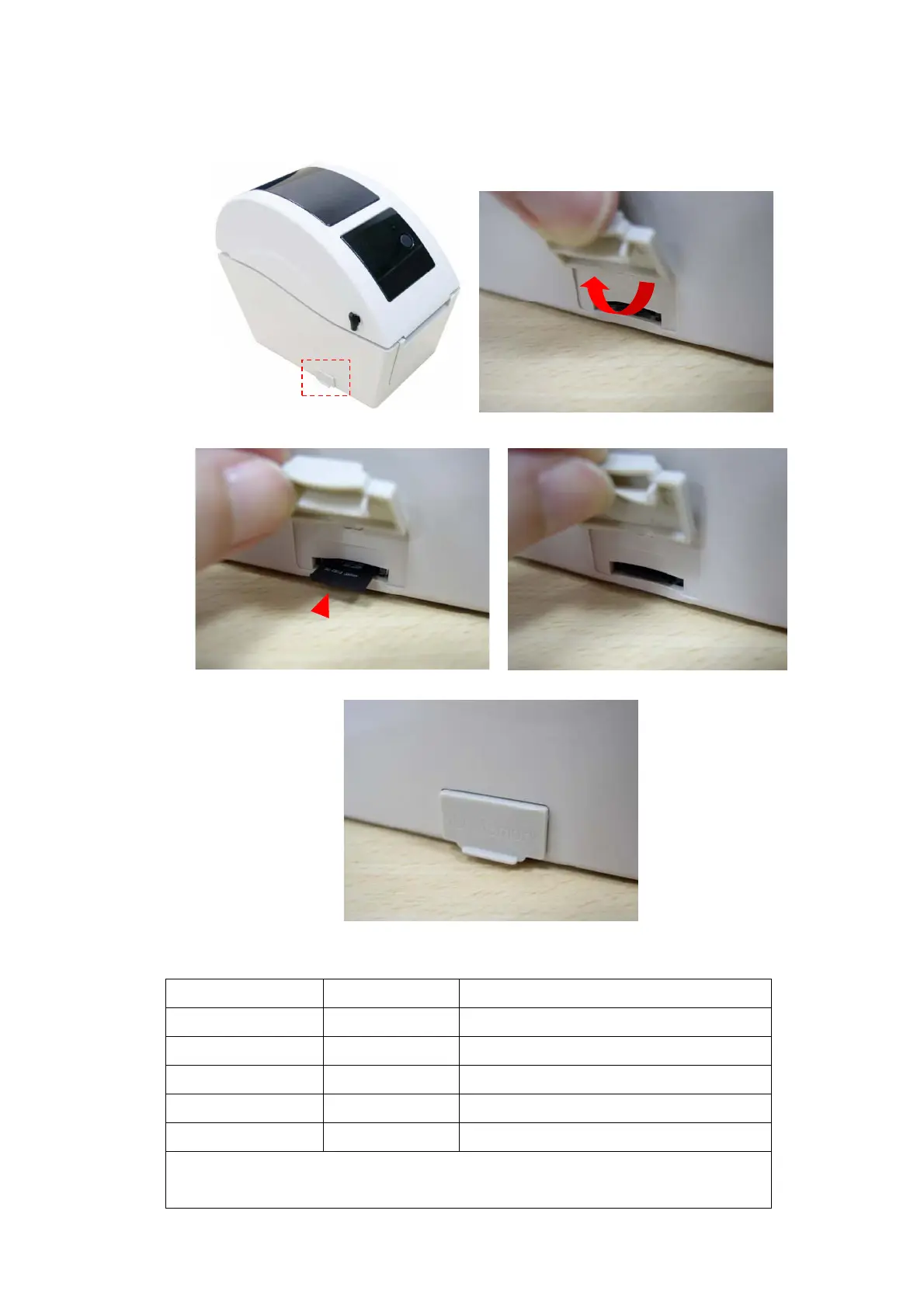
3.4 Install MicroSD Memory Card
1. Open the SD memory card cover.
2. Insert the MicroSD card into the socket.
3. Close the memory card cover.
* Recommended SD card specification.
SD card spec SD card capacity Approved SD card manufacturer
V1.0, V1.1 MicroSD 128 MB Transcend, Panasonic
V1.0, V1.1 MicroSD 256 MB Transcend, Panasonic
V1.0, V1.1 MicroSD 512 MB Transcend, Panasonic
V1.0, V1.1 MicroSD 1 GB Transcend, Panasonic
V2.0 SDHC CLASS 6 MicroSD 4 GB Transcend
- The DOS FAT file system is supported for the SD card.
- Folders/files stored in the SD card should be in the 8.3 filename format


 To Next Page