AUDIO
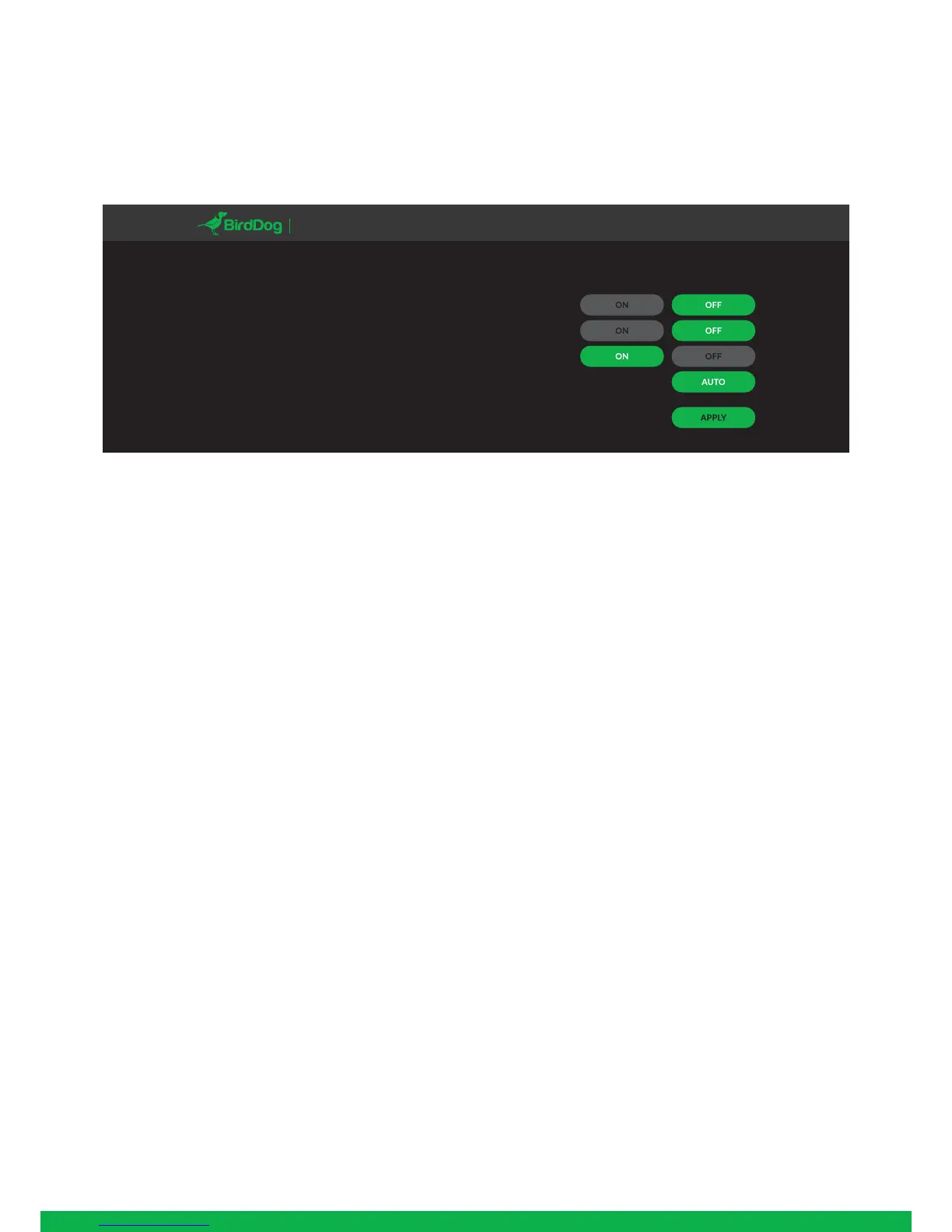
Enabling or disabling Audio
Mini can be configured to process embedded audio from
SDI or HDMI from within the web configuration console.
This setting is located in the Video section of the console
and operates in the following way:
Audio Mute ON
Audio is not passed through embedded SDI or HDMI.
Audio Mute OFF
Audio is passed through the embedded SDI or HDMI input
and streamed to the NDI receiver.
NDI DECODE OPERATION
Changing modes from NDI Encoder to NDI Decoder
BirdDog Can operate in either NDI Encode (converting
from HDMI to NDI) or NDI Decode (receiving an NDI signal
from the network and displaying it out the HDMI ports).
To change modes from the default NDI Encoder mode into
NDI decode navigate to the decode section of the web
interface.
Select DECODE mode from the selection box and press
APPLY.
Note that you must reboot the BirdDog unit once a new
operating mode is selected, dynamically switching will be
added in an upcoming firmware release.
Selecting an NDI source to decode
Once your BirdDog device has entered NDI decode mode
and successfully rebooted, you are able to select the source
that you wish to decode via the web interface.
All available sources are listed in the drop down menu in the
decode section of the web interface, select the desired
source and press apply to begin receiving this source.
Once your BirdDog unit is in Decode mode you can switch
between any available sources on the network by choosing
them from the drop down menu and pressing APPLY again.
Note. BirdDog can only decode video format and frame rate
sources, these formats are the same as what BirdDog
capable of encoding. If you are unable to successfully
receive a source, please double check that the video format
and frame rate are ones that are supported by your unit.
Changing back to NDI Encode operation
To change modes from NDI Decode mode back into NDI
Encode navigate to the decode section of the web interface.
Select ENCODE mode from the selection box and press
APPLY.
Note. You must reboot the BirdDog unit once a new opera-
ting mode is selected, dynamically switching will be added in
an upcoming firmware release.
Current video input:
Audiosetup:
Mute:
Tally:
Input selection:
AUTO/SDI/1080i/25.0/YUV
DASHBOARD NETWORK VIDEO DECODE SETTINGS LOGOUT
MINI
8


 To Next Page