EasyManua.ls Logo

Bissell 2907F - User Manual

Bissell 2907F
12 pages
Print Icon
To Next Page IconTo Next Page
Loading...
Go online for a comprehensive walkthrough
of your product!
This guide has everything you need to get ready for first use,
including setting up, using and maintaining your machine,
but online you’ll find additional resources like tips and
troubleshooting, videos, product registration, parts, and more.
Go to global.BISSELL.com.
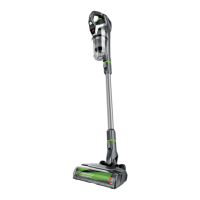
PET HAIR ERASER® SLIM CORDLESS
MODEL 2907F
H
O
M
E
C
L
E
A
N
I
N
G
E
X
P
E
R
T
S
E
S
T
.
1
8
7
6
U
.
S
.
A
.
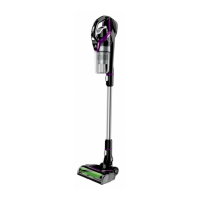
Product Overview
1. Hand Vacuum
2. Power Button
3. Cleaning Mode Button
4. Tank Release Button
5. Dirt Tank
6. Hand Vacuum
Release Button
7. Extension Wand
8. Foot Release Button
9. Tangle-Free Brush Roll
10. Motorised Floor Cleaning Foot
11. Charging Port
What’s in the Box? .............................................................3
Assembly .............................................................................. 3
Installing the Wall Storage & Charging Station ....... 4
Charging the Battery ........................................................ 5
Using the Vacuum .............................................................. 6
Attaching Tools for Hand Vac Use ............................... 6
Emptying the Dirt Tank .................................................... 7
Cleaning & Replacing the Filters ...................................8
Maintaining the Brush Roll ..............................................9
Troubleshooting .................................................................10
Warranty ............................................................................... 11
2
3
4
6
8
1
5
7
11
9
10

Questions and Answers

  • C
    Christie ParkerJul 28, 2025
    How to fix Bissell 2907F Vacuum Cleaner that won’t pick up dirt?
    • B
      brianjohnsonJul 28, 2025
      If your Bissell Vacuum Cleaner won’t pick up dirt, the filters might be dirty. Remove and rinse both the pre- and post-motor filters, and allow them to dry completely before putting them back in. Also, check for any clogs in the vacuum by removing the foot and extension wand from the hand vacuum and clearing any debris. Lastly, make sure the dirt tank is correctly seated; remove it and reseat it properly.
  • P
    philiphansenAug 5, 2025
    Why is dirt escaping from my Bissell 2907F Vacuum Cleaner?
    • B
      Billy PowellAug 5, 2025
      If dirt is escaping from your Bissell Vacuum Cleaner, the dirt tank might be full, so you should empty it. Also, check if the pre- and post-motor filters are in place and clean; clean them if needed. There may be a clog in the vacuum. Remove the foot and extension wand from the hand vacuum and check for debris buildup or clogs in each of these sections. Clear any debris or clogs before reassembling.
  • J
    Jeffrey Flores DVMAug 12, 2025
    What to do if my Bissell Vacuum Cleaner won’t charge?
    • T
      Tina FrazierAug 12, 2025
      If your Bissell Vacuum Cleaner won’t charge, ensure you are using the charger that came with the machine. Also, remove the charger and reinstall it to the hand vacuum to ensure it is properly connected.
  • L
    laurawhitakerAug 20, 2025
    What does it mean when my Bissell 2907F Vacuum Cleaner flashes 3 times then shows solid light?
    • A
      Allison MolinaAug 20, 2025
      If your Bissell Vacuum Cleaner displays 3 flashes followed by a solid light, this could indicate a suction motor fault, brush roll stall, or battery issue. Turn the machine OFF. First, check and clean the filters. Then, check for and clear any clogs. If the issue persists, turn the machine OFF and remove the charger, then contact Consumer Care.

Summary

IMPORTANT SAFETY INSTRUCTIONS

Product Setup and Initial Use

Whats in the Box?

Details the included accessories and components provided with the vacuum cleaner.

Assembly

Provides step-by-step instructions for assembling the vacuum cleaner.

Installing the Wall Storage & Charging Station

Guides on mounting the wall storage and charging station for convenient use.

Charging the Battery

Explains the process of charging the vacuum cleaner's battery before first use.

Operating the Vacuum

Using the Vacuum

Details how to operate the vacuum, including power and mode selection.

Attaching Tools for Hand Vac Use

Describes how to connect various tools for hand vacuum functionality.

Maintenance and Care

Emptying the Dirt Tank

Instructions on how to properly empty the dirt tank of collected debris.

Cleaning & Replacing the Filters

Covers the process of cleaning and replacing the pre-motor and post-motor filters.

Maintaining the Brush Roll

Provides steps for cleaning and maintaining the vacuum's brush roll.

Troubleshooting and Warranty

Troubleshooting

Addresses common issues, possible causes, and remedies for vacuum operation.

Warranty

Outlines the terms and conditions of the product's warranty coverage.

Bissell 2907F Specifications

General IconGeneral
Model2907F
Power SourceCorded Electric
Voltage120V
Included ToolsCrevice Tool, Dusting Brush
ColorBlue
TypeUpright
Filter TypeWashable Filter

Related product manuals