EasyManua.ls Logo

Bistos BT-500 - User Manual

Bistos BT-500
79 pages
Print Icon
To Next Page IconTo Next Page
Loading...
Keep this manual for future reference
P/N : 500-ENG-OPM-EUR-R07
BT-500
BT-500
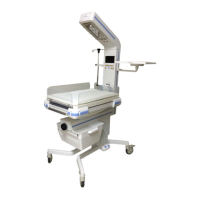
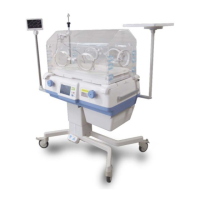
Infant Incubator

Table of Contents

Other manuals for Bistos BT-500

Questions and Answers

  • L
    Laura BrownAug 14, 2025
    What to do if a key is stuck on Bistos BT-500?
    • S
      Shannon SmithAug 14, 2025
      If a key or knob is stuck on your Bistos Medical Equipment, check the key and knob to see if they are physically stuck. Replace U3 of BD-500-CPU CTRL.
  • E
    Emily YangAug 17, 2025
    What to do if the heater is overburned in Bistos BT-500?
    • S
      Sandra JimenezAug 17, 2025
      If the main heater overheats due to a broken impeller in the main fan motor or a thermostat malfunction in your Bistos Medical Equipment, immediately stop using the BT-500 and contact your distributor or Bistos for assistance.
  • H
    hansonmatthewAug 20, 2025
    What to do if the skin probe disconnects in Bistos Medical Equipment?
    • L
      Laura SmithAug 21, 2025
      If the skin sensor probe is disconnected from the connector while in Skin mode on your Bistos Medical Equipment, reconnect the skin sensor probe. Alternatively, you can change the control mode to air mode.
  • M
    michael36Aug 25, 2025
    How to troubleshoot power issues with Bistos Medical Equipment?
    • C
      Christopher BrayAug 25, 2025
      If your Bistos Medical Equipment won’t power on, ensure the device's adapter is properly connected to the AC connector. Also, check that the LED on the front panel is either green or yellow.
  • D
    David SimpsonAug 27, 2025
    What to do if values are not in proper range on Bistos BT-500 Medical Equipment?
    • D
      Daniel Copeland MDAug 27, 2025
      If the values displayed on your Bistos Medical Equipment are not within the expected range, verify that the hood is properly closed and the probe is correctly attached. When setting the scale to zero or measuring weight, make sure there are no objects on the measuring plate.
  • T
    Tracy AndersonAug 30, 2025
    What to do if values are not displayed on Bistos BT-500?
    • V
      Vincent ParkerAug 31, 2025
      If values are not being displayed on your Bistos Medical Equipment, ensure that the sensor and extension cables are properly connected to the sensor connector. After connecting the cables, check that the sensor is working correctly.
  • P
    Philip EwingSep 2, 2025
    What to do if the sensor module is disconnected from Bistos BT-500 Medical Equipment?
    • A
      anna75Sep 3, 2025
      If the sensor module is disconnected from your Bistos Medical Equipment, connect the sensor module to the shell.
  • H
    hwalkerSep 6, 2025
    What should I do if the SpO2 is low on Bistos Medical Equipment?
    • A
      Aaron PhelpsSep 6, 2025
      If you observe low SpO2 levels on your Bistos Medical Equipment, check the patient status.
  • C
    Christopher BakerSep 9, 2025
    What to do if the Bistos BT-500 Medical Equipment alarm sounds for 30 minutes without power?
    • S
      Shawn HunterSep 10, 2025
      If the alarm sounds for 30 minutes when there is no power, make sure the main power switch is turned on.

Summary

Safety

1.1 Safe Operation and Use Instructions

Guidelines for safe operation, inspection, and handling of the BT-500 incubator.

1.2 Warnings and Hazards

Critical warnings about misuse, accessories, electrical leakage, EMC, and proper operation.

1.3 Shock Hazards

Precautions for cleaning, grounding, and moisture exposure to prevent electrical shock.

Introduction

2.3 Intended Use

Specifies the BT-500 for measuring parameters for premature/low-weight infants in hospitals.

2.4 Operating Principles

Explains how air/skin temperature, humidity, O2, and SpO2 are measured and controlled.

2.5 Essential Performance

Lists key performance aspects like temperature control, alarms, and compliance with safety standards.

Installation & Connection

3.4 Infant Placement

Steps for placing an infant in the incubator, including pre-warming and securing the hood.

3.5 Movement and Installation

Instructions for moving the incubator, including securing components and adjusting the stand.

Operation

4.1 System Start-up

Guides on turning on the power switch and checking the self-test display after boot-up.

4.5 Temperature Measurement and Control

Describes how air and skin temperatures are measured and controlled in Air and Skin modes.

4.6 Humidity Measurement and Control

Explains humidity measurement and control, including setting procedures and warnings about condensation.

4.7 O2 Measurement and Control

Guides on O2 measurement, control, calibration, and warnings related to oxygen administration.

4.11 Pulse Oximeter

Explains pulse oximetry principles, operation, and how SpO2/PR are measured.

4.14 Calibration of O2 Module

Guides on calibrating the O2 module to 21% and 100% concentrations.

Alarms

5.1 System Alarms

Lists system alarms like Motor Failed and Heater system failed with their causes and descriptions.

5.2 Temperature Alarms

Describes alarms related to air and skin temperature deviations from set values.

5.4 Oxygen Alarm

Covers alarms related to O2 module power, detachment, sensor faults, and concentration deviations.

Cleaning & Maintenance

Troubleshooting

8.1 General Checking

Provides initial checks for common problems like no power, no displayed values, or incorrect ranges.

8.2 Alarm Message Checking

Lists alarm messages on the main display, external monitor, and error codes with causes/solutions.

External Monitor Error Codes

Provides lists of board failure codes and diagnostic failure codes for the external monitor.

Bistos BT-500 Specifications

General IconGeneral
TypeFetal Monitor
Frequency1 MHz
Display7-inch color TFT LCD
PrinterBuilt-in thermal printer
Paper Speed1, 2, 3 cm/min
BatteryRechargeable lithium-ion battery
Measurement MethodUltrasound
Power SourceAC 100-240V, 50/60 Hz
FHR Range50 - 240 bpm
TOCO Range0 to 100 units
Cuff SizeNot applicable
Pressure RangeNot applicable
Pulse Rate RangeNot applicable

Related product manuals