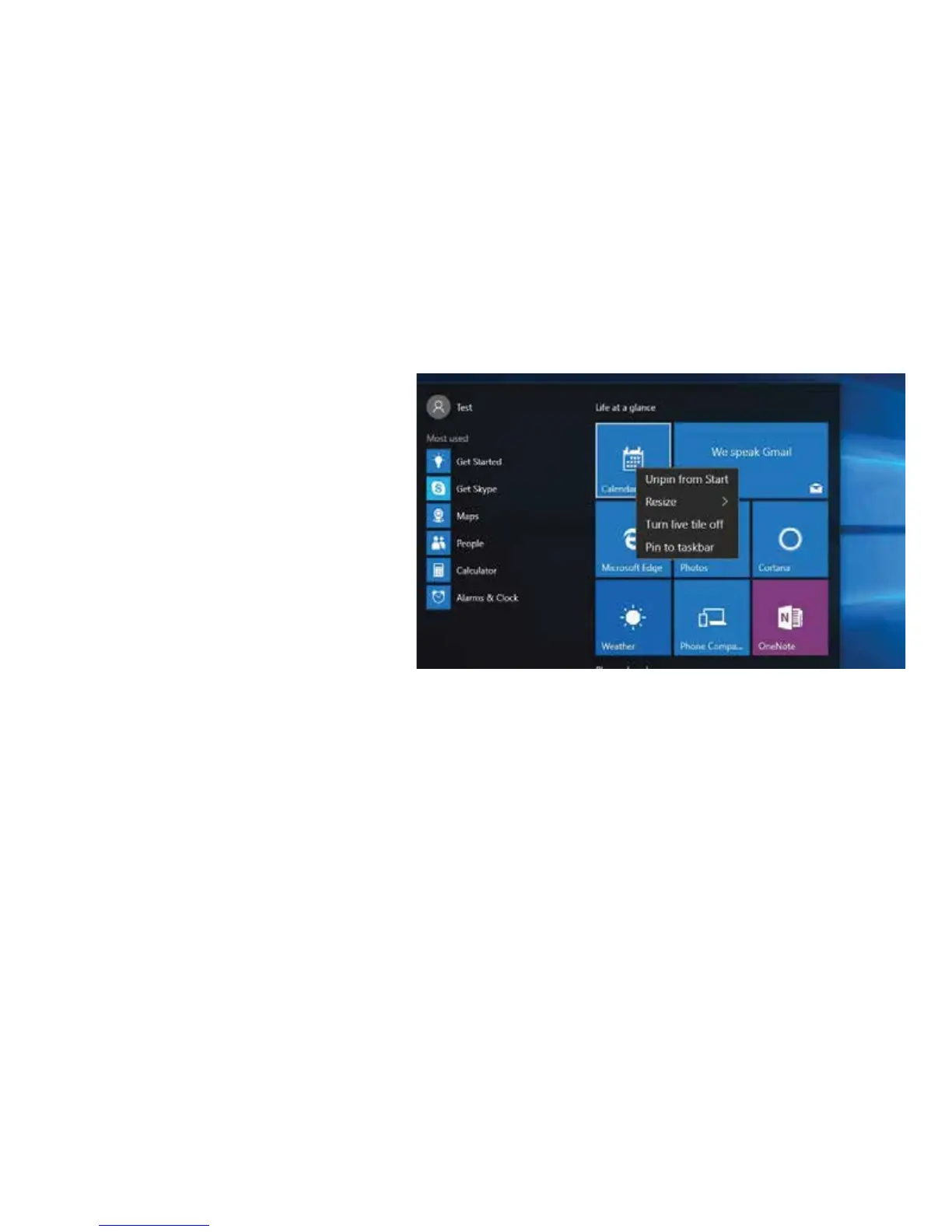
MAKE IT YOURS
1. Pin any app to the Start Menu by
touching and holding it in the
apps list. Select “pin to Start
Menu”.
2. Resize and rearrange any app on
the Start Menu by touching and
holding on the Start Menu, then
select “Resize” and drag it to
your desired location on the
Menu.
3. Change screen appearances by
going to Settings > Personalization,
then have fun!


 To Next Page