Bitfury B8 Open Miner — Quick Start Guide
6
4. Performing tests
Open Miner internal software contains special tests, allows you to test Controlboard,
Motherboard and Hashboard.
To run this test you should login into Open Miner via SSH.
LINUX:
Open Terminal.
Type: ssh pi@192.168.1.224 (replacing 192.168.1.224 with IP address of your Open
Miner) and press Enter.
Then enter password pi (login and password are the same — pi)
WINDOWS:
First you need to download SSH client,
we are recommending PuTTY:
https://www.chiark.greenend.org.uk/
~sgtatham/putty/latest.html
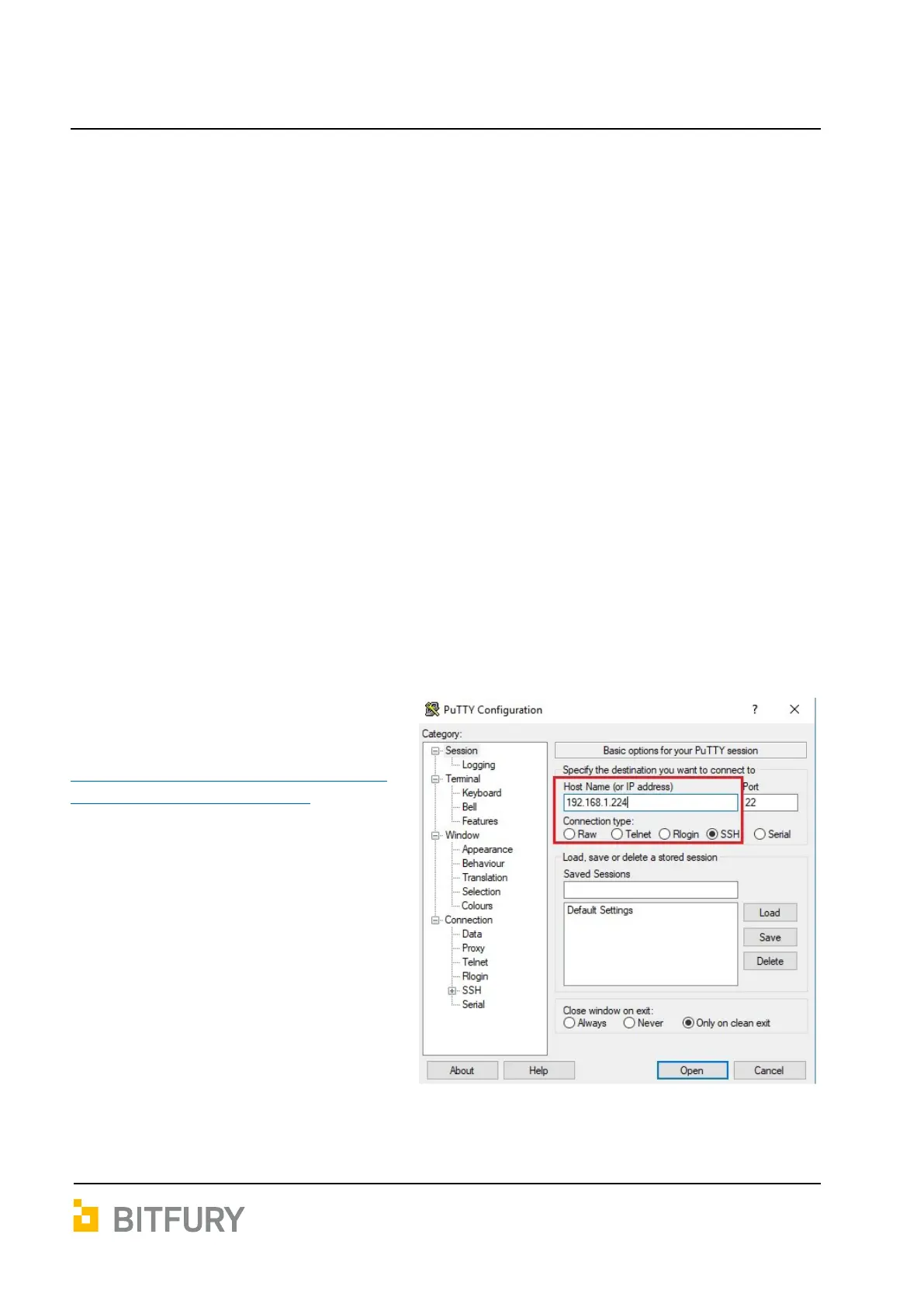
Download PuTTY client, install it and
establish a connection with your Open
Miner:
Enter IP address of YOUR MINER in the
field Host Name for IP address.
Connection type = SSH. Port = 22:


 To Next Page