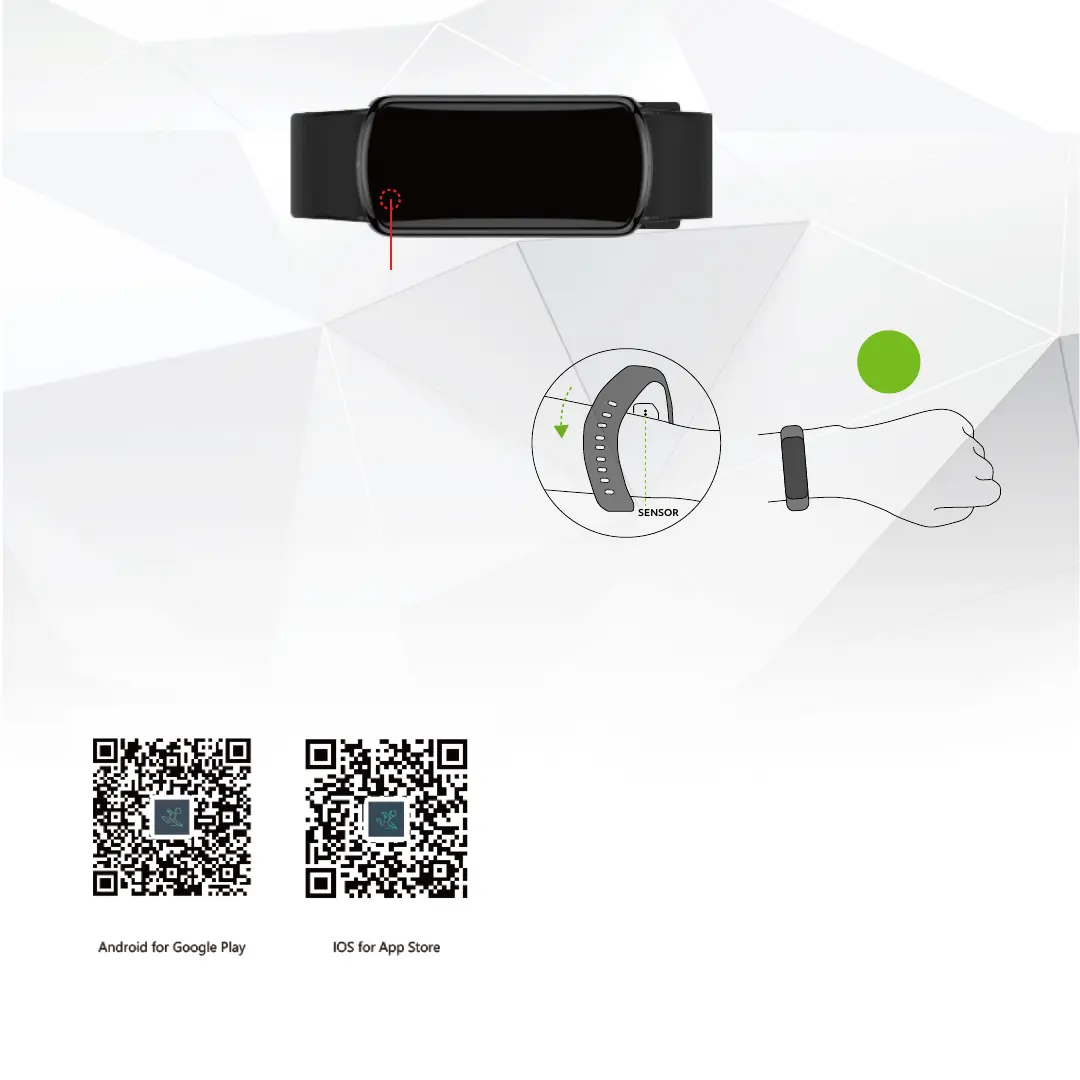
POWER ON/OFF:
HOW TO WEAR:
Place the tracker on your left wrist, with the screen facing
you and the sensor against your skin. Adjust the strap
accordingly and insert the pin into the corresponding
hole on the strap. The tracker should rest comfortably
snug against your wrist, but not be tight.
Long press
power on/off
LEFT
HAND
DOWNLOADING THE ‘DAYBAND’ APP:
Scan the correct QR code depending on whether you have
an Android or iOS smartphone.
CONNECTING THE TRACKER:
When connecting for the first time, make sure your
tracker is fully charged, ensure your smartphones
Bluetooth is switched on, and discoverable.
Open the ‘DayBand’ App.
Follow the instructions in the App to connect your
tracker to it (Add a new device, select your tracker).
The time and date will automatically synchronise to
that of your smartphone.
Search for “Pro Tracker” in your devices Bluetooth to
make sure it is connected.


 To Next Page