EasyManua.ls Logo

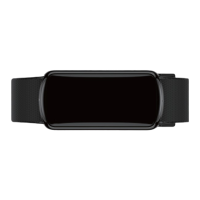
bitmore Fitness Tracker Pro - User Manual

bitmore Fitness Tracker Pro
9 pages
Print Icon
To Next Page IconTo Next Page
Loading...
USER MANUAL
SMART FITNESS
TRACKER WATCH
Fitness Tracker Pro
Question and Answer IconNeed help?

Do you have a question about the bitmore Fitness Tracker Pro and is the answer not in the manual?

Summary

Fitness Tracker Pro - Important Information

Important Safety and Usage Notes

Read manual, avoid submersion, not for medical diagnosis.

Minimum System Requirements

Requires Android 4.4+ or iOS 8.0+ for app compatibility.

Device Charging Instructions

Charge fully before first use; connect USB to port for charging indication.

Fitness Tracker Pro - Setup and Operation

Powering On and Off

Long press the power button to turn the tracker on or off.

How to Wear Your Tracker

Place on left wrist with sensor against skin, adjust strap for snug fit.

Downloading the DayBand App

Scan QR code for Android or iOS to download the companion app.

Connecting Your Tracker to the App

Ensure Bluetooth is on, open app, add device, search 'Pro Tracker'.

Fitness Tracker Pro - Features Guide

Data Synchronization

Manually sync data by pulling down homepage in DayBand App.

Heart Rate Monitoring

Measure heart rate hourly or manually via the DayBand App.

Multi-Sport Mode

Track various sports like Run, Bike, recording calories and activity time.

Stopwatch Operation

Start, stop, and reset the stopwatch using the home button.

Distance and Calorie Display

Shows total distance traveled and calories burned.

Call and Message Reminders

Tracker vibrates for incoming calls and new messages when enabled.

Sleep Monitoring and Analysis

Automatically monitors and analyzes sleep patterns.

OTA Software Updates

Check for and install software updates for the tracker.

Blood Pressure and Oxygen Measurement

Measure blood pressure trends and blood oxygen levels.

Call Rejection and Music Control

Reject incoming calls or control music playback from the tracker.

Fitness Tracker Pro - Troubleshooting

Connection Issues

Troubleshoot smartphone connection, app binding, and data loading problems.

Time Synchronization

Address incorrect time display due to low battery or connection loss.

Fitness Tracker Pro - Safety Information

General Safety Precautions

Avoid heat, liquids, disassembly, dropping, and improper charging.

Usage Restrictions

Do not use near aerosols, in closed environments, or with faulty cables.

Battery and Guarantee Notes

Lithium-ion battery care, effect of temperature, and guarantee void conditions.

Fitness Tracker Pro - Guarantee and Membership

24-Month Limited Guarantee

Register device within 30 days for warranty; covers defects, excludes misuse.

Warranty Exclusions

Guarantee void for damage from misuse, accidents, unauthorized alterations.

Summary

Fitness Tracker Pro - Important Information

Important Safety and Usage Notes

Read manual, avoid submersion, not for medical diagnosis.

Minimum System Requirements

Requires Android 4.4+ or iOS 8.0+ for app compatibility.

Device Charging Instructions

Charge fully before first use; connect USB to port for charging indication.

Fitness Tracker Pro - Setup and Operation

Powering On and Off

Long press the power button to turn the tracker on or off.

How to Wear Your Tracker

Place on left wrist with sensor against skin, adjust strap for snug fit.

Downloading the DayBand App

Scan QR code for Android or iOS to download the companion app.

Connecting Your Tracker to the App

Ensure Bluetooth is on, open app, add device, search 'Pro Tracker'.

Fitness Tracker Pro - Features Guide

Data Synchronization

Manually sync data by pulling down homepage in DayBand App.

Heart Rate Monitoring

Measure heart rate hourly or manually via the DayBand App.

Multi-Sport Mode

Track various sports like Run, Bike, recording calories and activity time.

Stopwatch Operation

Start, stop, and reset the stopwatch using the home button.

Distance and Calorie Display

Shows total distance traveled and calories burned.

Call and Message Reminders

Tracker vibrates for incoming calls and new messages when enabled.

Sleep Monitoring and Analysis

Automatically monitors and analyzes sleep patterns.

OTA Software Updates

Check for and install software updates for the tracker.

Blood Pressure and Oxygen Measurement

Measure blood pressure trends and blood oxygen levels.

Call Rejection and Music Control

Reject incoming calls or control music playback from the tracker.

Fitness Tracker Pro - Troubleshooting

Connection Issues

Troubleshoot smartphone connection, app binding, and data loading problems.

Time Synchronization

Address incorrect time display due to low battery or connection loss.

Fitness Tracker Pro - Safety Information

General Safety Precautions

Avoid heat, liquids, disassembly, dropping, and improper charging.

Usage Restrictions

Do not use near aerosols, in closed environments, or with faulty cables.

Battery and Guarantee Notes

Lithium-ion battery care, effect of temperature, and guarantee void conditions.

Fitness Tracker Pro - Guarantee and Membership

24-Month Limited Guarantee

Register device within 30 days for warranty; covers defects, excludes misuse.

Warranty Exclusions

Guarantee void for damage from misuse, accidents, unauthorized alterations.

bitmore Fitness Tracker Pro Specifications

General IconGeneral
Display TypeOLED
Heart Rate MonitorYes
Sleep TrackingYes
PedometerYes
Calorie TrackingYes
Battery LifeUp to 7 days
Step CounterYes
Calories BurnedYes
NotificationsYes
CompatibilityiOS, Android