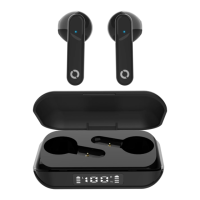
I bought my TruSense TWS from Amazon, eBay or another individual,
can you help?
Unfortunately if you bought your TruSense TWS on Amazon (excluding the actual Bitmore
Store), eBay, high street store or a random man on the street, there’s not much we can do, we’d
be happy to help with technical questions. But we only authorise and distribute our TruSense
TWS (and all our other products), via authorised retailers such as airport stores and airlines. Any
Bitmore products not purchased through authorised resellers are void of any manufacturing
guarantee, repair or replacement service.
I changed my mind about the TruSense TWS can I get a refund?
•
If you bought your TruSense TWS directly from bitmore.co.uk and are within the 30 day returns period,
please contact our customer care team on justask@bitmore.co.uk and quote your order reference.
• If you purchased your TruSense TWS from the Bitmore Amazon Store, you must contact Amazon
directly as the sales contract is with yourself and Amazon and follow their policies.
• If you purchased your TruSense TWS from one of our authorised resellers such as an airline or airport
store, you must contact that reseller directly as the sales contract is with yourself and that retailer,
please follow their policies.
• If you purchased them anywhere else, you must contact the place/individual/business you purchased
them from.
What if I lose one of my earbuds or the charging case?
Whilst this doesn’t qualify for the manufacturing guarantee, don’t panic! Just drop our customer
care team an email on justask@bitmore.co.uk and we will do our best to assist you.
Troubleshoot: If you experience connection issues, only one earbud will connect, or your device
cannot find the TruSense TWS after previously pairing:
Check if you have paired the earbuds to dierent devices, turn the Bluetooth device o, or
remove it from the ‘paired’ list.
Remove them from your device ‘paired’ Bluetooth list and follow the pairing process again.
Still stuck? Drop our customer care team an email on justask@bitmore.co.uk, and have your
receipt/proof of purchase handy.
BMECTWS27 TRUSENSE TWS



 To Next Page