
 Need help?
Do you have a question about the Bittel MODA Series and is the answer not in the manual?
Connect and play music from Apple devices, mobile phones, or MP3 players using Bluetooth.
Select FM-RADIO mode and tune frequencies using the TUNING+/- buttons.
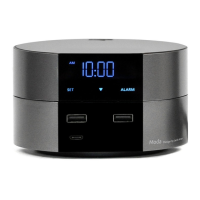
Identifies the physical components and display of the clock module.
Procedure to display and verify the year, month, and date on the clock display.
Step-by-step guide to set the hour and minute for the alarm.
How to activate the snooze function for the alarm and its duration.
Methods for adjusting the clock's brightness, including auto-dimming and manual control.
Details about the backup battery, its specifications, and function.
Instructions for setting the current time on the clock module.
Using the remote control to adjust the device's time and date settings.
Configuring the Daylight Saving Time area code using the remote control.
Steps to initiate a phone call using the speakerphone.
Instructions for answering incoming calls and finishing a call.
How to redial the most recently dialed telephone number.
Using the VOL button to control the ringing volume of the base or handset.
Using memory keys for direct dialing and programming guest service buttons.
Details on the wireless charging capability for Qi-compatible devices.
Steps to resolve no sound or noisy audio problems.
 General
| Brand | Bittel |
|---|---|
| Model Series | MODA Series |
| Category | Clock Radio |
| Display Type | LED |
| Alarm Function | Yes |
| Snooze Function | Yes |
| Sleep Timer | Yes |
| Radio Band | FM |

 To Next Page