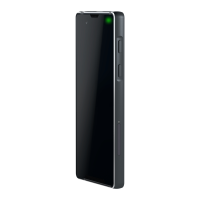
The Bittium Tough Mobile is a rugged smartphone designed for durability and secure communication, as indicated by its "Tough Mobile" branding and emphasis on water and dust resistance (IP67). It runs on the Android operating system, offering a familiar user experience while incorporating specific features tailored for security and robustness.
Function Description
The Bittium Tough Mobile serves as a secure and durable mobile communication device. Its primary function is to provide reliable connectivity and advanced security features for users who require a robust and protected smartphone. It supports standard smartphone functionalities such as making calls, sending messages, browsing the internet, and running applications. Beyond these basics, it integrates specialized security measures, including tamper detection, device encryption, and support for encrypted email, making it suitable for environments where data protection is paramount. The device is also designed to withstand challenging physical conditions, ensuring operational continuity in demanding situations.
Usage Features
The device is equipped with several features that enhance its usability and security:
- Physical Overview: The phone includes a power key (which also functions as a status indicator LED and emergency key), earpiece, auxiliary microphone, headset port with a protective cover, front and back cameras, loudspeakers, flash LED, volume key, and a programmable key. It also features battery charging connectors, a USB 3.0 port with a protective cover, main microphones, and a noise cancellation microphone. The placement of these components is clearly outlined to facilitate user understanding.
- Water and Dust Resistance (IP67): The Bittium Tough Mobile is designed to be water and dust resistant. To maintain this resistance, it is crucial that the battery cover, USB connector cover, and headset cover are properly closed and undamaged. Users are cautioned against intentional dropping or underwater immersion, as the device is not designed for such use, and doing so will void the warranty.
- Battery and SIM Card Installation: To begin using the device, users must first remove the battery cover, insert the SIM card(s) (micro-SIM cards only), and an optional micro SD card. A plastic wedge is provided to carefully pry open the battery cover by sliding it along the side and then the bottom. The battery cover is intentionally tight to meet IP67 requirements, and users are warned against using metallic or sharp objects to open it. After inserting the cards and battery, the battery cover must be properly closed to maintain water and dust resistance.
- Initial Setup (Security Wizard): Upon first power-up, the device launches a Security Wizard. This guides the user through various device settings, starting with setting a screen lock code. The number of setup steps may vary based on the device's specific security features.
- Screen Lock: The display can be locked by pressing the power key once or automatically after a period of inactivity. To unlock, users swipe up, enter their screen lock code, and tap the "check" mark. The display can be switched on by pressing the power key or the programmable key.
- Emergency Dialer: An emergency call can be initiated directly from the lock screen by tapping "EMERGENCY." Users can then dial the emergency number and tap the green call icon. An arrow in the top left corner allows users to return to the lock screen.
- Encrypted Email: The device supports email encryption using OpenPGP, with key management, encryption, decryption, and key signing handled by the OpenKeyChain application. For GMS (Google Mobile Services) variants, OpenKeyChain can be downloaded from Google Play; for non-GMS variants, it may be available via Bittium Secure Suite. Users need to create or import security keys for the cipher.
- Bittium SafeMove Mobile VPN: This feature provides always-on, secure, and seamless VPN connectivity for mobile workers, enabling secure access to corporate internal networks. Its use requires server components and a separate license.
- Programmable Key: The programmable key offers customizable functionality. It can be configured to operate Push-to-Talk (PTT), enter sleep or wake the device, select the active SIM card, launch the camera application, or launch any defined application. Configuration is done through the "Accessibility" settings menu under "Multipurpose button configuration."
- In Case of Emergency Function: When activated in the "Accessibility" settings, this feature allows users to call a pre-defined emergency contact number by pressing the power key for more than 3 seconds. Users can add the desired contact number within the settings.
- Application Permission Firewall: The device allows users to restrict access permissions of applications to phone data, providing control over which applications can access specific information. These permissions can be managed via the "Security" menu.
- NFC (Near Field Communication): The NFC antenna is located in the battery cover. For security reasons, NFC is designed to operate only when another NFC device is placed very close to the Bittium Tough Mobile's NFC antenna, preventing information leakage during operation.
- USB Connectivity: The device features a micro USB 3.0 connector, which is backward compatible with micro USB 2.0 devices. Users can connect standard micro USB 2.0 connectors to the wider slot of the micro USB 3.0 port.
Maintenance Features
The Bittium Tough Mobile incorporates features and guidelines to ensure its longevity and data integrity:
- Software Update: Users can manually check for and install available software updates via the "Settings" menu under "About phone" and "System updates." The device also allows scheduling OTA (over-the-air) updates with options for Disabled, Daily, Weekly, and Monthly.
- Erasing User Data (Fast Wipe): For quick and easy erasure of all user data, the device offers a "Fast Wipe" function. This can be activated from the Quick Settings panel by swiping down (once with two fingers when unlocked, or once with one finger when locked). Users tap "W" in the upper left corner, enter their Device Lock Code (PIN), tap the "check" mark, and then tap "Wipe" in the lower left corner. A warning confirms the procedure, and if the device was provisioned for services like SafeMove, it will need to be re-provisioned after a wipe.
- Device Encryption: The Bittium Tough Mobile supports file system encryption for both its internal flash memory and micro-SD card. Internal flash memory is encrypted by default. Micro-SD card encryption can be enabled through the "Security" settings menu. The battery must be sufficiently charged or connected to a charger to proceed with encryption setup.
- Tamper Detection: The device is equipped with hardware tamper detection. Any intrusion (other than opening the battery cover) triggers a notification from the Security Wizard, indicating potential compromise of device integrity. Upon detection of tampering, or if the battery fully drains and the phone loses all power, user data, including encryption keys, will be erased. After recharging, the Security Wizard will prompt the user to either shut down the device or ignore the tamper detection warning.
- Battery and Charger Usage: Users are advised to only use batteries, antennas, and chargers approved by Bittium Wireless Ltd. Using non-approved accessories can be dangerous and may void the warranty. The battery charging control is intelligent, limiting charging in extreme temperatures to ensure safety and extend operating life.
- General Precautions: The manual provides important health and safety precautions, including warnings about permanent hearing loss from prolonged high-volume earphone use, not using damaged batteries or chargers, and keeping small parts away from children to prevent choking hazards. It also specifies indoor-only use for 5GHz WLAN in certain regions.
- Display and Product Integrity: The display is made of glass and can break if dropped or significantly impacted. Users are warned not to use the device if the screen is broken or cracked. Any modification to the product is prohibited and will void the warranty, as will unauthorized servicing or use of components for purposes not authorized by the document. Only authorized personnel should service the device.
- Temperature Considerations: The device may become warm during prolonged use, which is normal. It may not meet all specifications in extreme temperatures, with battery capacity and performance potentially limited in low and high temperatures.
- Data Backup: Users are advised to always create a backup of important data (contacts, calendar notes) before sending the device for service.
- Warranty: The device comes with a 1-year limited warranty covering defects in materials or workmanship. The warranty does not cover cosmetic damage, liquid damage, misuse, abuse, negligence, accident, modification, disassembly, improper operation or maintenance, connection to improper voltage supply, or attempted repair by unauthorized personnel. To obtain warranty service, a Return Authorization from Bittium is required, and the product must be shipped in its original or equally protective packaging.

 Need help?
 General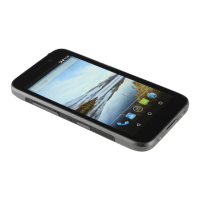

 To Next Page