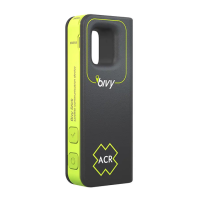
UNDERSTANDING THE LIGHTS ON THE BIVY STICK
is on. It will normally be dim to preserve battery life.
Pressing the power button quickly will brighten the light
for better visibility.
You can charge your device with any USB-C cable by
plugging it into the port on the bottom of the Bivy Stick.
2. The Signal light:
The Signal light indicates satellite visibility status.
Green = Strong
Yellow = Medium/Weak
The Signal light will turn off after a few minutes to preserve
battery. Quickly push the power button to turn the Signal
light back on. Occasionally, you may see the Signal light
lock and should only last a few seconds if you are out in
the open. It will not get a GPS lock if you are inside.
3. Status light:
The Status light can show several different colors:
Yellow = Message is being sent
Green = Message has been received
Blue = Currently tracking and sharing location
Red = SOS has been activated
has been received from the satellites but has not been
sent to the phone yet. Make sure your phone is connected
to the Stick via Bluetooth and open the Bivy app to
receive the message.
If the Status light is yellow, a message is on the Stick
trying to send to the satellite. Move to a different location
with a more open view of the sky or wait a few minutes
for a satellite to come into view. Satellites cross the sky
over about 2 hours so new satellites can come into or out
of view at any time.
SAFETY AND PRODUCT INFORMATION
USAGE REQUIREMENTS
• Messaging, tracking, SOS, weather and all Bivy Stick
features require an active Bivy Stick base data plan. You
will need to pay for a base plan of service in order for
8


 To Next Page
 Loading...