Contact Us:
e: support@onsitetrackeasy.com.au
p: 1300 131 194
w: pegasus.net.au
Cleaning Instrucons:
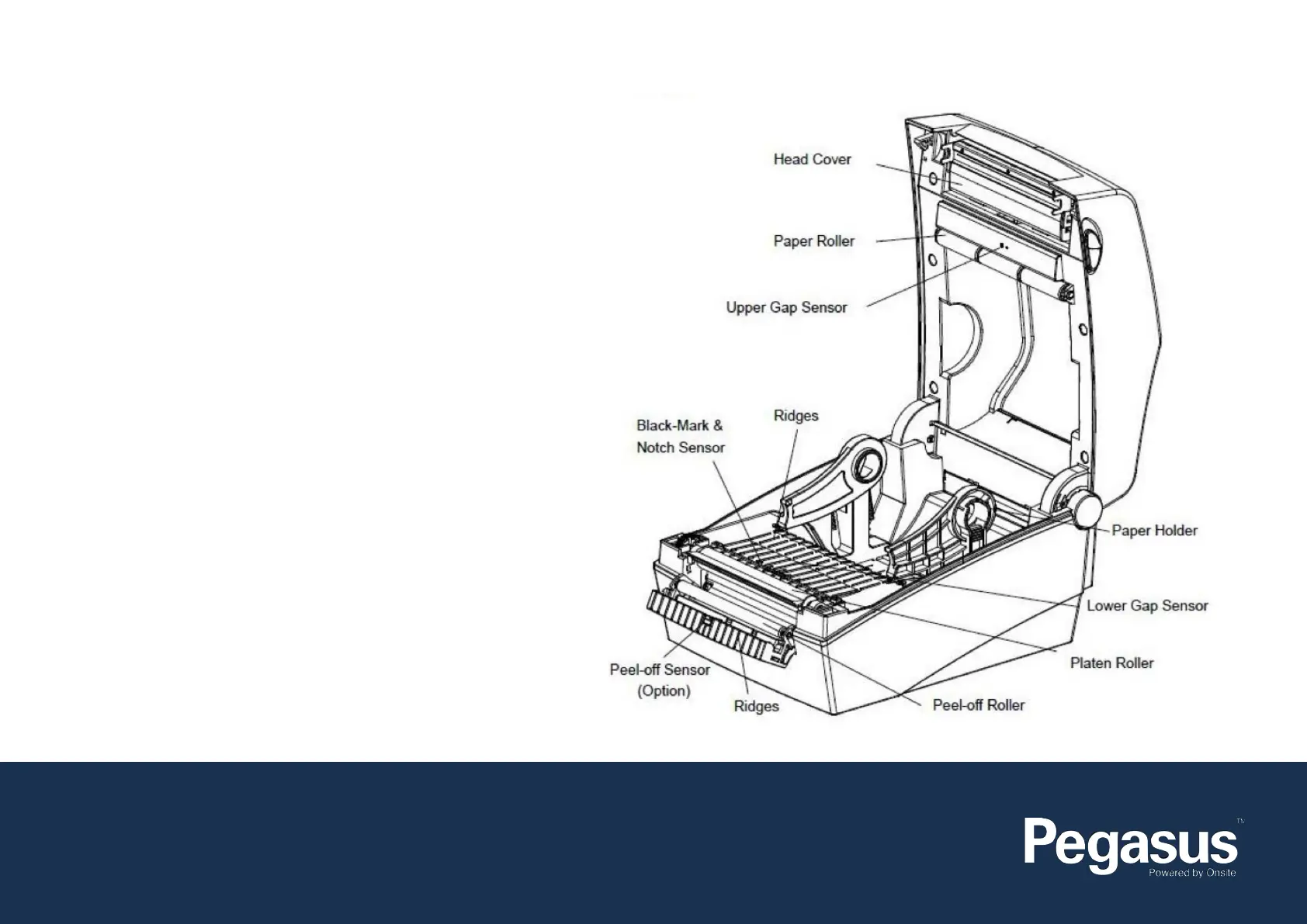
1. Open the paper cover and then remove the paper.
2. Remove any dust or foreign substance using a dry cloth or cotton
swab.
3. Soak the cloth or cotton swab in alcohol for medical use and use it
to remove adhesive foreign substances or other pollution materials.
4. After cleaning the parts, do not use the printer until the alcohol has
evaporated completely (1-2 minutes) and the printer has completely
dried.
Note: Clean the parts when there is a degradation of performance the
in printing quality or paper detection.


 To Previous Page